
Research topic
Robotics Diagram Examples from AI Conference Papers
These robotics diagram examples are the Figure 1s of 60 papers from ICLR, ICML, NeurIPS and ACL, 2024 to 2026, all shared under CC BY 4.0. Most deal with robot manipulation and embodied agents: vision language action models, long horizon tasks, imitation learning and benchmarks. See how they lay out camera frames over time, mark success and failure, and draw the loop between policy, robot and human. Open any figure for its palette and similar figures, then sketch your own.
60 Figure 1 images, 2024 to 2026, all from CC BY 4.0 papers
60 figures
How robotics papers show tasks unfolding over time
- 1
Caption each frame of a long task
A long horizon task becomes a strip of camera frames, each with a short caption of its subtask underneath, such as opening the microwave or placing a bowl. Readers can follow the plan left to right like a storyboard.
- 2
Color the segments of a demonstration
Colored bars under the frames split one demonstration into named skills such as grasp, transit and push, and the same colors return in the planner steps below. Color links the video, the labels and the actions.
- 3
Mark failures on the frames themselves
Red boxes and crosses sit on the exact frames where a skill fails, while green checks and a green goal box mark the successful rollout. Putting the verdict on the image shows when things go wrong, not only that they do.
- 4
End each paradigm column with a verdict
Imitation learning, vision language action models and the proposed hierarchy each get a column with the same layout, and each column ends with a one word rating in red, orange or green. The claim is visible before any table.
- 5
Label every arrow between agent and robot
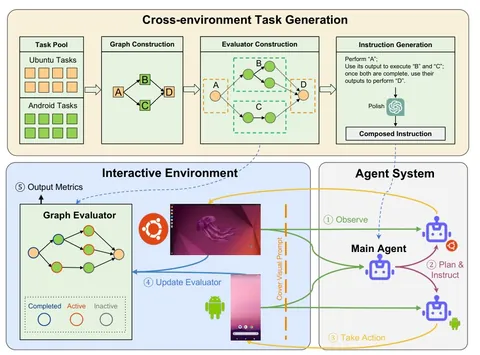
Agent, environment and physical robot are large colored blocks, and each arrow between them names what it carries: state, action, reward or done flag. Readers see the full control loop and its message types in one view.
- 6
Close the loop with human corrections
Deployment, failure, human takeover, data collection and policy update form one loop, with a long Deploy arrow returning to the start. A small legend tells automatic actions, failures and human interventions apart by color.
Robotics diagram questions
How do I draw a robotics diagram for Figure 1?
Start with what the robot sees and is told: a camera frame and the language instruction in quotes. Show the model as a few blocks, then the action output and the robot carrying it out. If the task is long, add a strip of frames with subtask captions. Mark success and failure on the frames, and keep robot photos or renders large enough to read.
How do I draw a vision language action model?
Most figures draw the image encoder and the language model as labeled blocks feeding a shared backbone, with an action head or action tokens at the output. Show the instruction text and a camera frame as real inputs, and the predicted action as an arrow, a gripper pose or a row of tokens. Open the backbone only if your change sits inside it.
Should I use real robot photos or simulator renders?
Use whatever your experiments use. Figures here mix both: lab photos for physical experiments and clean simulator renders for benchmark tasks. Crop tightly to the gripper and the object, keep the camera angle the same across a strip of frames, and keep each image large enough that the object being handled is easy to see.
Can I reuse these robotics figures?
Copyright stays with the authors. These papers are released under CC BY 4.0, which allows reuse, including commercial use, if you credit the authors, link to the paper and to the license, and note any changes you made. For your own paper it is usually better to borrow the layout idea and draw your own figure. If you start from an AI draft, check your venue's policy on AI-generated images before you submit.
How do I show a long horizon robot task in one figure?
Split the task into subtasks and give each one a frame from the robot camera with a short caption, placed left to right in time. Keep the camera angle fixed so changes in the scene are easy to spot, number the steps, and mark the step where a failure or a recovery happens. Put the model or planner above the strip so the reader sees which part produced each action.
Draft your robotics diagram
Describe what the robot sees, what it is told and how your policy acts, and SciFigure's AI figure tools draft a first layout. Then check every label, frame and arrow against your setup.
Open the AI figure generatorData and license
Every figure here is Figure 1 of a paper released under CC BY 4.0, cropped and resized, and each one credits its title, authors, venue and year with links to the paper and the license. Listing a figure does not mean its authors endorse SciFigure. How the licenses were checked.