
Free box plot maker and calculator
Box and whisker plot maker with exact quartiles and every step shown
Paste your numbers, upload a CSV or Excel file, or type a five-number summary, and this box and whisker plot generator draws the plot as you type. Q1, the median and Q3 are computed by the method your course or software uses, outliers are found with the 1.5 × IQR rule, the working is laid out step by step, and the finished box plot exports as SVG, PNG or PDF.
Swipe sideways to see the whole chart. Horizontal orientation fits a phone best.
Five-number summary, fences and outliers
Quartiles by Median of halves · whiskers to 1.5 × IQR
| Statistic | Control | Nitrogen | Phosphorus | NPK |
|---|---|---|---|---|
| n | 12 | 12 | 12 | 12 |
| Minimum | 16.9 | 22.9 | 19.5 | 26.4 |
| Q1 (lower quartile) | 18 | 23.95 | 20.4 | 28.9 |
| Median | 18.9 | 25.45 | 21.25 | 30.3 |
| Q3 (upper quartile) | 19.95 | 26.45 | 22.5 | 31.5 |
| Maximum | 21.3 | 28.3 | 23.1 | 33.7 |
| IQR (Q3 − Q1) | 1.95 | 2.5 | 2.1 | 2.6 |
| Range | 4.4 | 5.4 | 3.6 | 7.3 |
| Mean | 18.9917 | 25.35 | 21.35 | 30.2083 |
| Standard deviation (sample) | 1.3125 | 1.655 | 1.2147 | 2.0156 |
| Lower fence (Q1 − 1.5 × IQR) | 15.075 | 20.2 | 17.25 | 25 |
| Upper fence (Q3 + 1.5 × IQR) | 22.875 | 30.2 | 25.65 | 35.4 |
| Lower whisker ends at | 16.9 | 22.9 | 19.5 | 26.4 |
| Upper whisker ends at | 21.3 | 28.3 | 23.1 | 33.7 |
| Outliers (beyond the fences) | none | none | none | none |
Everything runs in your browser: your data is never uploaded, and your last session is kept on this device only. Undo with Ctrl+Z.
Worked example
One data set, four answers for Q1 and Q3
Take the 12 exam scores from the Exam scores example. Sorted, they are 52, 58, 61, 64, 66, 70, 73, 75, 79, 83, 88, 94. Every method agrees on the median: n is even, so it is the mean of the 6th and 7th values, (70 + 73) ÷ 2 = 71.5. The quartiles are another matter.
| Method | Q1 | Q3 | IQR | Fences |
|---|---|---|---|---|
| Median of halvesTI-83/84, Khan Academy and most school textbooks | 62.5 | 81 | 18.5 | 34.75 to 108.75 |
| Tukey hingesR's boxplot() and fivenum() | 62.5 | 81 | 18.5 | 34.75 to 108.75 |
| Excel QUARTILE.INCR type 7 (the default), NumPy, pandas, ggplot2, Google Sheets QUARTILE | 63.25 | 80 | 16.75 | 38.125 to 105.125 |
| Excel QUARTILE.EXCR type 6, Minitab, SPSS percentiles | 61.75 | 82 | 20.25 | 31.375 to 112.375 |
- Median of halves. Q1: the lower half is the 1st to 6th values, whose middle is (61 + 64) ÷ 2 = 62.5; Q3: the upper half is the 7th to 12th values, whose middle is (79 + 83) ÷ 2 = 81.
- Tukey hinges. Q1: the lower half is the 1st to 6th values, whose middle is (61 + 64) ÷ 2 = 62.5; Q3: the upper half is the 7th to 12th values, whose middle is (79 + 83) ÷ 2 = 81.
- Excel QUARTILE.INC. Q1: position 3.75, so 61 + 0.75 × (64 − 61) = 63.25; Q3: position 9.25, so 79 + 0.25 × (83 − 79) = 80.
- Excel QUARTILE.EXC. Q1: position 3.25, so 61 + 0.25 × (64 − 61) = 61.75; Q3: position 9.75, so 79 + 0.75 × (83 − 79) = 82.
With an even n the two halving methods agree; they part only when n is odd, over whether the median belongs to the halves. None of the four is wrong, so an answer key that differs from yours by a fraction is almost always using another method.Here no score falls outside any set of fences, so the plot has no outliers whichever method you choose.
Five numbers hide the shape. To keep every score visible, draw the same data as a stem-and-leaf plot, a dot plot or a histogram; to check the scores against a normal curve, use the bell curve generator. For a journal figure with significance brackets, the AI box plot generator takes the same CSV, and the violin plot generator shows a distribution with two peaks that a box would hide. Before submitting, check sizes and fonts against the journal figure requirements and pick colours from the colorblind-friendly palettes. More chart types are in the data visualization tools.
How to use this box plot maker
The plot redraws on every keystroke, so you can paste a column, fix a typo and see the box move at once. Nothing is uploaded: the numbers are read and the chart is drawn by code running in your browser tab.
- Enter the data. Paste a list of numbers for one group, one “label: values” line per group, or columns copied straight from Excel or Google Sheets with group names in the first row. A CSV or XLSX file works too, and so does a long table with a group column and a value column.
- Or type a five-number summary. If the question only gives the minimum, Q1, median, Q3 and maximum, switch to 5-number summary and fill in one row per group.
- Pick the quartile method under Quartiles. Each option shows its Q1 and Q3 for your data before you choose, so you can match an answer key, a TI-84, Excel or R.
- Choose the whisker rule: 1.5 × IQR with outliers drawn as points, which is what statistics software does, or minimum to maximum, which is what many school courses draw.
- Style it under Style: vertical or horizontal, data points, mean marker, notches, colour-blind-safe palettes, axis titles with units, and a Clean, Nature-like, Grayscale or Dark slide preset.
- Export as SVG for vector editing, PNG at 2× or 3× for slides and documents, or PDF through the print dialog. Copy the statistics table into a spreadsheet or copy the full working as text.
How to read a box and whisker plot
A box plot squeezes a whole distribution into five numbers and a handful of points, which is why several groups fit side by side on one axis. Each part has a fixed meaning.
- The line inside the box is the median: half the values lie below it and half above.
- The box runs from Q1 to Q3, so it holds the middle 50% of the data. Its length is the interquartile range (IQR), the most robust single measure of spread.
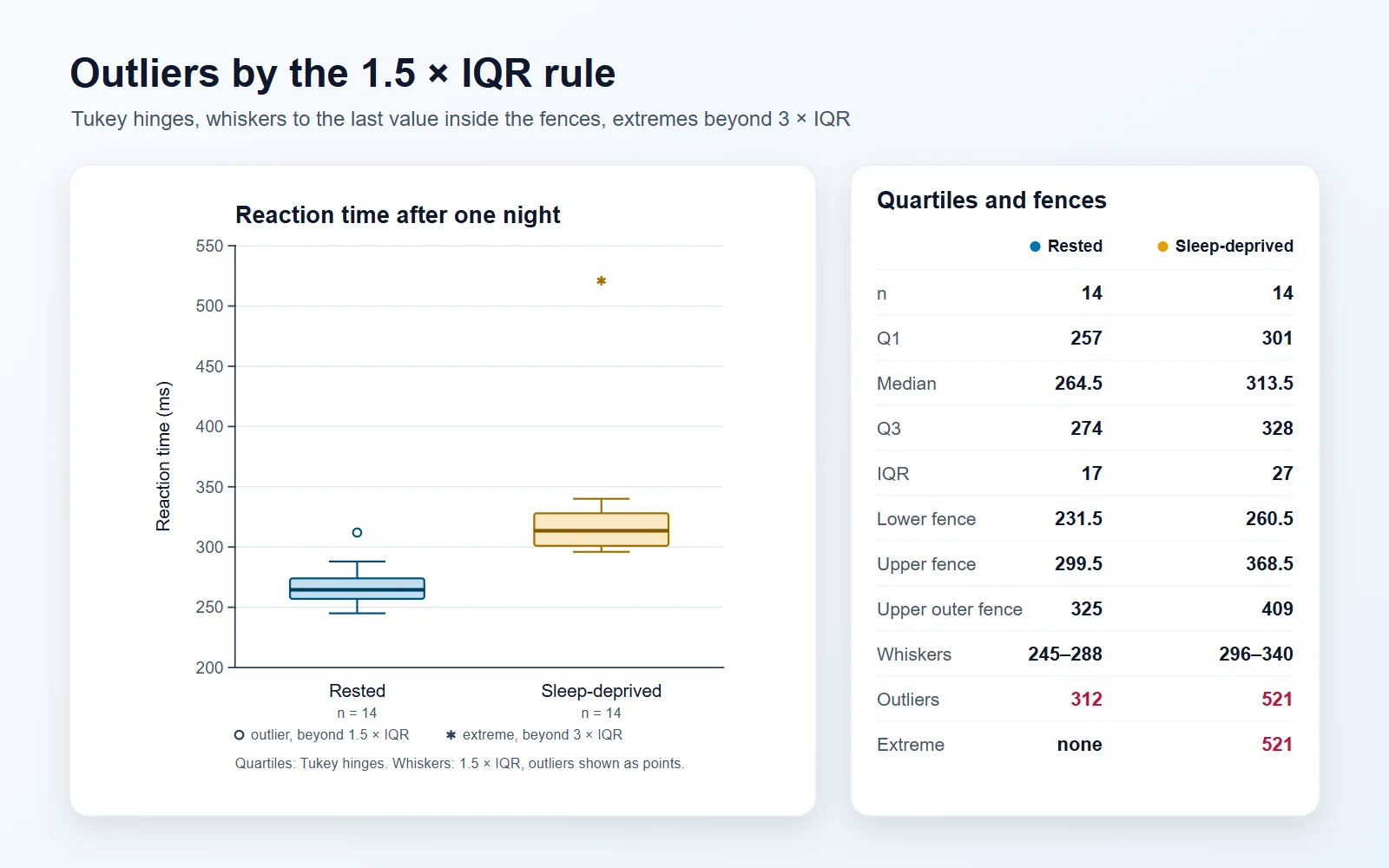
- The whiskers reach out to the most extreme values that are not outliers. With the 1.5 × IQR rule they stop at the last data point inside the fences; with the min–max rule they reach the smallest and largest values.
- Points beyond the whiskers are outliers: values more than 1.5 IQRs below Q1 or above Q3.
- The position of the median shows skew. A median close to Q1 with a long upper whisker means a right-skewed distribution, the typical shape of incomes, reaction times and hospital stays. In that case the mean sits above the median, which the mean marker makes visible.
- Comparing groups: if the boxes of two groups do not overlap at all, the medians very likely differ. Overlapping boxes do not prove the opposite; notches, or a proper test, answer that question.
How quartiles are calculated, and why box plot calculators disagree
Every method agrees on the median. They disagree about Q1 and Q3 because “the value a quarter of the way through the data” is not well defined when the data cannot be split into four equal parts. Hyndman and Fan (1996) list nine definitions in use. This box plot calculator offers the four you are most likely to be checked against, and the Show the steps panel prints the positions and the interpolation for whichever you choose.
- Median of halves: split the sorted data at the median and take the median of each half, leaving the median itself out when n is odd. This is what the TI-83 and TI-84, Khan Academy and most school textbooks use.
- Tukey hinges: the same split, but the median is kept in both halves when n is odd. John Tukey defined the box plot with these hinges, and R’s boxplot() and fivenum() still use them.
- Excel QUARTILE.INC, also R type 7: Q1 sits at position (n − 1) × 0.25 + 1 in the sorted data, interpolated between neighbours. It is the default in R’s quantile(), NumPy, pandas and ggplot2, and Google Sheets’ QUARTILE gives the same answer.
- Excel QUARTILE.EXC, also R type 6: Q1 sits at position (n + 1) × 0.25. Minitab and SPSS percentiles use it. It needs at least three values; below that Excel returns #NUM!, and the tool clamps to the minimum and maximum the way R does.
- For the same data the methods can differ by a large fraction of the gap between neighbouring values, and with small samples that is enough to move a point across a fence. That is why a figure legend or a homework answer should say which method was used.
Box plot from a five-number summary
Many questions give only the minimum, Q1, median, Q3 and maximum. That is all a box plot needs, so the 5-number summary input draws it directly: no raw data, no quartile method, and whiskers that run to the minimum and maximum because the values in between are unknown.
- Type one row per group, or paste rows from a spreadsheet into any box: label, min, Q1, median, Q3, max, then optionally the mean and n.
- The tool checks the order, so a Q1 larger than the median is flagged instead of drawn.
- The fences are still computed. If the minimum is below Q1 − 1.5 × IQR or the maximum is above Q3 + 1.5 × IQR, that value is an outlier, and the table says so even though the rest of the data is hidden.
- Add n to draw notches, and the mean to draw a mean marker.
Outliers and the 1.5 × IQR rule
Tukey’s rule draws two fences, one at Q1 − 1.5 × IQR and one at Q3 + 1.5 × IQR. Values outside them are flagged as outliers and plotted individually; the whiskers end at the last values inside. A second pair of fences at 3 × IQR separates mild outliers from extreme ones, which NIST’s handbook draws as small and large circles and this tool draws as circles and asterisks.
- For normally distributed data, about 0.7% of values fall outside the 1.5 × IQR fences, so a few outliers in a large sample are expected rather than alarming.
- An outlier is a value that deserves a second look, not one that should be deleted. Check it for entry errors and unit mix-ups, then report it.
- Skewed data produces many “outliers” on the long side. That is the shape of the distribution, not a problem with the data; a log scale or a different plot may suit it better.
- Because the fences depend on Q1 and Q3, switching the quartile method can move a borderline value in or out. The method comparison table in the steps panel shows the outlier count under every method.
Box plot or histogram?
Both show a distribution; they answer different questions. Pick the one that matches what the reader needs to compare.
- A box plot is the better choice for comparing many groups at once. Five groups of box plots share one axis; five histograms need five panels.
- A histogram shows shape: two peaks, gaps and clusters vanish inside a box plot. When the shape is the result, use a histogram, a violin plot or a raincloud plot.
- Box plots need little data per group to be drawn but can mislead with fewer than about ten values, because each quartile then rests on one or two points. Overlay the data points, or use a dot plot, for small samples.
- Box plots are standard for skewed and non-normal data and for nonparametric results, where a mean and standard deviation would misdescribe the data.
Making a box and whisker plot in Excel, Google Sheets, R or Python
If you have to produce the plot in another program, these are the commands, and the quartile method each one uses so you can match its numbers here.
- Excel 2016 and later: select the data, then Insert, Insert Statistic Chart, Box and Whisker. Its Format pane has a Quartile calculation setting, Inclusive median or Exclusive median. For the numbers alone, =QUARTILE.INC(A2:A13,1) and =QUARTILE.EXC(A2:A13,1) match this tool’s two Excel methods.
- Google Sheets: =QUARTILE(A2:A13,1) matches QUARTILE.INC. At the time of writing Sheets has no box plot in its chart menu; the usual workaround is a candlestick chart fed with minimum, Q1, Q3 and maximum, which leaves outliers out.
- R: boxplot(score ~ class, data = df) draws Tukey hinges. ggplot(df, aes(class, score)) + geom_boxplot() uses quantile type 7 instead, so the two can disagree slightly on the same data. quantile(x, type = 6) gives QUARTILE.EXC.
- Python: matplotlib’s plt.boxplot(data) and seaborn’s sns.boxplot(x="class", y="score", data=df) use NumPy’s linear method, the same as type 7 and QUARTILE.INC. np.percentile(x, [25, 75], method="weibull") gives type 6.
- Whatever you use, the whiskers default to 1.5 × IQR in R, matplotlib, seaborn and Excel’s chart, and to the minimum and maximum in most hand-drawn textbook examples.
Box plots for papers, posters and slides
Reviewers look for the same handful of things in a box plot figure. The presets and toggles here cover each of them.
- Say what the box and whiskers mean in the legend, for example “boxes show the median and interquartile range; whiskers extend to 1.5 × IQR; points are outliers”. Turn on the method note to print it under the chart.
- Show n for each group. With fewer than about 20 values per group, overlay the data points so readers can see the sample behind each box.
- Notches mark median ± 1.58 × IQR / √n, a rough 95% interval for the median (McGill, Tukey and Larsen, 1978). Non-overlapping notches suggest the medians differ; they are not a substitute for a test.
- Use a colour-blind-safe palette such as Okabe-Ito, or the grayscale preset for print. Do not rely on colour alone when the group labels can say it.
- Export SVG or PDF for vector output that stays sharp at any size. A PNG at 3× is roughly 1,800 to 2,500 pixels wide for a typical chart, which is above 300 dpi at a single journal column of 89 mm.
Frequently asked questions
Is this box and whisker plot maker free?
Yes. There is no sign-up, no watermark and no limit on groups or values. It runs entirely in your browser, so the data you paste or upload never reaches a server, and your last session is saved on your own device so it is still there when you come back.
How do I make a box plot from a 5 number summary?
Open the Data tab, choose 5-number summary, and type the minimum, Q1, median, Q3 and maximum for each group. The plot appears as soon as a row is complete and in order. The whiskers run to the minimum and maximum, and the table tells you whether either one is far enough out to be an outlier.
Why is my Q1 different from my textbook or calculator?
Because there are several accepted ways to compute quartiles and they give different answers for the same data. Most school courses and the TI-84 use the median of halves, Excel uses QUARTILE.INC or QUARTILE.EXC, and R’s boxplot() uses Tukey hinges. Each method card under Quartiles shows its Q1 and Q3 for your data, so pick the one that matches your source.
Which quartile method does Excel use?
QUARTILE and QUARTILE.INC use the inclusive method, the same as R type 7. QUARTILE.EXC uses the exclusive method, R type 6, and returns #NUM! for fewer than three values. Excel’s Box and Whisker chart has its own Quartile calculation setting, Inclusive median or Exclusive median, so check that setting before comparing the chart with a formula.
Which method does a TI-84 calculator use for Q1 and Q3?
The TI-83 and TI-84 use the median of halves: they split the sorted list at the median, leave the median out when n is odd, and take the median of each half. Choose Median of halves to match 1-Var Stats exactly.
Is a box plot the same as a box and whisker plot?
Yes. Box plot, boxplot, box-and-whisker plot and box chart all name the same graph, so a boxplot maker, a box chart maker and a box and whisker plot maker all draw the same thing. Some textbooks reserve “box and whisker plot” for the version whose whiskers run to the minimum and maximum, which you can choose under Whiskers.
Can I use this as a box and whisker plot calculator?
Yes. Even without the chart it works as a box and whisker plot calculator: the table gives n, the minimum, Q1, median, Q3, maximum, IQR, range, mean, standard deviation, both fences, the whisker ends and the outliers for every group, and Show the steps writes out how each one was found. Copy the table into a spreadsheet, or copy the working as text for homework.
What is the 1.5 × IQR rule for outliers?
Compute the interquartile range, IQR = Q3 − Q1. Any value below Q1 − 1.5 × IQR or above Q3 + 1.5 × IQR is an outlier. The tool lists the fences and the outliers for each group, and Mark extreme outliers adds a second pair of fences at 3 × IQR.
Where do the whiskers end?
With the 1.5 × IQR rule, at the most extreme data values that are still inside the fences, so a whisker never ends in empty space. With the min–max rule they end at the smallest and largest values, and outliers are not marked separately. The table gives both whisker ends for every group.
What do the notches on a box plot mean?
A notch spans median ± 1.58 × IQR / √n, a rough 95% confidence interval for the median. If the notches of two boxes do not overlap, their medians probably differ. With small samples the notch can reach past the box; the tool then clips it and says so.
Can I show the mean and the individual data points?
Yes. Under Style, Mean marker adds a diamond at the mean and Data points overlays every value, spread sideways so they do not hide each other. The spread is fixed, so the exported image matches the preview exactly.
Can I make side-by-side box plots for several groups?
Yes. Paste one column per group with names in the first row, one “label: values” line per group, or a long table with a group column and a value column. Each group gets its own box, colour and column in the statistics table.
How many values do I need for a box plot?
The tool draws a box from any number of values, but with fewer than about ten per group each quartile rests on one or two points and moves a lot when a single value changes. For small samples, keep the data points visible or use a dot plot instead.
Can I upload an Excel or CSV file?
Yes: CSV, TSV, TXT, XLSX and XLS files up to 10 MB. The file is read in your browser, never uploaded. For workbooks the first sheet with data is used and you can switch sheets afterwards. A table with min, Q1, median, Q3 and max columns is recognised as five-number summaries.
Does it handle decimal commas and missing values?
Yes. Values such as 4,1 are read as 4.1 when the data uses decimal commas, and you can force either reading under Decimal mark. Blank, NA, NaN and n/a cells are skipped, and anything else that is not a number is listed so you can fix it rather than lose it silently.
How do I make a horizontal box plot?
Under Style, set the orientation to Horizontal. Horizontal box plots are easier to read when the group names are long or when there are many groups, and the export keeps the same orientation.
What does it mean when the median is not in the middle of the box?
The distribution is skewed. A median close to Q1, with a longer box and whisker above it, means a long right tail: most values are small and a few are large. The mean marker will then sit above the median line.
Can I tell if there is an outlier from the five-number summary alone?
Sometimes. The minimum and maximum are real data values, so if the minimum is below Q1 − 1.5 × IQR or the maximum is above Q3 + 1.5 × IQR, the data has at least one outlier. If both lie inside the fences, it has none. How many outliers there are cannot be known without the data.
How do I use the box plot in a paper or a presentation?
Download the SVG or print to PDF for a vector file that stays sharp in a manuscript or poster, or use PNG 3× for Word and PowerPoint. Copy image puts a PNG on the clipboard to paste straight into slides. State the quartile method and the whisker rule in the figure legend.
Related tools

Box Plot Generator (AI)
Upload a table and describe the comparison to get a styled box plot with significance brackets.
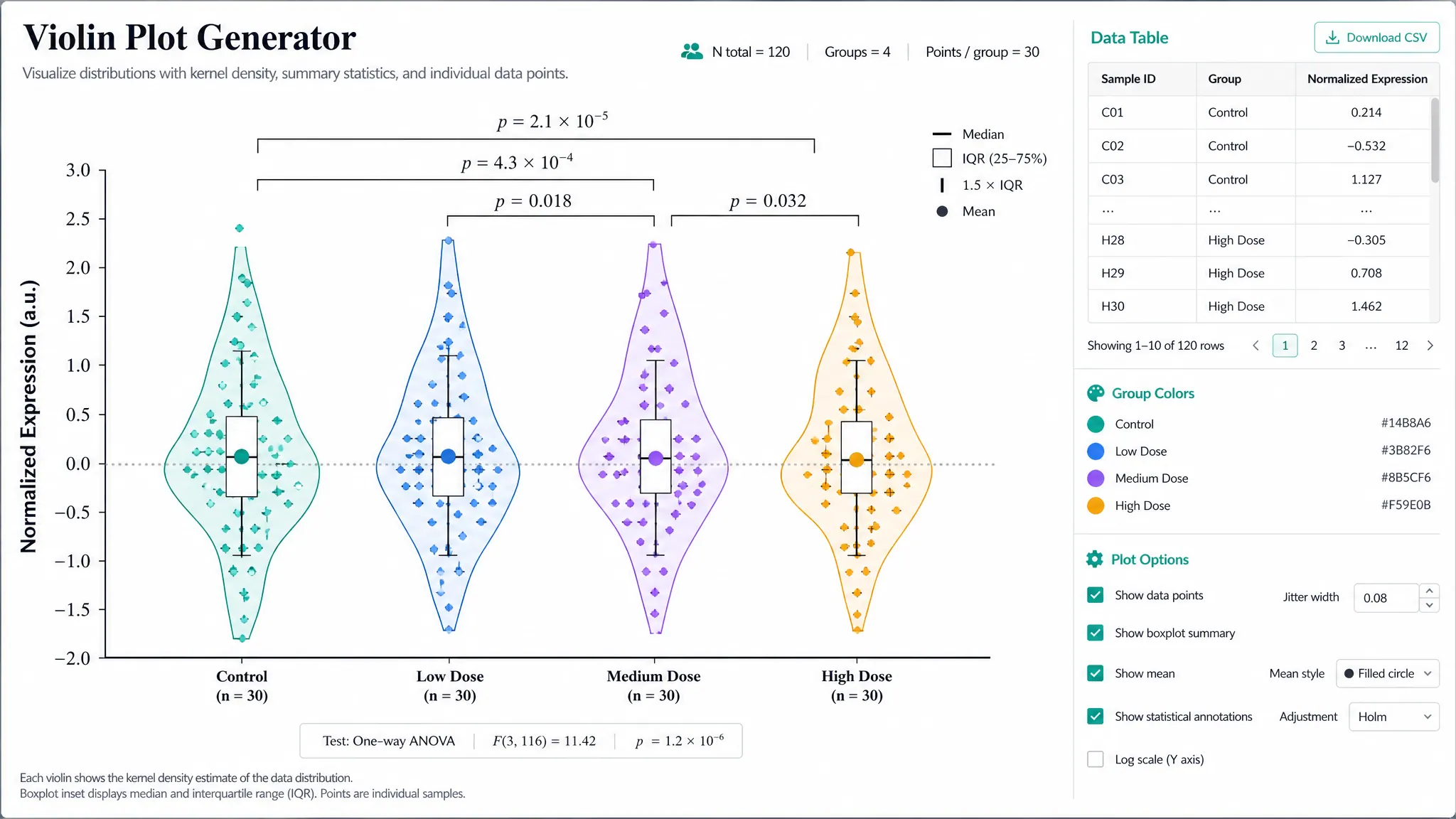
Violin Plot Generator
Show the full distribution shape, including two peaks a box plot would hide.
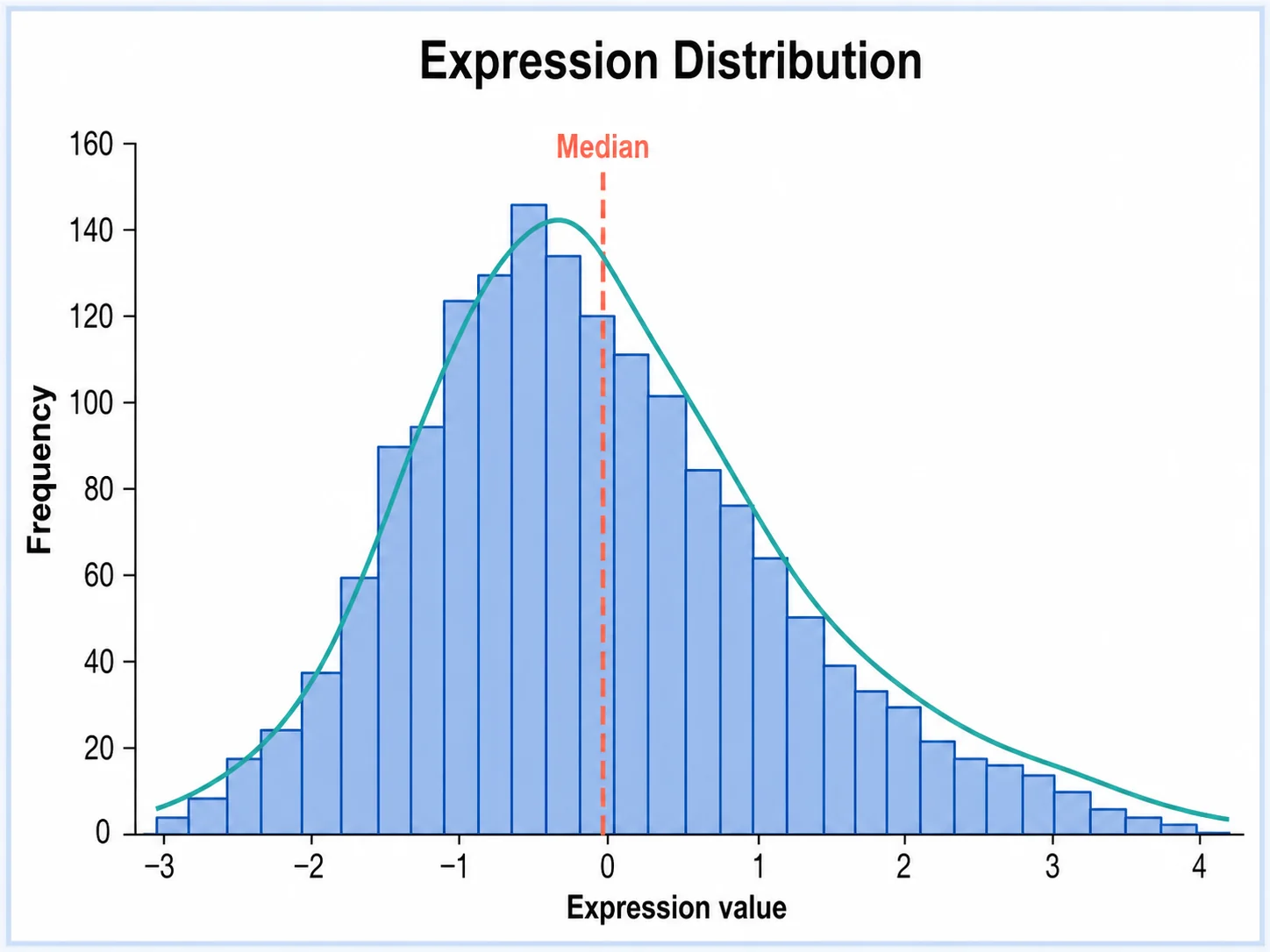
Histogram Generator
Bin a column of values to see the shape of a single distribution.
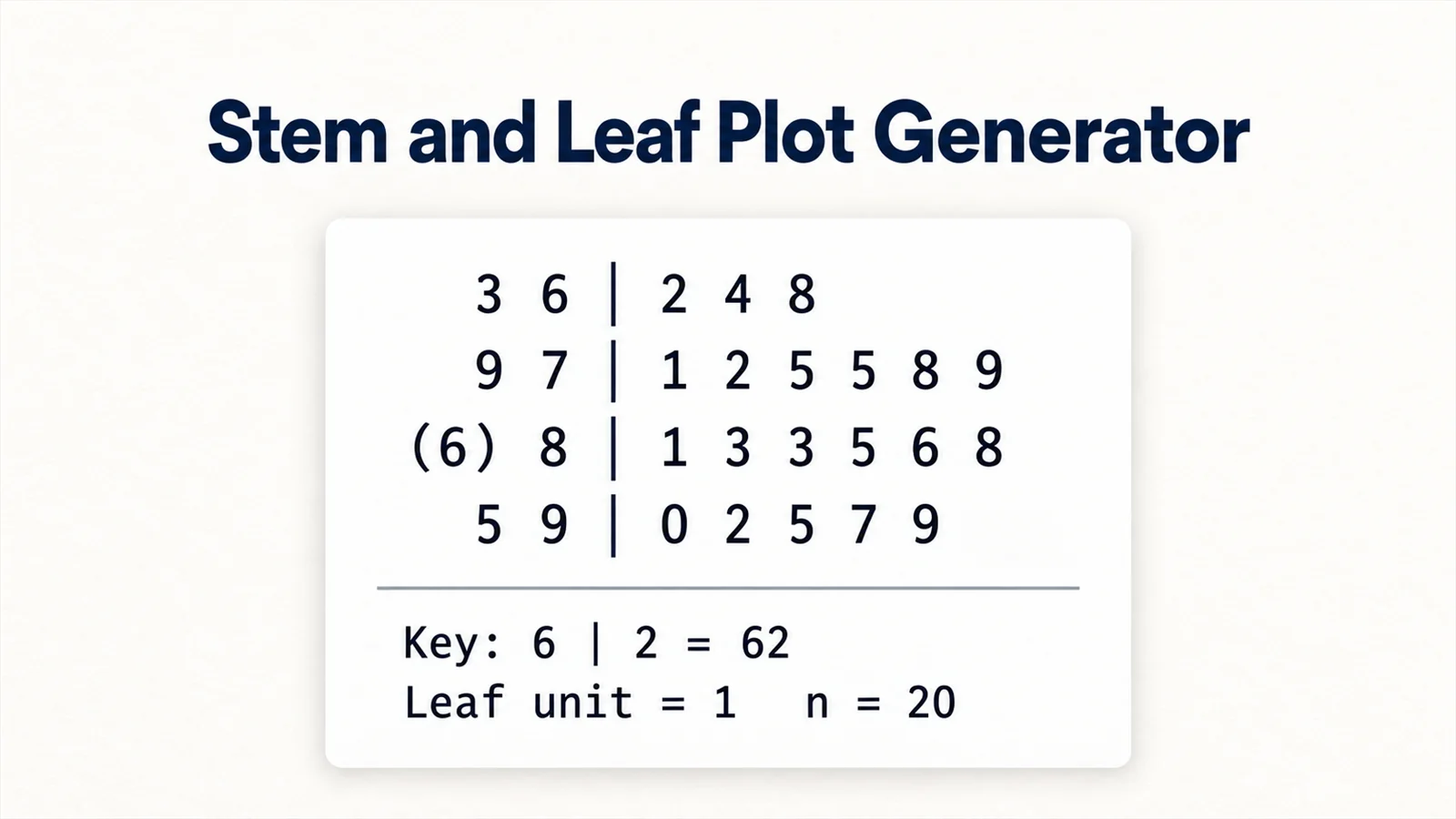
Stem and Leaf Plot Generator
Keep every value visible, with depths and the five-number summary beside it.
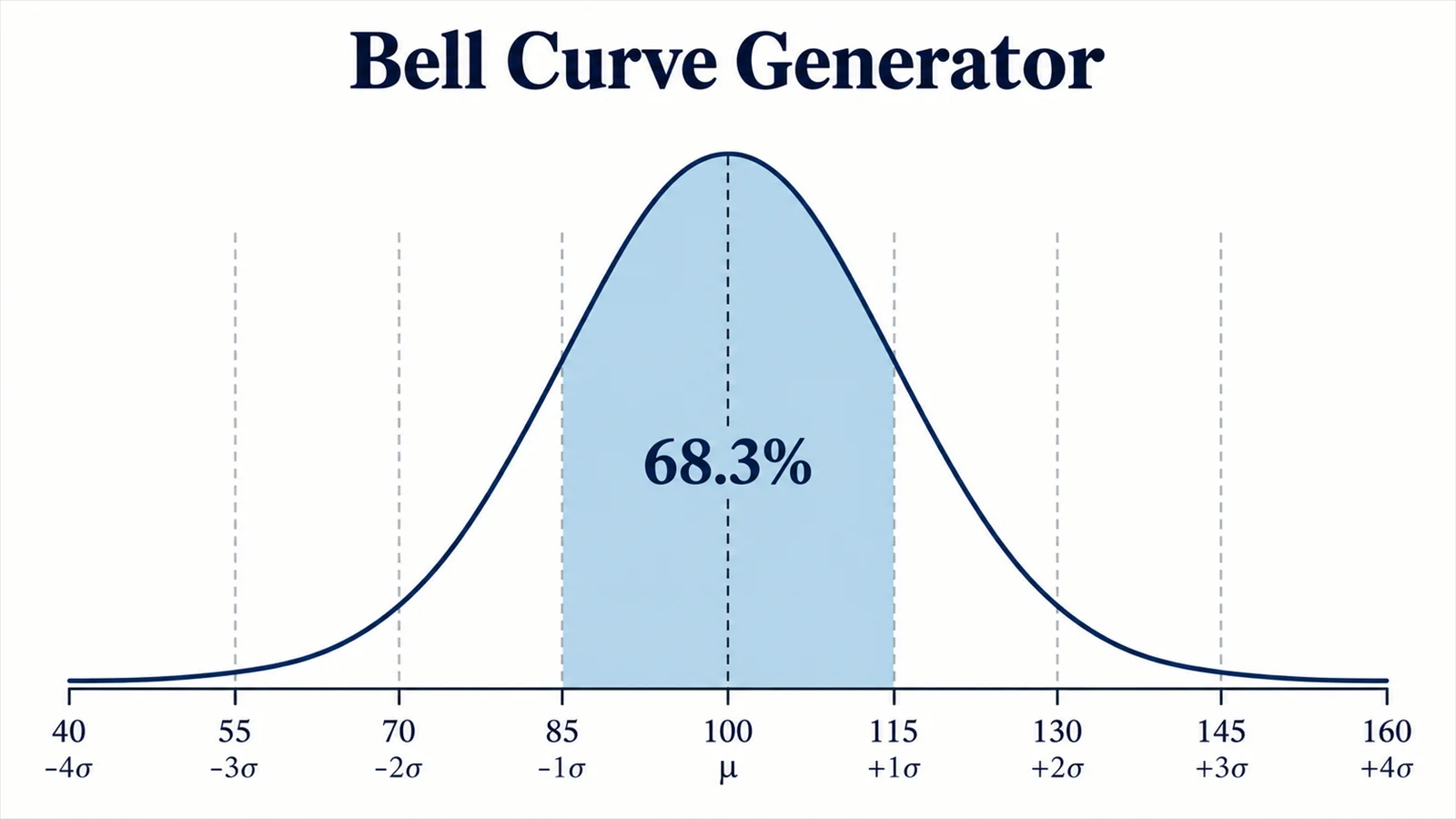
Bell Curve Generator
Draw a normal distribution and shade the area between two values.
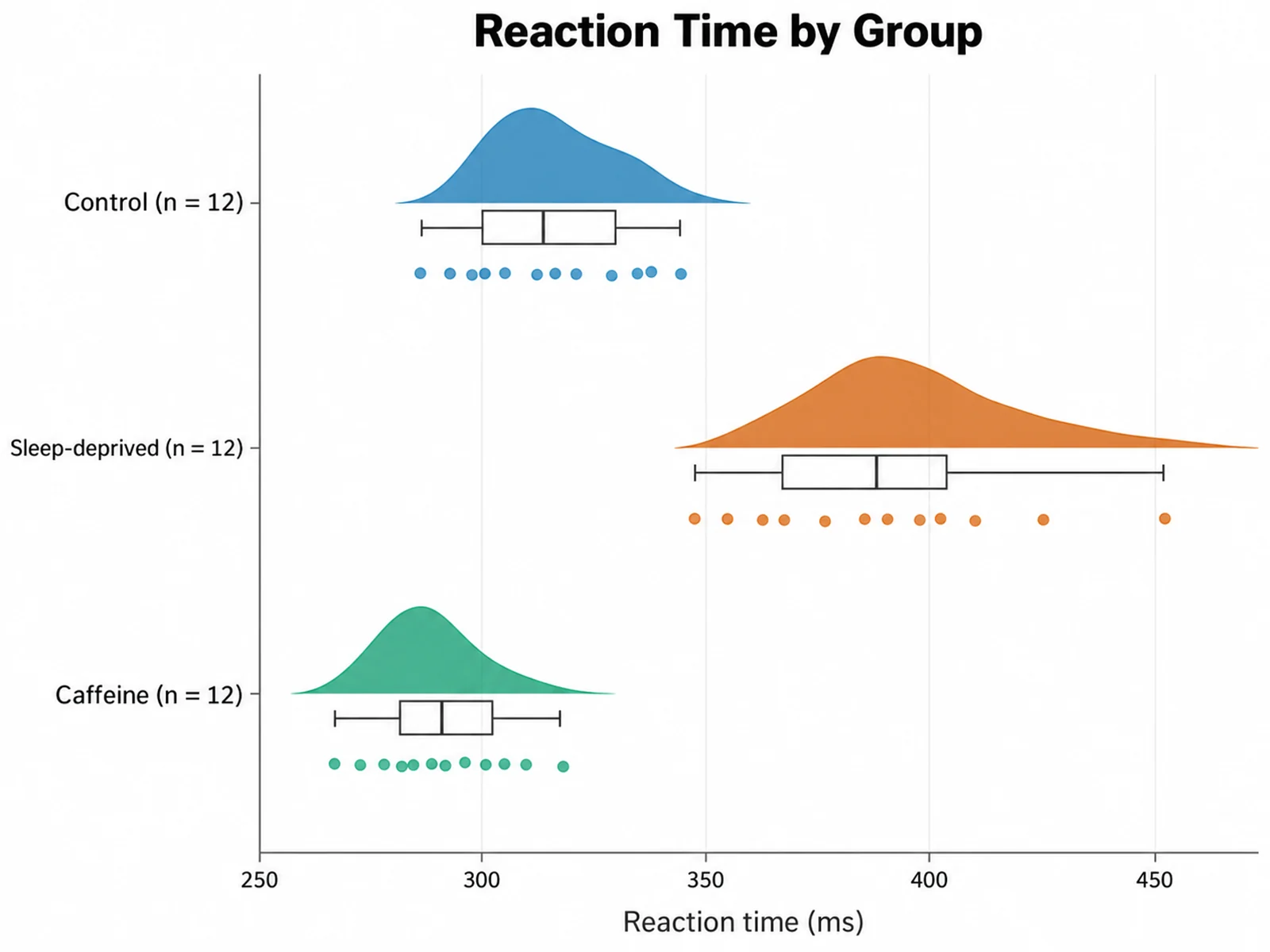
Raincloud Plot Maker
Combine a density, a box plot and the raw points in one figure.
Need the figure styled for a journal?
SciFigure AI turns the same data into publication-ready box, violin and raincloud plots with significance marks and journal styling.
Explore the chart generators