SciFigure AI logoSciFigure AI

Circuit Diagram AI

Circuit Diagram Maker for Scientific Schematics

Create clean electrical circuit diagrams for electronics, physics, lab reports, research figures, and technical documentation. Describe components, wiring, labels, or schematic style, then generate a polished circuit visual.

Standard circuit symbolsSeries and parallel circuitsResearch-ready schematics

AI Circuit Diagram Maker

Describe the components, wiring, labels, and schematic style you need.

Costs 5 credits249 / 2000 characters

Generate a publication-ready PNG from your description.

Preview

Circuit Diagram Example Previews

Target aspect ratio: 16:9

Series circuit diagram with battery, switch, two resistors, current arrows, and standard schematic labels
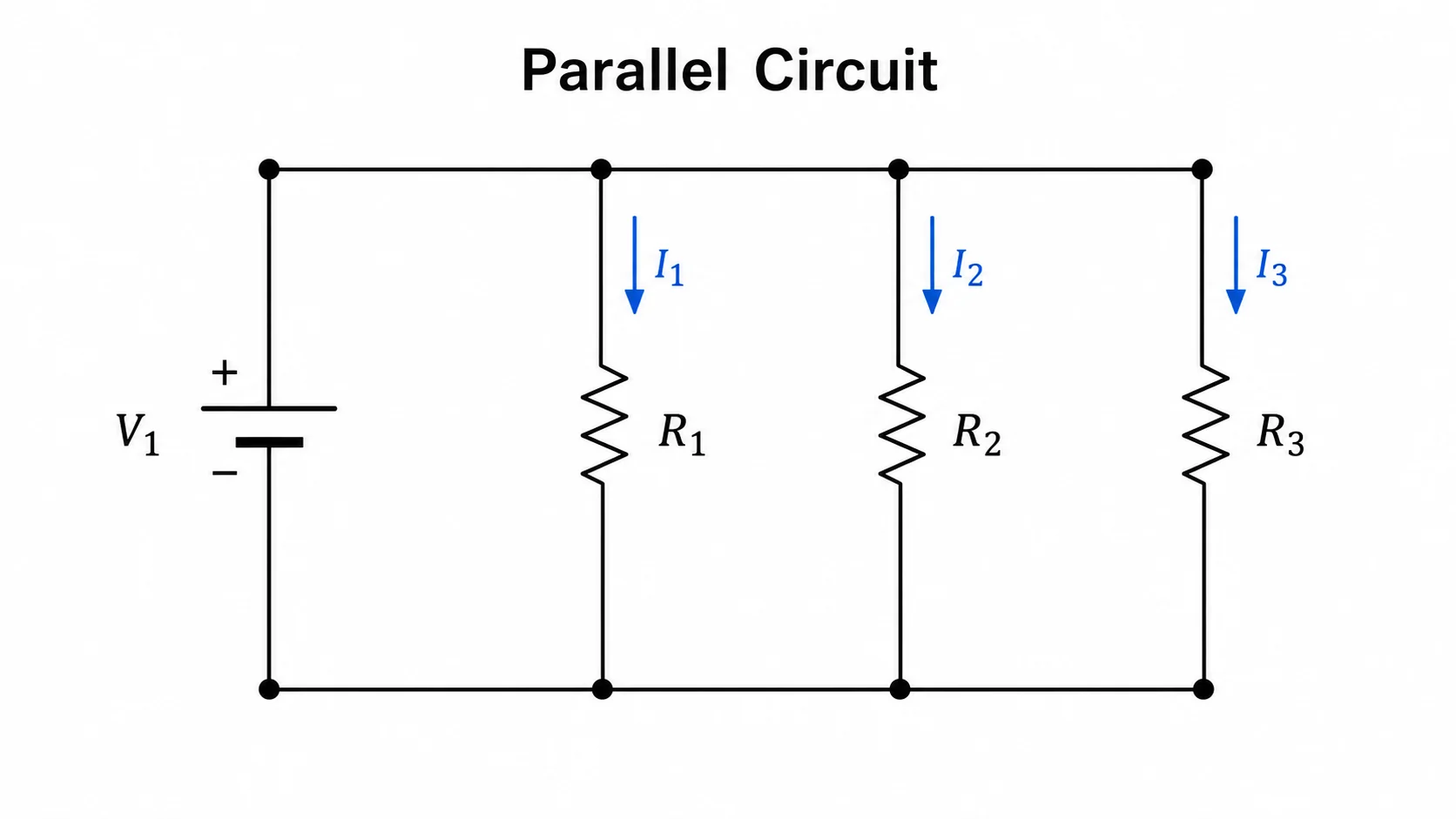
Parallel circuit diagram showing a battery connected to three labeled resistor branches with branch current arrows
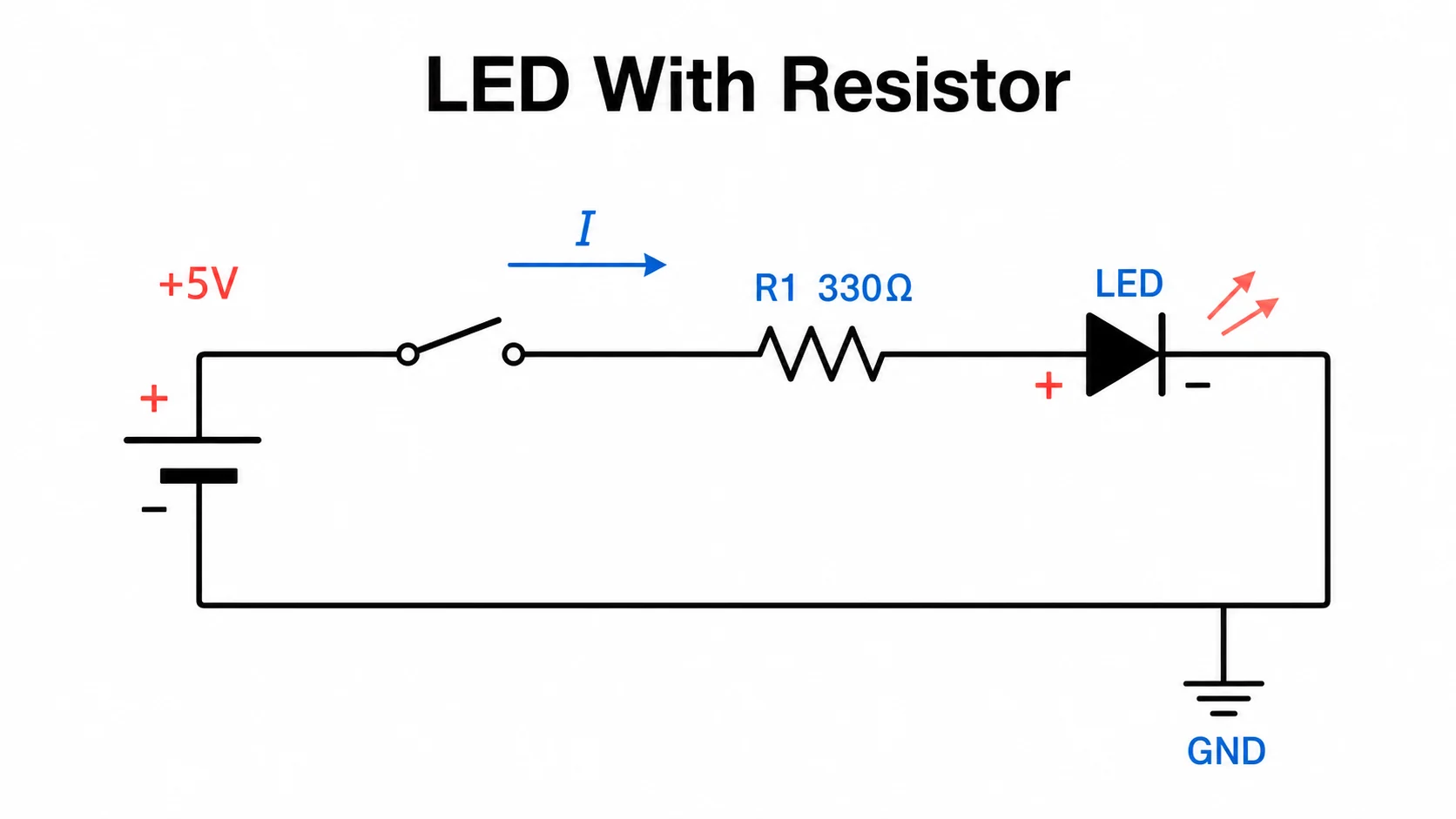
LED circuit diagram with battery, switch, current limiting resistor, polarity marks, and current direction labels

Sample previews. Describe your circuit to generate your own schematic.

Circuit Diagram Examples

Use these examples as visual directions for circuit schematics, standard symbols, wiring layouts, and research-ready technical diagrams.

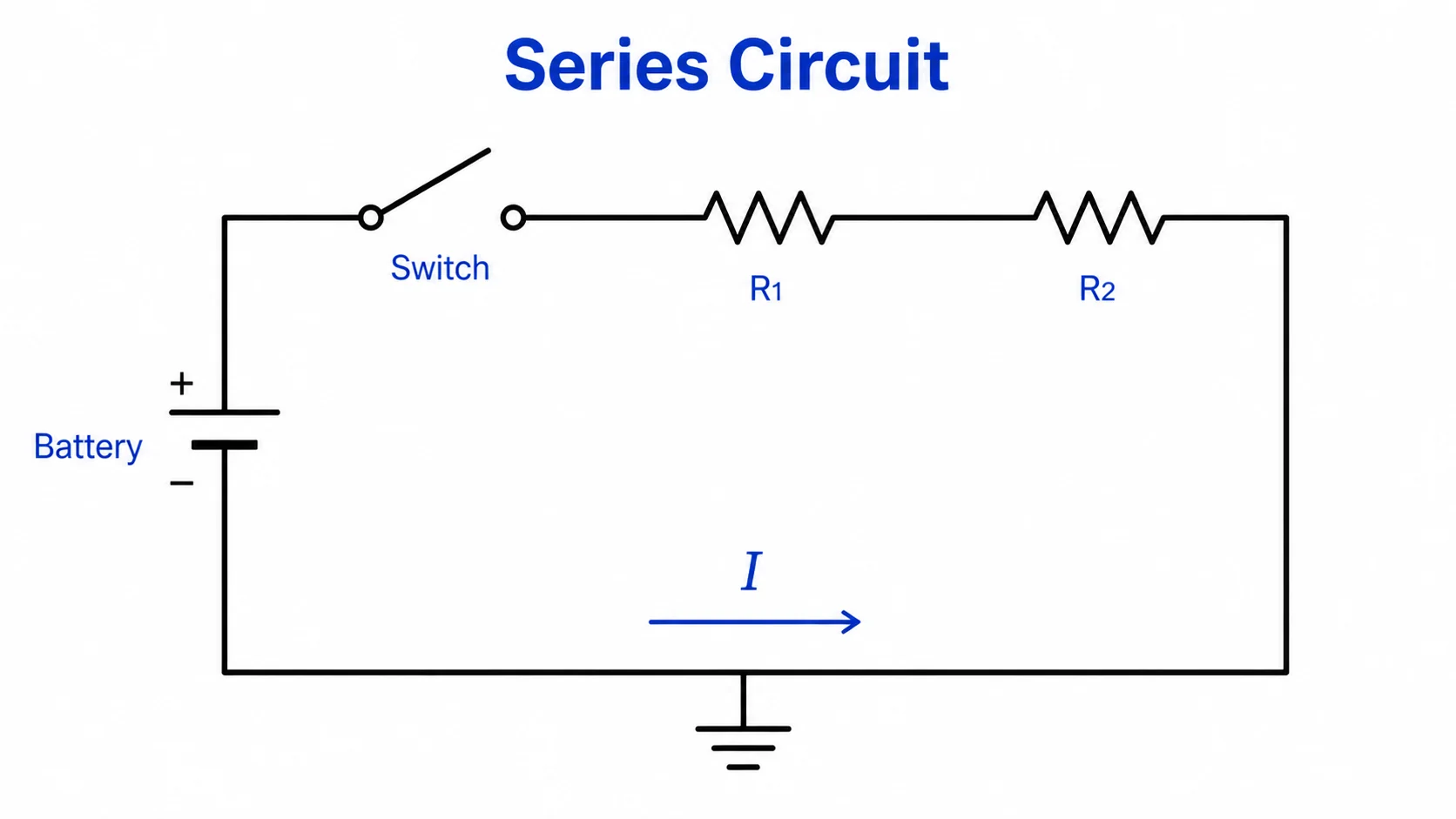
Series circuit diagram with battery, switch, two resistors, current arrows, and standard schematic labels

Prompt

Based on your circuit description, create a clean series circuit diagram with a battery, open switch, two resistors in series, current direction arrows, component labels, and simple voltage labels. Use standard schematic symbols, neat straight wires, and a white background.
Series Circuit

Parallel circuit diagram showing a battery connected to three labeled resistor branches with branch current arrows

Prompt

Based on your circuit description, create a parallel circuit diagram showing one battery feeding three resistor branches. Label each branch resistor, mark the main current path and branch currents, and keep the schematic symmetrical, readable, and classroom-ready.

Parallel Circuit

LED circuit diagram with battery, switch, current limiting resistor, polarity marks, and current direction labels

Prompt

Based on your circuit description, create an LED circuit diagram with a battery, switch, current-limiting resistor, LED polarity markings, current direction arrows, and clear labels for anode, cathode, resistor value, and supply voltage.

LED With Resistor

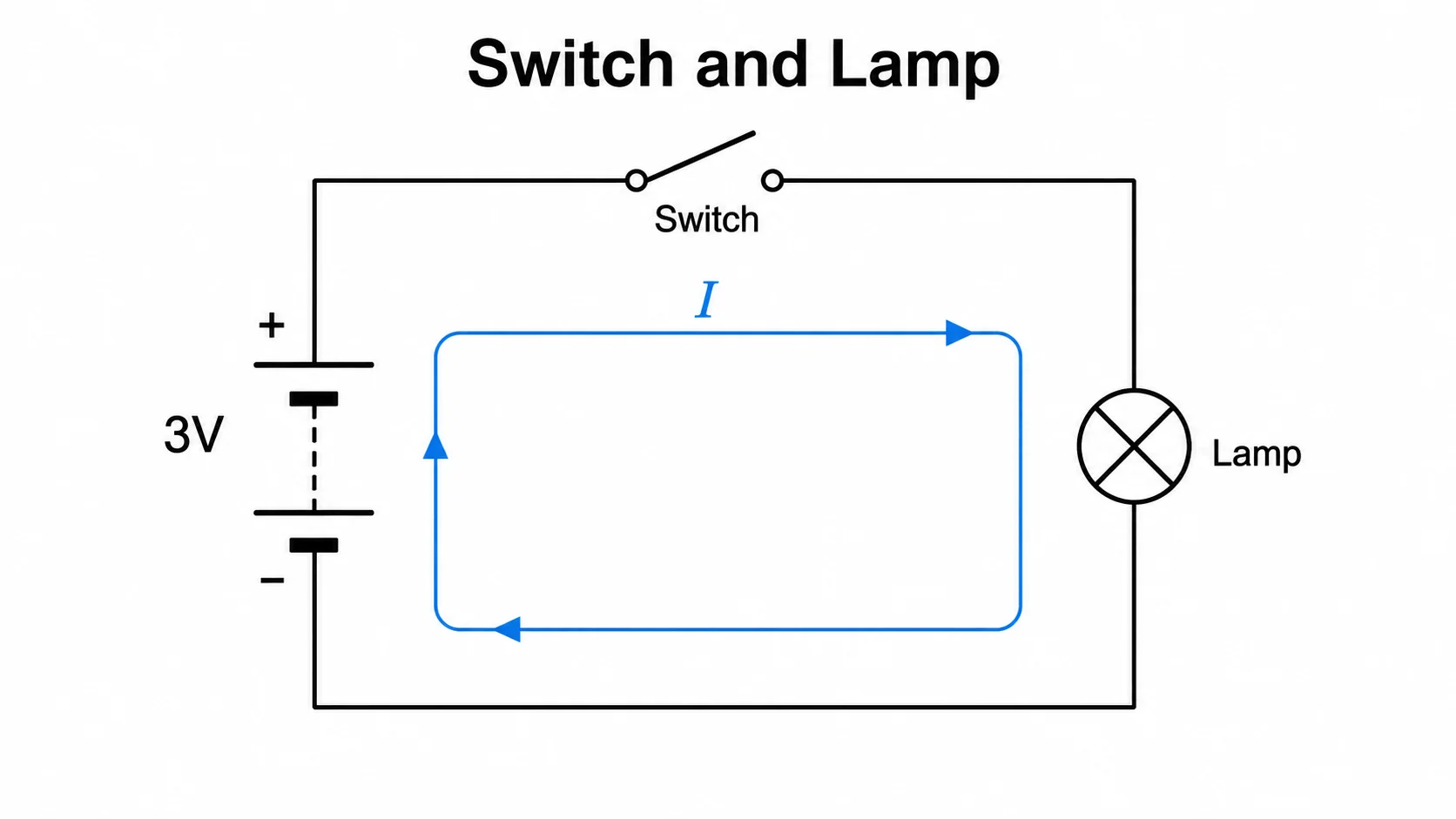
Switch and lamp circuit diagram with complete loop wiring, battery, switch, lamp load, and current arrows

Prompt

Based on your circuit description, create a switch-and-lamp circuit diagram showing a battery, single-pole switch, lamp load, complete loop wiring, current direction arrows, and simple labels. Use clean textbook-style schematic symbols on a white background.

Switch and Lamp

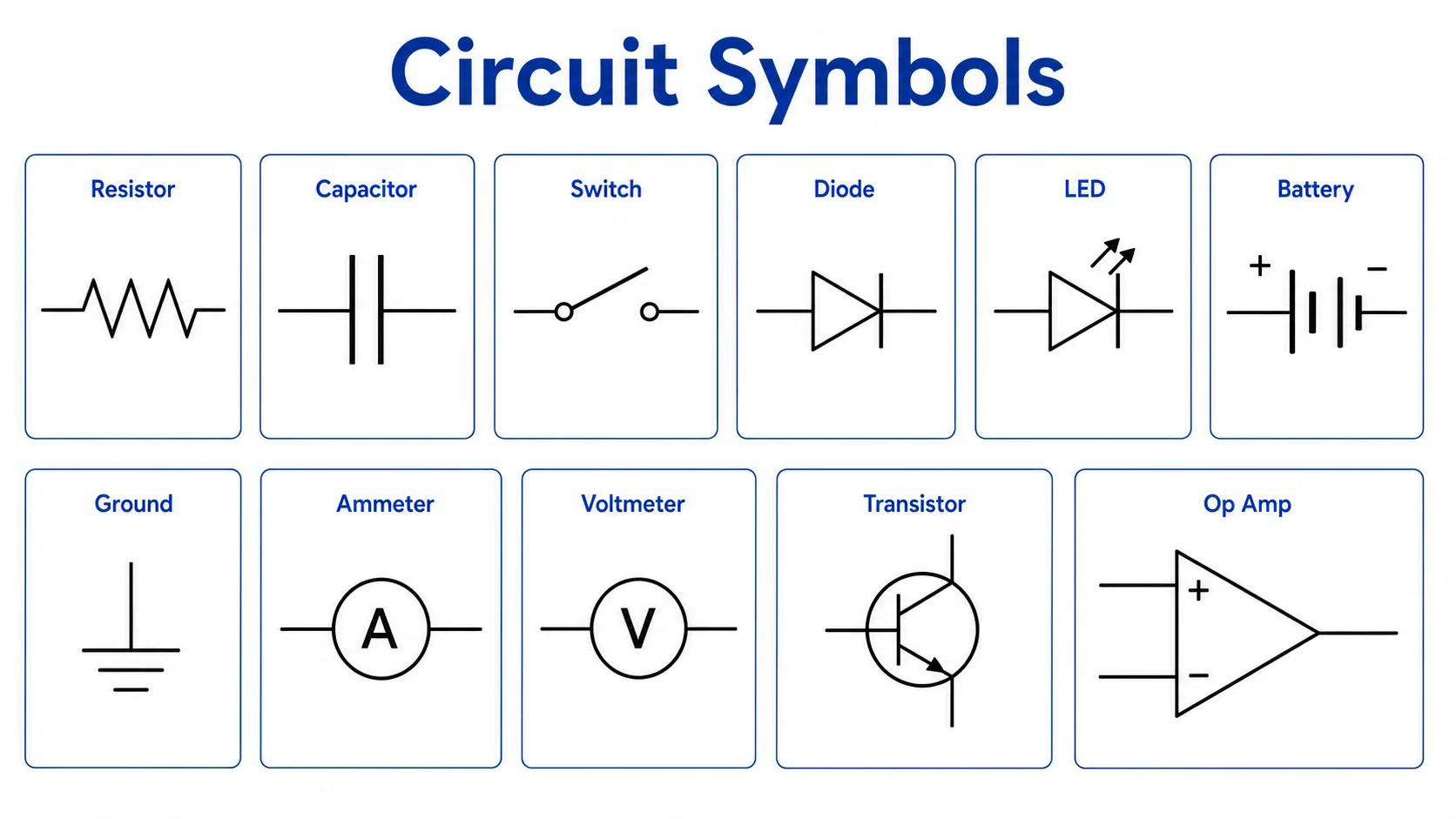
Circuit symbols chart with labeled battery, resistor, capacitor, LED, diode, switch, ground, meters, and wire junction

Prompt

Based on your circuit description, create a compact circuit symbols chart with labeled symbols for battery, resistor, capacitor, LED, diode, switch, ground, ammeter, voltmeter, and wire junction. Arrange the symbols in a clean reference layout.

Circuit Symbols Chart

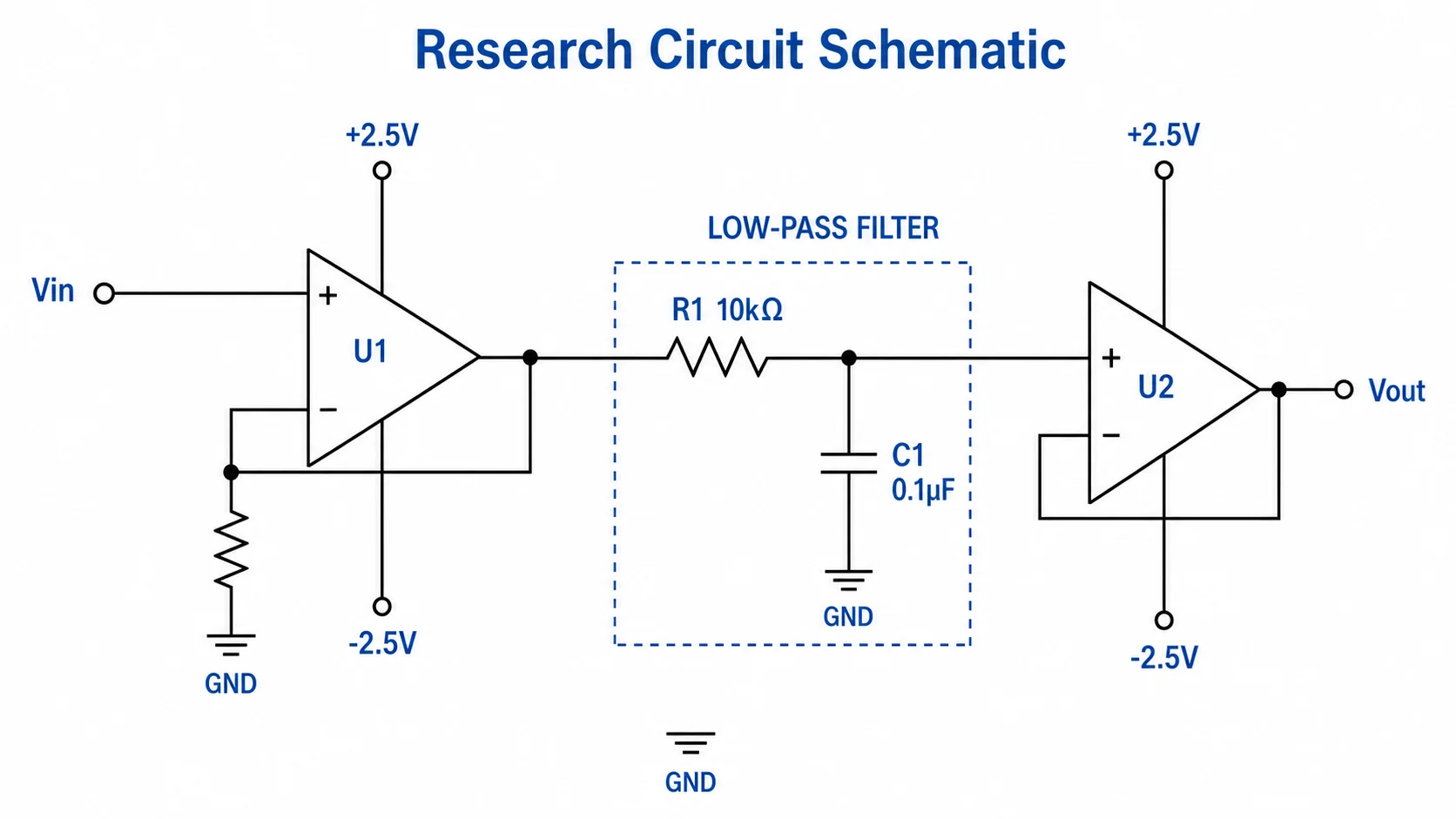
Research circuit schematic with op amp filter, input node, resistor capacitor stage, supply rails, ground symbols, and output node

Prompt

Based on your circuit description, create a research-style op-amp low-pass filter schematic with input node, resistor-capacitor filter stage, op-amp buffer, ground symbols, supply rails, output node, component values, and precise black linework suitable for technical documentation.

Research Schematic

How to make a circuit diagram

1

Describe the circuit

Name the component set, power source, wiring style, labels, and whether the result should be a simple teaching diagram or a research schematic.

2

Choose symbols and layout

Ask for standard symbols, series or parallel branches, current direction arrows, values, node labels, and clean wire routing.

3

Generate and review

Check component connections, labels, polarity, units, and readability before using the result in reports, slides, or documentation.

What is a circuit diagram?

A circuit diagram is a simplified electrical schematic that shows how components connect in a circuit. A clear circuit diagram uses standard symbols for parts such as batteries, resistors, capacitors, switches, diodes, LEDs, transistors, meters, wires, and ground nodes so readers can understand the function without relying on a physical photo of the hardware.

Why use a circuit diagram maker

  • Create clean electrical schematics faster than redrawing symbols and wires by hand.
  • Keep component labels, polarity marks, current arrows, node names, and values organized.
  • Draft classroom diagrams, physics lab visuals, research figures, and technical documentation from one focused prompt.
  • Turn rough circuit ideas into readable schematics that are easier to review and explain.

Key elements of a circuit diagram

  • Power sources such as batteries, DC supplies, or AC inputs define how the circuit is driven.
  • Components such as resistors, capacitors, switches, LEDs, diodes, transistors, and op amps show the circuit function.
  • Wire junctions, ground symbols, rails, node labels, and arrows clarify how signals or current move.
  • Readable values, units, and labels make the diagram useful for reports, slides, worksheets, and research notes.

Where circuit diagrams are used

  • Electronics and electrical engineering research papers and journal figures.
  • Physics experiments, lab reports, homework sheets, and classroom slides.
  • Biomedical devices, sensors, instrumentation systems, and measurement setups.
  • Patent applications, grant proposals, technical notes, and product documentation.

Circuit Diagram Maker FAQ

It can create simple circuits, series circuits, parallel circuits, LED circuits, symbol charts, op-amp schematics, and research-style circuit diagrams from a written description.

Need other schematics or science figures?

Generate circuit diagrams, workflow diagrams, conceptual schematics, and other technical science visuals with the same SciFigure AI workflow.