Scientific Figure AI

Scientific Figure Maker

Build the numbered figure a paper actually needs: several panels labelled A, B and C, aligned on one grid, set to journal column width, with the type still readable after it is placed. Describe the panels you want and get a layout back.

Multi-panel layoutsJournal column widthsPanel labels and scale bars

AI Scientific Figure Generator

Say how many panels, what goes in each, and how wide the figure has to print.

622 / 2000 characters

Generate a publication-ready PNG from your description.

Preview

Scientific Figure Examples

Target aspect ratio: 4:3

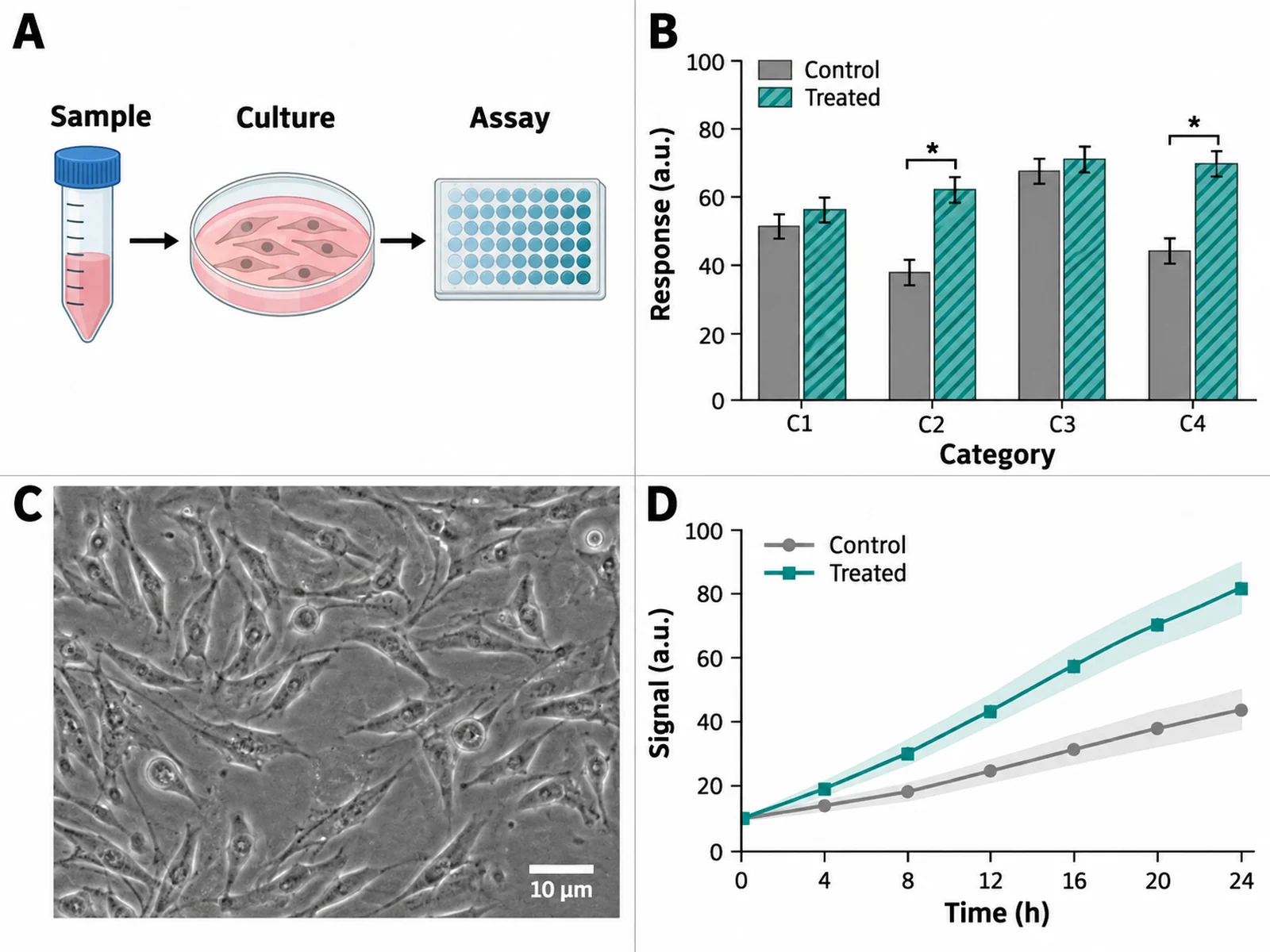
Four-panel scientific figure in a two-by-two grid with bold A B C D panel labels, a schematic, a bar chart, a micrograph and a line plot
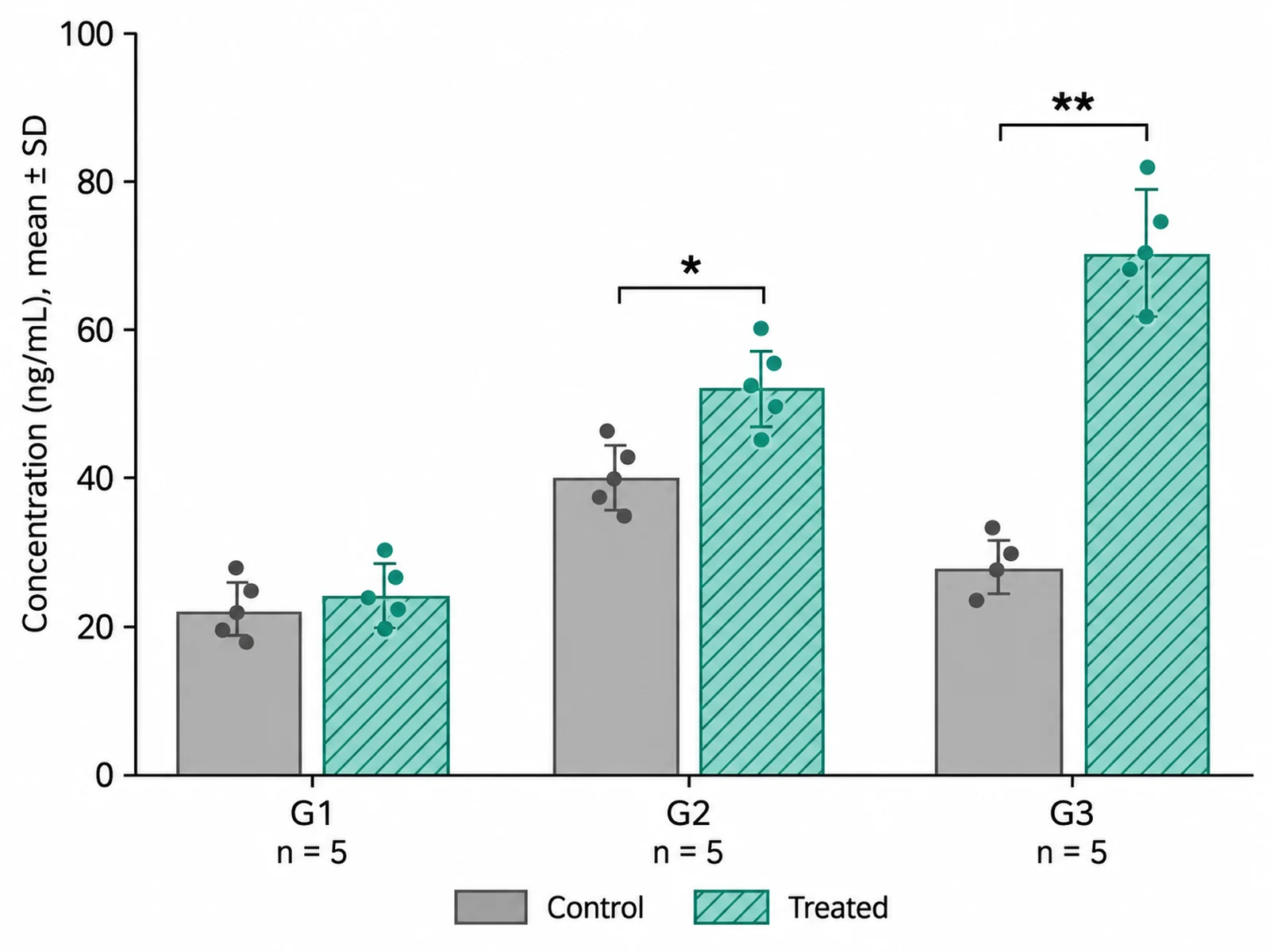
Single data panel with grouped bars, individual data points overlaid, error bars, significance brackets and an n value stated on the axis
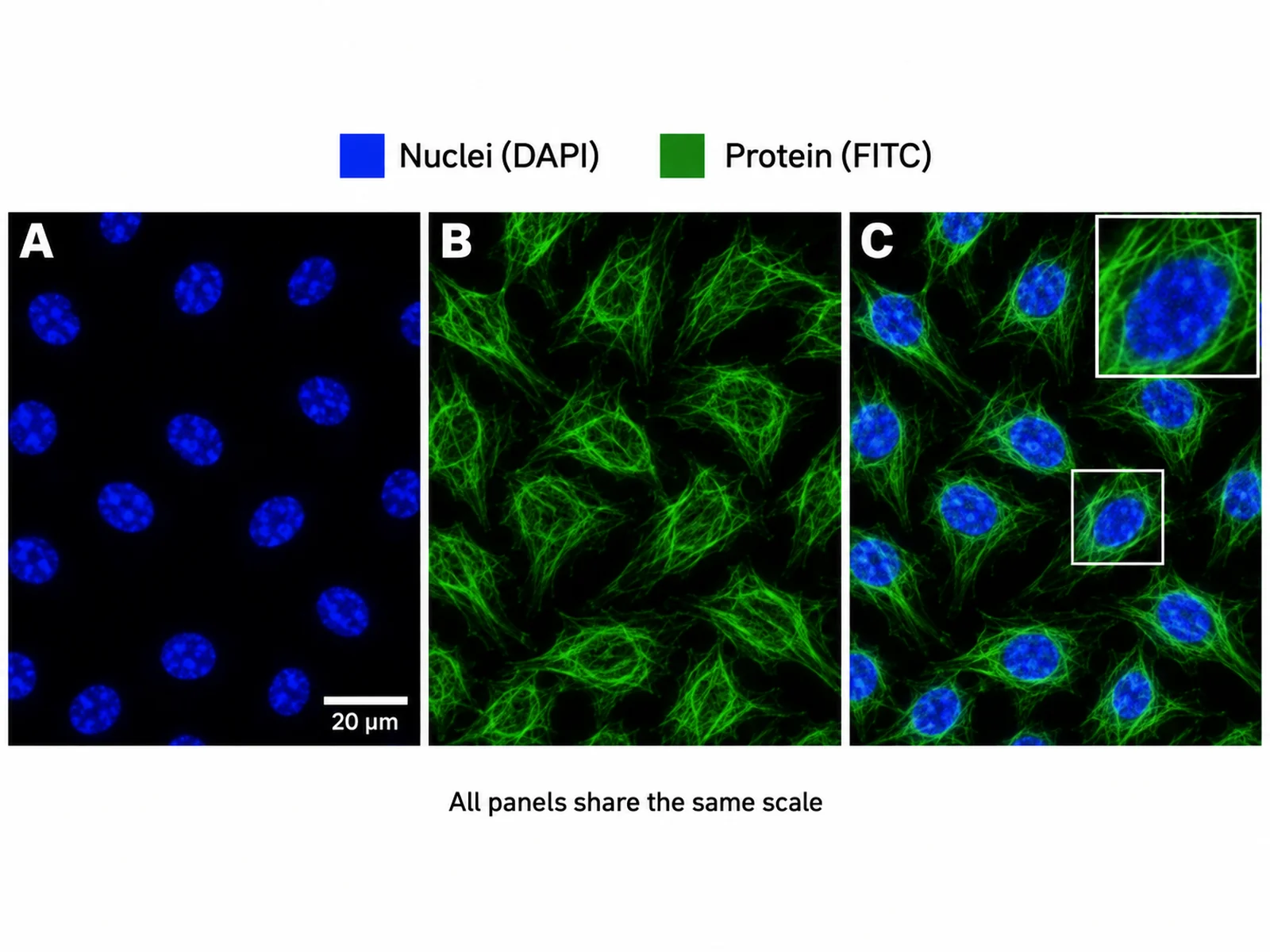
Three-image micrograph panel with matching magnification, a labelled scale bar, a channel colour key and an inset showing a magnified region

Sample previews. Describe your figure to generate your own.

Scientific Figure Examples

Six figure layouts with the prompt that produced each: multi-panel grids, data panels with statistics, micrograph rows, schematic-plus-data pairs, blots with quantification, and single-column formats.

Four-panel scientific figure in a two-by-two grid with bold A B C D panel labels, a schematic, a bar chart, a micrograph and a line plot

Prompt

Create a publication-ready four-panel scientific figure on a white background as a two-by-two grid with even gutters. Label the panels A, B, C and D in bold sans-serif capitals at the top-left of each, at identical size and offset. Panel A: a flat schematic of an experimental design running left to right with three labelled stages. Panel B: a grouped bar chart, two conditions, four categories, with error bars and two significance brackets. Panel C: a greyscale micrograph with a white scale bar labelled "10 µm" in the bottom-right. Panel D: a line plot over time with a shaded confidence band and a small inline legend. Align panel axes across each row, use one sans-serif family and one decimal precision throughout, and size all text to stay legible at 175 mm printed width.
Single data panel with grouped bars, individual data points overlaid, error bars, significance brackets and an n value stated on the axis

Prompt

Create a single publication-quality data panel on a white background. Draw a grouped bar chart with three groups of two bars, each bar overlaid with its individual data points as small jittered dots so the reader can see the spread rather than only the mean. Add error bars and state in the axis label what they represent. Place two significance brackets above the bars with "*" and "**" markers. Label the y axis with a quantity and a unit in parentheses, and put the sample size under each group as "n = ". Use one muted colour for the control and one accent for the treated group, distinguish them by fill pattern as well as colour, and keep the panel free of gridlines, gradients and shadows.

Three-image micrograph panel with matching magnification, a labelled scale bar, a channel colour key and an inset showing a magnified region

Prompt

Create a three-image micrograph panel on a white background, arranged in one row with thin white gutters and no borders. All three images must be at the same magnification so they can be compared directly. Put a white scale bar with the length labelled beneath it in the bottom-right of the leftmost image only, and state in small text that all panels share that scale. Above the row, place a compact channel key naming each colour channel. On the rightmost image, draw a thin white square marking a region and show that region enlarged as an inset in the corner, with a matching outline. Label the three images A, B and C in bold white at their top-left corners.

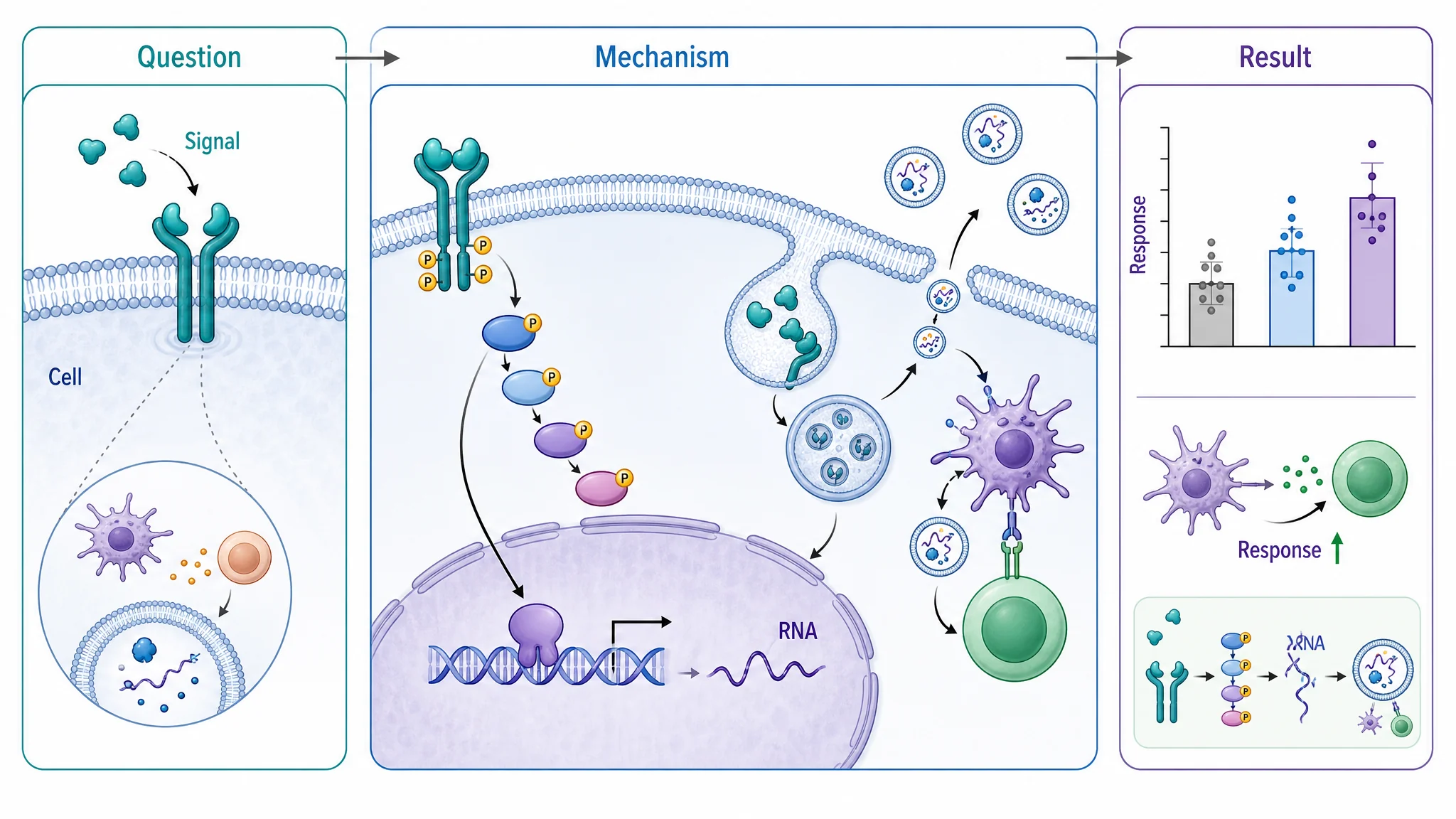
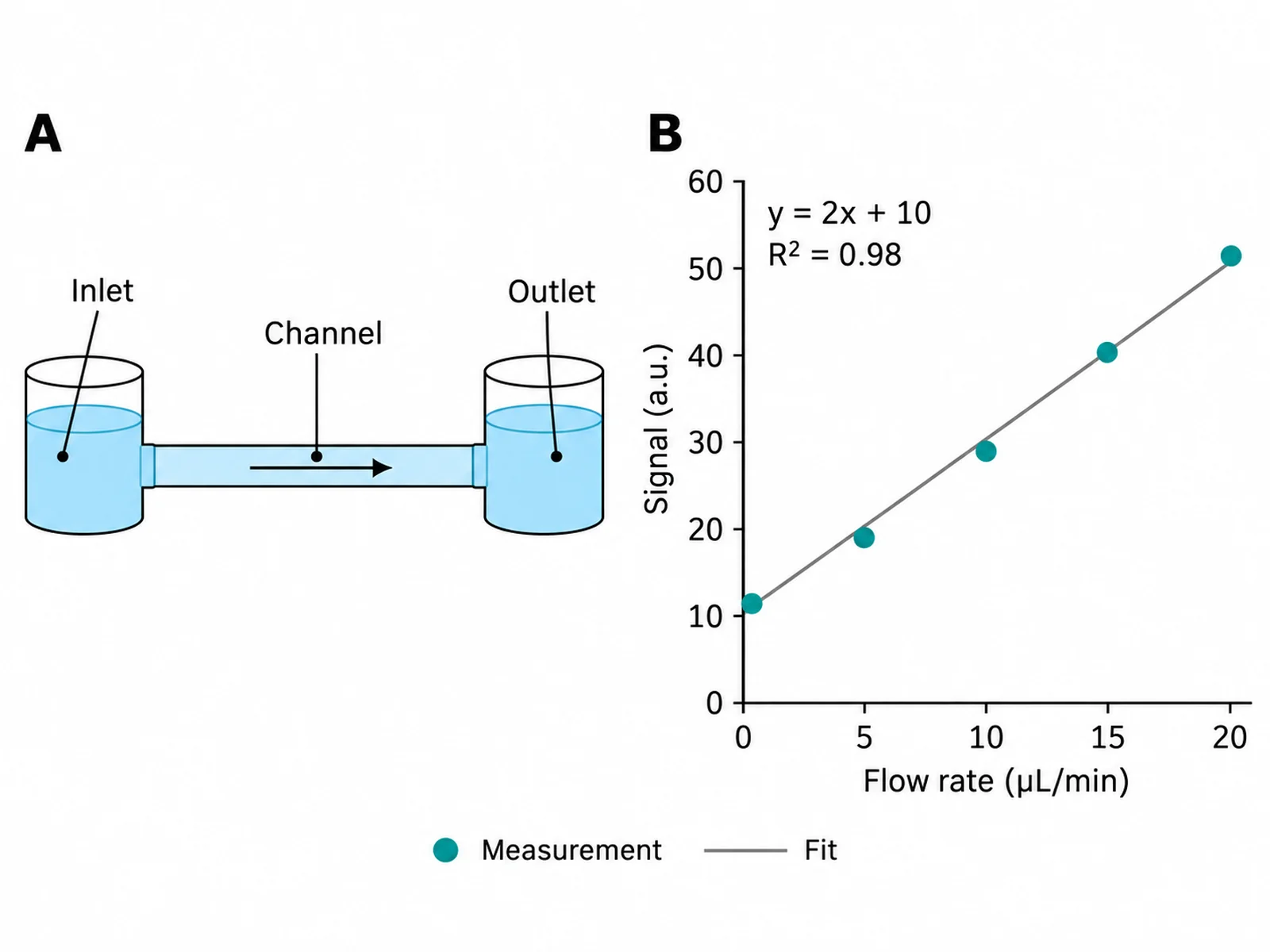
Two-panel figure pairing an experimental schematic on the left with the resulting measurement plot on the right, sharing one colour key

Prompt

Create a two-panel scientific figure on a white background, split left and right. Panel A on the left: a flat schematic of the experimental setup, drawn in two dimensions with labelled components and one single-headed arrow showing the direction of flow through the system. Panel B on the right: a scatter plot of the measurement that setup produced, with a fitted line, the fit equation and an R-squared value placed inside the plot area, and axis labels carrying units. Make the two panels the same height and align their top edges. Use one shared colour key placed beneath both panels, keyed by shape as well as colour. Bold A and B labels at the top-left of each panel.

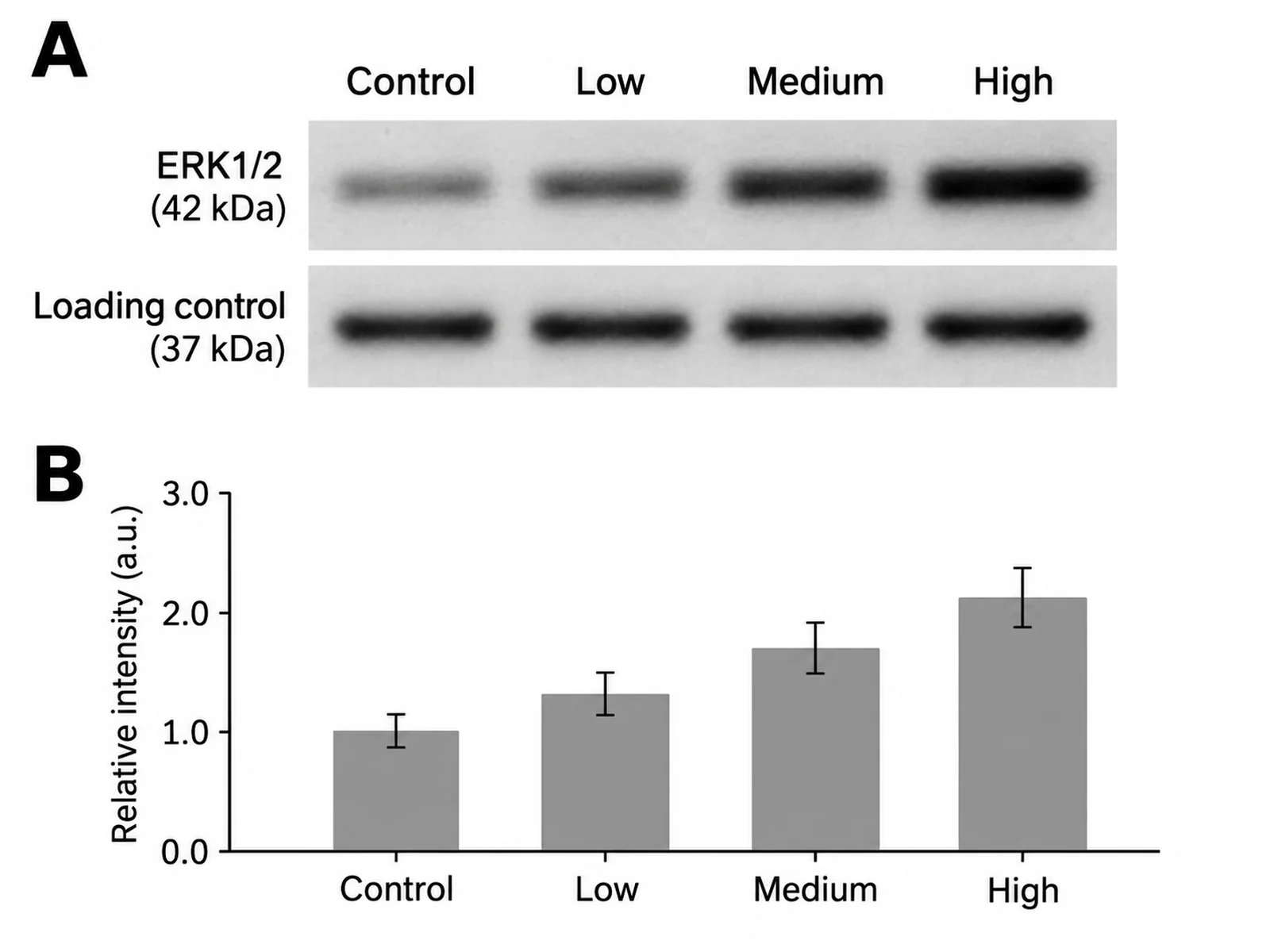
Figure pairing a cropped western blot showing target and loading control bands with a bar chart of the quantified band intensities beneath

Prompt

Create a two-part scientific figure on a white background. The upper part: a cropped western blot image showing two horizontal band rows, the upper labelled with a target protein name and the lower labelled "Loading control", with molecular weight markers in kilodaltons down the left edge and four lane labels across the top. Keep the crop wide enough that the full width of every band is visible and do not remove any lane. The lower part: a bar chart directly beneath, its bars aligned exactly under the lanes they quantify, showing normalised band intensity with error bars and a y axis labelled "Relative intensity (a.u.)". Label the two parts A and B in bold at their top-left corners.

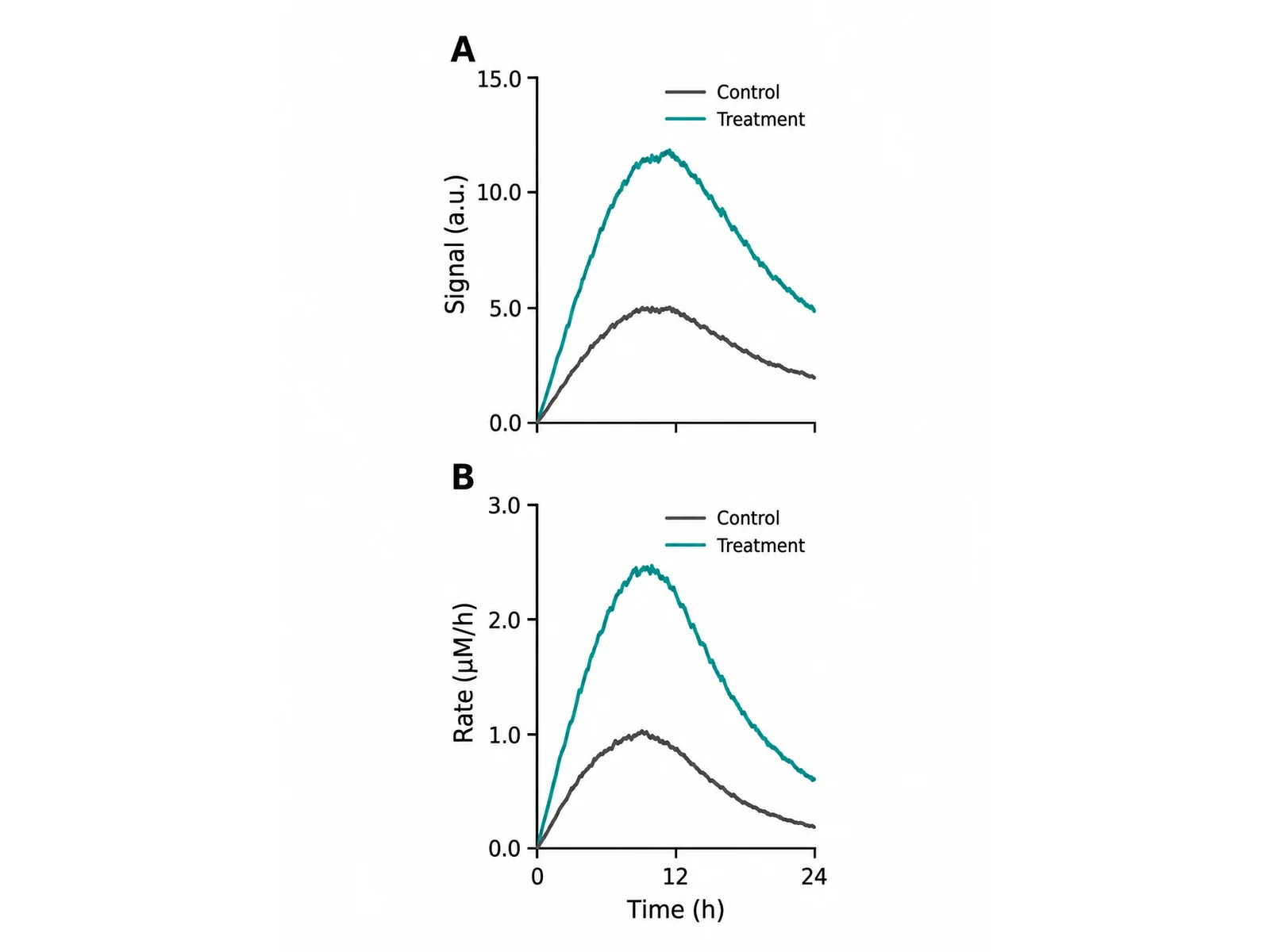
Tall narrow figure built for an 85 mm single journal column with two stacked panels, compact axis labels and a legend inside the plot area

Prompt

Create a tall, narrow scientific figure built for a single journal column of about 85 mm printed width, on a white background. Stack two panels vertically, labelled A above and B below, sharing the same x axis so the lower panel carries the axis labels and the upper one does not repeat them. Keep every label compact: short axis titles, few tick marks, units in parentheses, and the legend placed inside the plot area rather than beside it so no horizontal space is wasted. Use a single sans-serif family at a size that stays readable at 85 mm, and leave generous margins so nothing is clipped when the figure is placed. No gridlines, no shadows, no background fill.

How to make a scientific figure

1

Decide what the figure has to prove

One figure carries one claim. Choose only the panels that support it — a panel that is interesting but not part of the argument belongs in the supplement, where it will not compete for the reader.

2

Describe the panels and the printed width

Say how many panels, what goes in each, how they are arranged, and how wide the figure will print. The width is what determines whether the type comes out readable, so state it rather than leaving it to be guessed.

3

Check the labels, then export

Confirm every axis has a unit, every micrograph has a scale bar, the panel letters run in reading order, and nothing depends on colour alone. Then download the PNG at the aspect ratio you will place.

What makes a figure publication-ready

Journals reject figures for mechanical reasons far more often than for scientific ones. Every item below is checkable in a minute and is worth checking before submission.

  • Built at final size. A figure drawn large and shrunk to fit turns 8 pt labels into 4 pt ones, and no amount of resolution fixes type that is physically too small.
  • Resolution appropriate to the content: at least 300 dpi at printed width for photographs and combination figures, 600 dpi or higher for pure line art, vector where the journal accepts it.
  • Panel letters in bold, same size, same corner, in reading order, and referred to as (A) and (B) in the caption.
  • Every axis labelled with a quantity and a unit. Every micrograph carrying a scale bar with its length written out.
  • Nothing carried by colour alone. Around one man in twelve cannot separate red from green, and any figure may be printed in greyscale.
  • Fonts embedded or converted to outlines, so the figure does not re-flow into a different typeface in the publisher’s system.

Laying out a multi-panel figure

A multi-panel figure is an argument with an order. The layout is what tells the reader that order, before they have read a word of the caption.

  • Arrange panels in the sequence the text discusses them, left to right then top to bottom, and letter them in that same sequence.
  • Align panels on a shared grid: equal gutters, plot areas lined up on their axes, images lined up on their edges. Misalignment reads as carelessness even when the reader cannot say why.
  • Give related panels the same scale. Two micrographs at different magnifications side by side invite a comparison that is not valid, unless the difference is stated.
  • Share a legend rather than repeating one. A single key beneath the figure is easier to use than the same key drawn four times.
  • Let one panel be larger when one panel carries the main result. Equal sizing is a default, not a rule.

Figure, diagram, illustration, graphical abstract

Four words that get used for each other, and the distinction decides which tool makes what you want.

  • Figure: the numbered item in a paper, usually assembled from data across several panels. That is this page.
  • Diagram: a schematic of relationships or process — arrows, boxes, labels, no measured values. The scientific diagram maker draws those, and they often appear as one panel of a figure.
  • Illustration: a depiction of a thing as it looks, with form and shading — an organism, an organ, a structure. The scientific illustration generator handles those.
  • Graphical abstract: one image summarising the whole study, submitted separately for browsing readers. Built for a different audience and a different size than any figure inside the paper.

Where generated figures help and where they do not

A generator is fast at layout and schematic drawing, and it cannot know your results. Being clear about that line is what keeps a generated figure usable.

  • Good use: laying out the panel grid, drawing the schematic panel, producing a draft to circulate before the real data are in, and building the figure skeleton you will drop your own plots into.
  • Good use: teaching material, grant illustrations, and slides, where the point is the structure of the idea rather than a specific measurement.
  • Not a use: any panel that reports your results. Those must come from your own analysis, and every value, axis and statistical mark must be checked against it.
  • Check the journal policy. Many now require a statement about AI tool use in figure preparation, and some restrict it for data panels specifically.
  • Write the caption yourself. A figure has to be understandable from its caption alone, and that sentence is a scientific claim you are making.

Scientific Figure Maker FAQ

The numbered visual item in a paper — Figure 1, Figure 2 — referred to from the text and explained by a caption. A figure is usually assembled rather than drawn: several panels labelled A, B, C, each of which may be a plot, a micrograph, a gel or a schematic, arranged so they read as one argument.

Need a schematic or an illustration for one panel?

The scientific diagram maker draws pathways, mechanisms and workflows, and the scientific illustration generator renders organisms, anatomy and structures as artwork.