
Free sentence diagrammer
Sentence diagram generator for Reed–Kellogg diagrams and syntax trees
Type a sentence and get it diagrammed two ways at once: a traditional Reed–Kellogg diagram with the subject, verb, objects and modifiers on their lines, and a labelled syntax tree. The parse is a suggestion you can check and correct word by word, or edit as bracket notation. Print a blank worksheet with an answer key, or download the diagram as SVG, PNG or PDF.
How the sentence was read
- Subject
- girl, brother
- Main verb
- ran
- Prepositional phrases
- to … store
Everything runs in your browser: nothing you type is uploaded, and your last sentence is kept on this device. Undo with Ctrl+Z.
Worked example
How to diagram a sentence, step by step
Take The tall girl and her brother quickly ran to the store. Diagram it in the order a grammar lesson does: the verb first, then the subject, then whatever completes the verb, and the modifiers last.
- 1. Find the verb. Ask what happens in the sentence: someone ran. Draw the baseline and write the verb to the right of where the dividing line will go.
- 2. Find the subject. Ask who or what ran: the girl and her brother. Two subjects joined by and make a compound subject, so the subject place splits into a fork with one branch for each noun and a dashed line carrying and. A vertical line crossing the baseline separates the subject from the verb.
- 3. Look for an object or complement. Ask “ran what?” Nothing answers: ran takes no direct object here, and it is not a linking verb, so nothing else goes on the baseline.
- 4. Hang the modifiers. The and tall describe girl, and her describes brother: each goes on a slanted line under its noun. Quickly tells how they ran, so it slants under the verb.
- 5. Add the prepositional phrase. to the store tells where they ran, so it is an adverb phrase and hangs under ran: the preposition on a slant, its object on a horizontal line at the foot, and the on a slant under store.
A complex sentence: two clauses
When the rain stopped, we played outside. has two subject–verb pairs. Split it into clauses before drawing anything.
- 1. Find each clause. we played can stand alone: it is the independent (main) clause. The rain stopped cannot, because When makes it depend on the main clause.
- 2. Diagram the main clause on the top baseline. we | played, with outside slanting under the verb because it tells where.
- 3. Give the dependent clause its own baseline below. rain | stopped, with the under rain.
- 4. Join the verbs. The clause tells when they played, so it works like an adverb on played. A dashed line runs from played down to stopped, and the subordinating conjunction When is written on it.
Reed–Kellogg rules
The rules of diagramming sentences, one line at a time
Every Reed–Kellogg diagram is built from the same few lines. Each card shows one rule with the smallest sentence that needs it, drawn by the generator above.
Subject and verb
Birds sing.
Both sit on the baseline. A vertical line crossing the baseline divides the subject from the predicate.
Direct object
Dogs chase cats.
After the verb, behind a short vertical line that stands on the baseline but does not cross it.
Predicate noun or adjective
Grass is green.
After a linking verb, behind a line that slants back toward the subject it renames or describes.
Adjectives, articles, adverbs
The very old dog slept.
On slanted lines under the word they modify. An adverb on an adjective hangs from that adjective’s line.
Prepositional phrase
Ducks swim in ponds.
The preposition on a slant, its object on a horizontal line at the foot, under the word the phrase describes.
Indirect object
Mom gave me a gift.
On a horizontal line under the verb, joined by an empty slant, as if it followed an unwritten “to” or “for”.
Compound parts
Tom and Ann laughed.
Each part on its own branch of a fork; the conjunction rides on a dashed line between the branches.
Understood subject
Sit down.
A command has no written subject; put (you) in brackets in the subject place.
Compound sentence
I ran, but she walked.
Each clause gets its own baseline; a dashed step joins the two verbs and carries the conjunction.
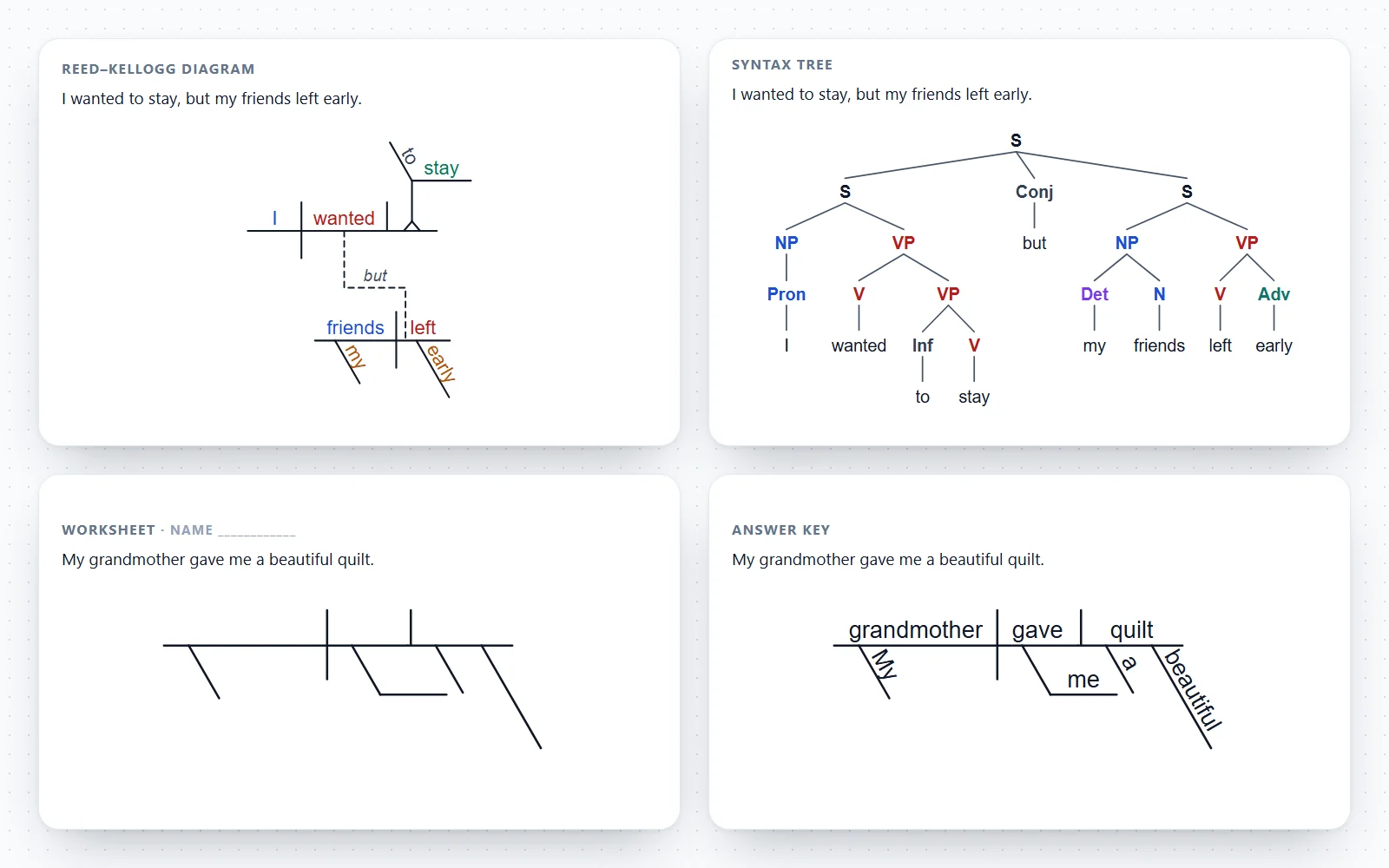
Reed–Kellogg diagram or syntax tree?
Both draw the grammar of one sentence, but they answer different questions. The generator draws both from the same parse, so you can compare them side by side.
| Reed–Kellogg diagram | Syntax (constituency) tree | |
|---|---|---|
| Used in | School grammar in the US (middle school to high school), homeschool curricula | Linguistics and syntax courses, ESL teacher training, computational parsing |
| Shows | What each word does: subject, verb, object, complement, modifier | How words group into phrases: NP, VP, PP inside S |
| Word order | Rearranged: the subject always comes first on the baseline | Kept: the words read left to right along the bottom |
| Modifiers | Hang under the word they describe | Sit inside the phrase they belong to |
| Labels | None; the line shapes carry the meaning | A category on every node (S, NP, V, Det …) |
| Clauses | Each on its own baseline, joined by dashed lines | Nested S or CP nodes inside the tree |
| Best for | Learning sentence roles and parts of speech | Learning phrase structure and constituency tests |
How to use the sentence diagram generator
Type or paste one sentence into the box. Both diagrams appear as you type, and every change can be undone with Ctrl+Z.
- Diagram a sentence for you: the generator tags each word’s part of speech, finds the verb, its subject and its objects, and hangs every modifier under the word it describes.
- Check the parse: the summary under the diagrams lists the subject, verb, objects and phrases as the tool read them. Words where English is ambiguous, such as a prepositional phrase that could describe either a noun or the verb, are flagged in the Words panel.
- Fix it: click any word in either diagram, then change its role (subject, direct object, modifier …), what it attaches to, or its part of speech. Both views redraw at once.
- Edit as brackets: the Brackets tab shows the parse in labelled bracket notation. Change it, or paste your own tree, and the syntax tree draws exactly what you typed.
- Seventeen examples run from “Birds sing.” to compound and complex sentences, each with a checked parse.
- Export: SVG for Illustrator, Inkscape or PowerPoint, PNG at two or four times screen size, PDF from the print dialog, or the bracket notation as text.
What is sentence diagramming?
Diagramming sentences means drawing a sentence so that its grammar is visible: which word is the subject, which is the verb, what the verb acts on, and which words describe which. The Reed–Kellogg system, published by Alonzo Reed and Brainerd Kellogg of Brooklyn Polytechnic in 1877, became the standard way to diagram sentences in American schools.
- The subject and the verb sit on a horizontal baseline, separated by a vertical line that crosses it. Everything else is attached to them.
- Lines carry meaning instead of labels: the shape of the line before a word tells you whether it is a direct object or a subject complement, and slanted lines mark modifiers.
- Word order is not kept. A diagram puts the subject first even in a question such as “Did you see the movie?”, which is diagrammed as you | Did see | movie.
- Reed and Kellogg argued that pupils understand a sentence better when they can see how its parts fit together, and the method is still taught in many middle schools, homeschool programmes and grammar books.
The Reed–Kellogg rules in one list
Every diagram the generator draws follows these conventions, the ones in Reed and Kellogg’s Higher Lessons in English and in most school grammar books since.
- Subject | verb: a full vertical line that crosses the baseline divides the complete subject from the complete predicate.
- Verb | direct object: a short vertical line that stands on the baseline but does not cross it.
- Linking verb \ predicate nominative or predicate adjective: a line slanting back toward the subject, because the complement renames or describes the subject.
- Direct object \ object complement: the same slanted line, leaning toward the object it renames (They elected her \ president).
- Adjectives, articles, possessives and adverbs: on slanted lines under the word they modify. An adverb that modifies an adjective or another adverb hangs from that word’s line.
- Prepositional phrase: the preposition on a slanted line, its object on a horizontal line at the foot, under the word the phrase modifies.
- Indirect object: on a horizontal line under the verb, joined by an empty slant, as though it followed an unwritten “to” or “for”.
- Helping verbs and verb particles stay on the baseline with the main verb (can be, picked up). Not and never are adverbs and go on slants.
- Commands: the understood subject (you) goes in the subject place, in brackets.
- Interjections, nouns of direct address and the expletive there sit on their own short lines above the diagram, because they are not grammatically joined to the rest.
Compound subjects, compound verbs and compound sentences
Words joined by a coordinating conjunction (and, but, or, nor, yet) do the same job, so they share one place in the diagram.
- A compound subject splits the subject place into a fork, one branch per noun, joined back to the baseline before the divider. The conjunction is written beside a dashed line between the branches.
- A compound verb forks after the divider; each verb keeps its own objects and modifiers on its own branch.
- Compound direct objects, predicate nominatives and objects of prepositions fork the same way after their divider line.
- A compound sentence has two independent clauses. Each clause gets a full baseline of its own, one under the other, and a dashed line in the shape of a step joins the two verbs, with the conjunction written on the step.
- Compound adjectives (tall and handsome) stay on slants, joined by a dashed line carrying the conjunction.
Diagramming complex sentences: dependent clauses
A dependent clause has its own subject and verb, so it gets its own baseline below the main clause, joined to the word it modifies by a dashed line.
- Adverb clause: begins with a subordinating conjunction such as because, when, if or although. The dashed line runs from the verb of the main clause to the verb of the dependent clause, and the conjunction is written on it.
- Adjective (relative) clause: begins with who, whom, which or that. The relative pronoun has a job inside its own clause, as subject or object, and a dashed line joins it to the noun the clause describes.
- Noun clause: works as a subject, an object or a complement. It stands on a pedestal (a stilt) in that noun place, and an introductory “that” floats above it on a short line.
- Infinitive phrases used as nouns (She wants to visit Paris) also stand on a pedestal, with to on a slant and the verb on the line. Gerunds take a stepped line.
- Participial phrases describe a noun and hang under it on a bent line, the participle on the horizontal part.
Syntax trees and parse trees
A syntax tree, also called a parse tree, phrase-structure tree or sentence tree, shows how words group into phrases. Linguistics courses use it instead of the Reed–Kellogg diagram because it keeps the word order and names every constituent.
- S is the sentence. It usually splits into a noun phrase (NP, the subject) and a verb phrase (VP, the predicate).
- Phrases nest: a prepositional phrase (PP) holds a preposition (P) and its NP; an adjective phrase (AP) holds an adjective and anything modifying it; AdvP does the same for adverbs.
- Words sit at the leaves under their part of speech: N, Pron, Det, Adj, Adv, V, Aux, P, Conj. A dependent clause appears as CP (or S′), with C for the subordinator.
- Labelled bracket notation writes the same tree on one line: [S [NP The cat] [VP sat [PP on [NP the mat]]]]. Several words under one phrase label are drawn under a triangle, the usual shorthand for a phrase whose inside is not analysed.
- This syntax tree generator draws compact trees by default; switch on “phrase node for every adjective and adverb” in Style for the X-bar habit of giving every modifier its own phrase, or type DP, TP and bar levels such as N′ straight into the brackets.
- Classroom textbooks differ in details (some put helping verbs under a separate Aux or T node, some write the determiner as D). Typing your own brackets lets the syntax tree maker match your course exactly.
How the generator parses a sentence, and where it can be wrong
The generator is deterministic: no AI writes the diagram. A part-of-speech tagger labels each word, then grammar rules find the verb group, the subject, the verb’s objects and complements, the clauses and the compounds, the same steps a grammar lesson teaches.
- It handles the structures in school grammar books: subject and verb, direct and indirect objects, predicate nominatives and adjectives, object complements, articles, adjectives, adverbs, prepositional phrases, compounds, compound sentences, adverb, adjective and noun clauses, infinitives, gerunds, questions and commands.
- Some sentences have two correct readings. In “I saw the man with the telescope”, the phrase can describe the man or the seeing. The generator picks the more usual school reading and flags the word so you can switch it.
- The tagger can misread a word that is both a noun and a verb (books, plants, smell) in an unusual sentence. Check the part of speech in the Words panel if a diagram looks wrong.
- Long sentences with several clauses, unusual word order or poetry are the hardest. Diagram them clause by clause, or correct the parse word by word.
- Everything runs in your browser. The sentences you type are not uploaded or stored anywhere except this device.
Common mistakes when diagramming sentences
Most wrong diagrams come from a handful of slips, and the generator’s Words panel makes each of them easy to spot.
- Treating the object of a preposition as the direct object. In “She sat on the bench”, bench belongs to on, not to sat; sat has no direct object.
- Using the object divider after a linking verb. After is, seems or becomes, the noun or adjective is a subject complement and takes the slanted line, not the short vertical one.
- Splitting the verb phrase. Helping verbs belong on the baseline with the main verb: has been reading is one verb unit.
- Missing the understood subject. A command such as “Close the door.” still has a subject: (you).
- Putting the indirect object after the direct object on the baseline. In “gave me a quilt”, me goes on its own line under the verb; quilt is the direct object.
- Hanging a modifier on the wrong word. Very in “very small children” describes small, not children, so it hangs from small’s line.
Sentence diagram worksheets for teachers
Teachers use the generator to make practice sheets and answer keys in a few seconds.
- Type or pick a sentence, check the parse, then turn on Worksheet in Style: the diagram keeps every line but drops the words, so students fill in the skeleton.
- More, then Worksheet + answer key, prints two pages: the blank diagram with the sentence and a name line, and the completed diagram as the key.
- For syntax trees the worksheet keeps the words and branches and leaves empty boxes where the labels go.
- Colour by role (subject blue, verb red, objects green, complements purple, modifiers amber) helps beginners; switch it off for a plain black diagram that prints anywhere.
- Export the diagram as an image to project it in class, or as SVG to edit in slides.
Frequently asked questions
Is this sentence diagram generator free?
Yes. There is no sign-up, no watermark and no limit. The generator runs in your browser, the sentences you type are not uploaded, and your last sentence is kept on your own device for when you come back.
Can it diagram a sentence for me?
Yes. Type the sentence and the Reed–Kellogg diagram and the syntax tree appear as you type. Read the summary under the diagrams to check the subject, verb and objects, and click any word to correct it. Treat the result as a suggested answer to check, especially for homework.
How accurate is the sentence diagrammer?
It is built for the sentences in school grammar books and parses all of its own examples and the large majority of its test sentences correctly. It can misread genuinely ambiguous sentences, unusual word order and words that can be a noun or a verb. It flags the guesses it makes, and every word can be corrected.
Is this an AI sentence diagram generator?
No. It uses a part-of-speech tagger and explicit grammar rules, so the same sentence always gives the same diagram and every step can be explained. That also means it never invents words or roles, but it cannot guess meaning the way a person can.
What is a Reed–Kellogg diagram?
It is the classic school sentence diagram from Alonzo Reed and Brainerd Kellogg’s Higher Lessons in English (1877). The subject and verb sit on a baseline split by a vertical line; objects and complements follow the verb behind shorter or slanted lines; modifiers hang on slanted lines under the words they describe.
How do you diagram a prepositional phrase?
Write the preposition on a slanted line under the word the phrase modifies, then draw a horizontal line from the bottom of the slant for the object of the preposition. Any words describing that object hang under it. If the phrase tells which one, it goes under a noun; if it tells where, when or how, it goes under the verb.
How do you diagram an indirect object?
Put it on a horizontal line under the verb, joined to the verb by an empty slanted line, as if the sentence said “to” or “for”. In “My grandmother gave me a beautiful quilt”, quilt is the direct object on the baseline and me is the indirect object below the verb.
What is the difference between a predicate nominative and a direct object?
A direct object receives the action of an action verb (She kicked the ball). A predicate nominative follows a linking verb and renames the subject (She is a musician). On the diagram, a direct object follows a short vertical line; a predicate nominative or predicate adjective follows a line slanting back toward the subject.
How do you diagram a compound sentence?
Diagram each independent clause on its own baseline, one below the other. Join the two verbs with a dashed line shaped like a step and write the coordinating conjunction (and, but, or) on the horizontal part of the step.
How do you diagram a sentence with a dependent clause?
Give the dependent clause its own baseline under the main clause. For an adverb clause, a dashed line joins the two verbs and carries the subordinating conjunction. For an adjective clause, the dashed line joins the noun to the relative pronoun. A noun clause stands on a pedestal in the noun slot it fills.
Can I use it as a syntax tree generator or parse tree maker?
Yes. The syntax tree appears with every sentence, labelled S, NP, VP, PP, AP, AdvP, Det, N, V, Adj, Adv, P and Conj. For linguistics work, type labelled brackets such as [S [NP The cat] [VP sat [PP on [NP the mat]]]] and the tree is drawn exactly as written, including triangles, X-bar labels and any other category names.
What is labelled bracket notation?
It is a way to write a tree on one line: each phrase is a pair of square brackets with its label first, and the words or smaller phrases inside. [NP the cat] is a noun phrase containing two words. The Brackets tab shows the current parse this way, and Copy bracket notation puts it on your clipboard.
Can I make a sentence diagramming worksheet?
Yes. Turn on Worksheet in the Style tab to hide the words and keep the lines, then choose More, Worksheet + answer key to print the blank diagram and the completed key on two pages. Save them as PDF from the print dialog.
How do I put the diagram in Google Docs, Word or slides?
Use Copy image and paste, or download a PNG at two or four times screen size. For print or editing, download the SVG, which stays sharp at any size and opens in PowerPoint, Illustrator and Inkscape, or save a PDF from the print dialog.
Does it work for questions and commands?
Yes. Questions are diagrammed in statement order (you | Did see | movie), and commands get the understood subject (you). Interjections such as oh and nouns of direct address go on their own line above the diagram.
Related diagram and classroom tools
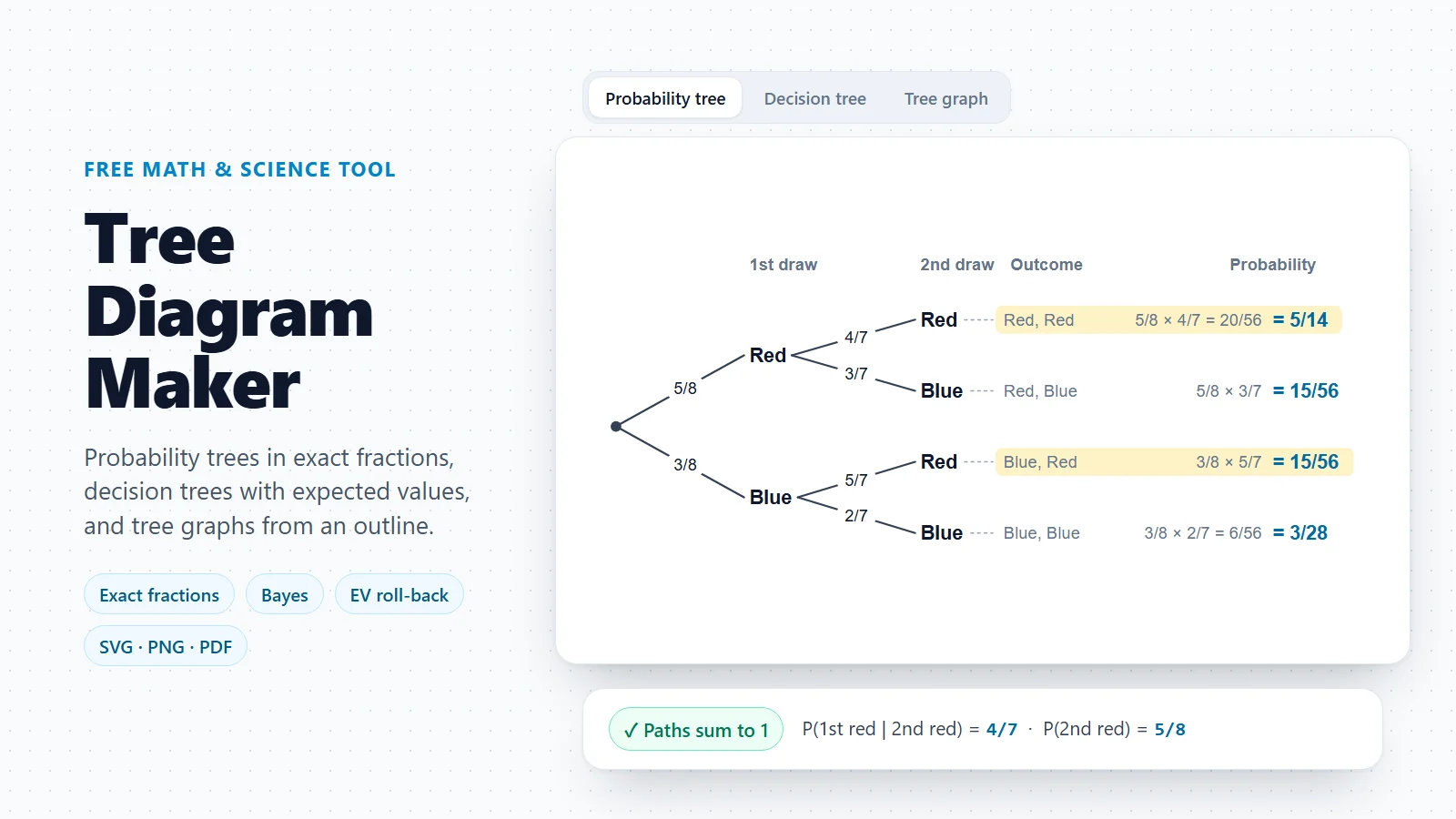
Tree Diagram Maker
Probability trees, decision trees and tree graphs from an indented outline.
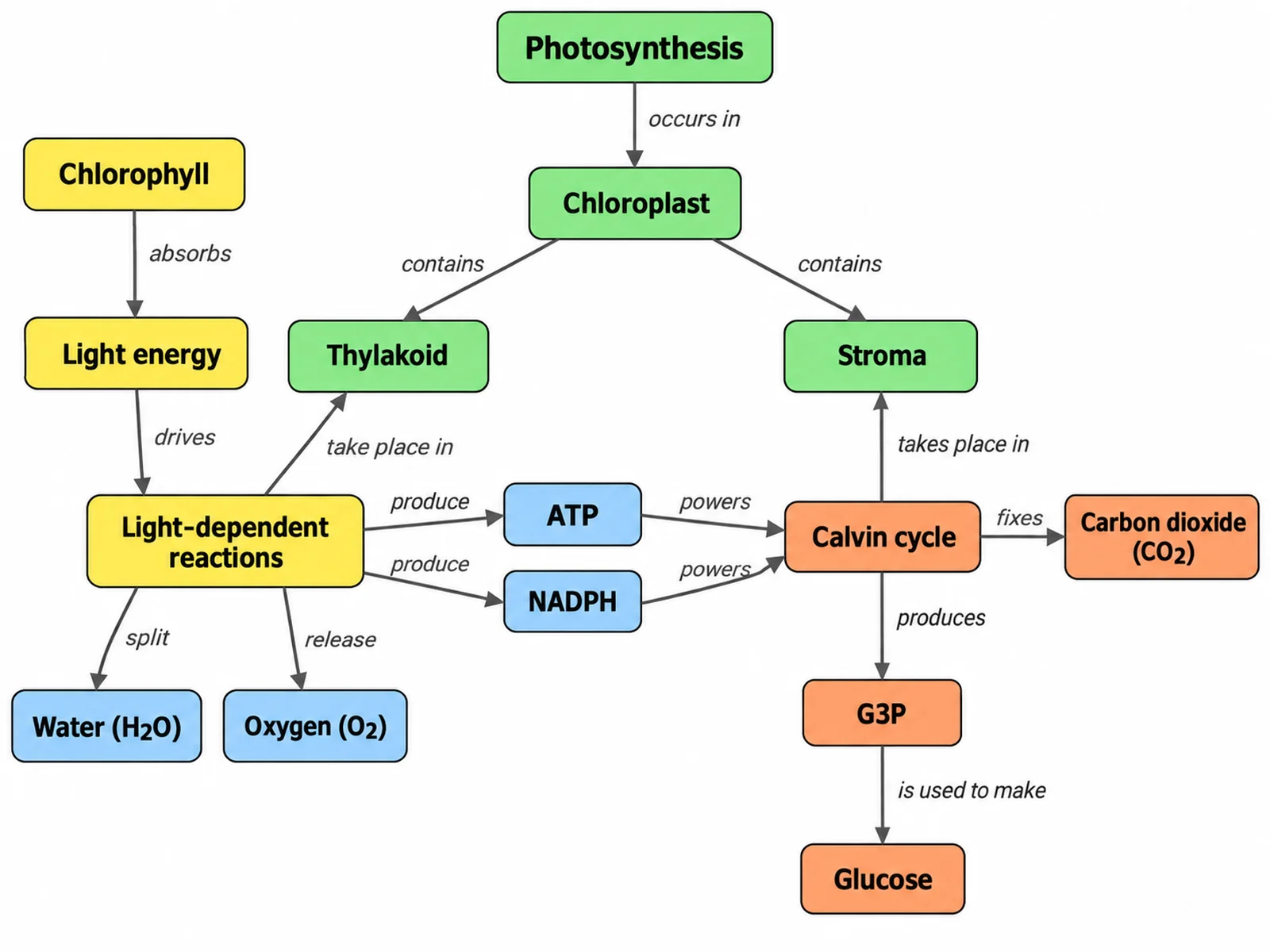
Concept Map Generator
Turn a topic or notes into a labelled concept map for teaching and revision.
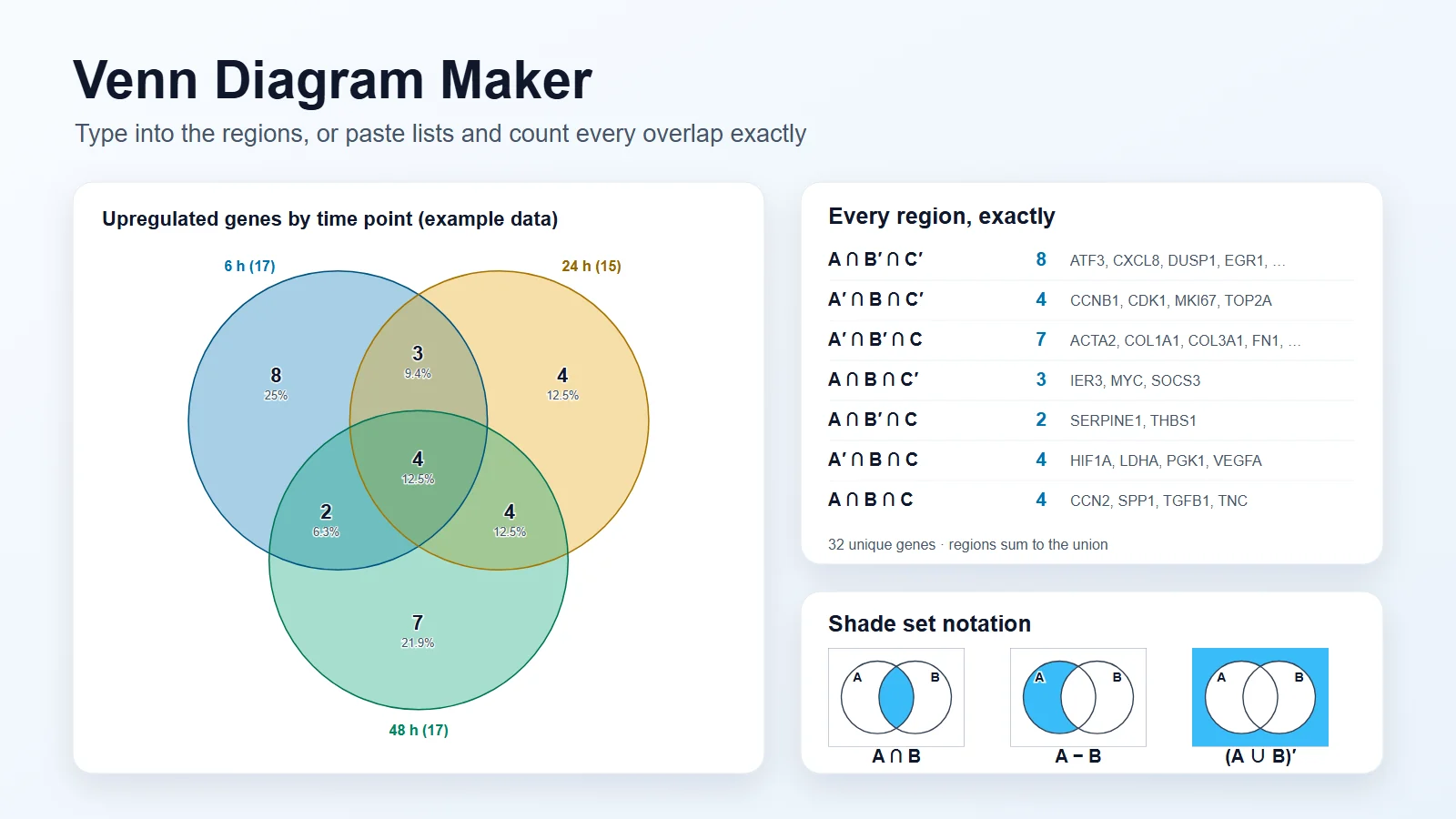
Venn Diagram Maker
Compare and contrast in 2, 3 or 4 circles, with printable blank templates.
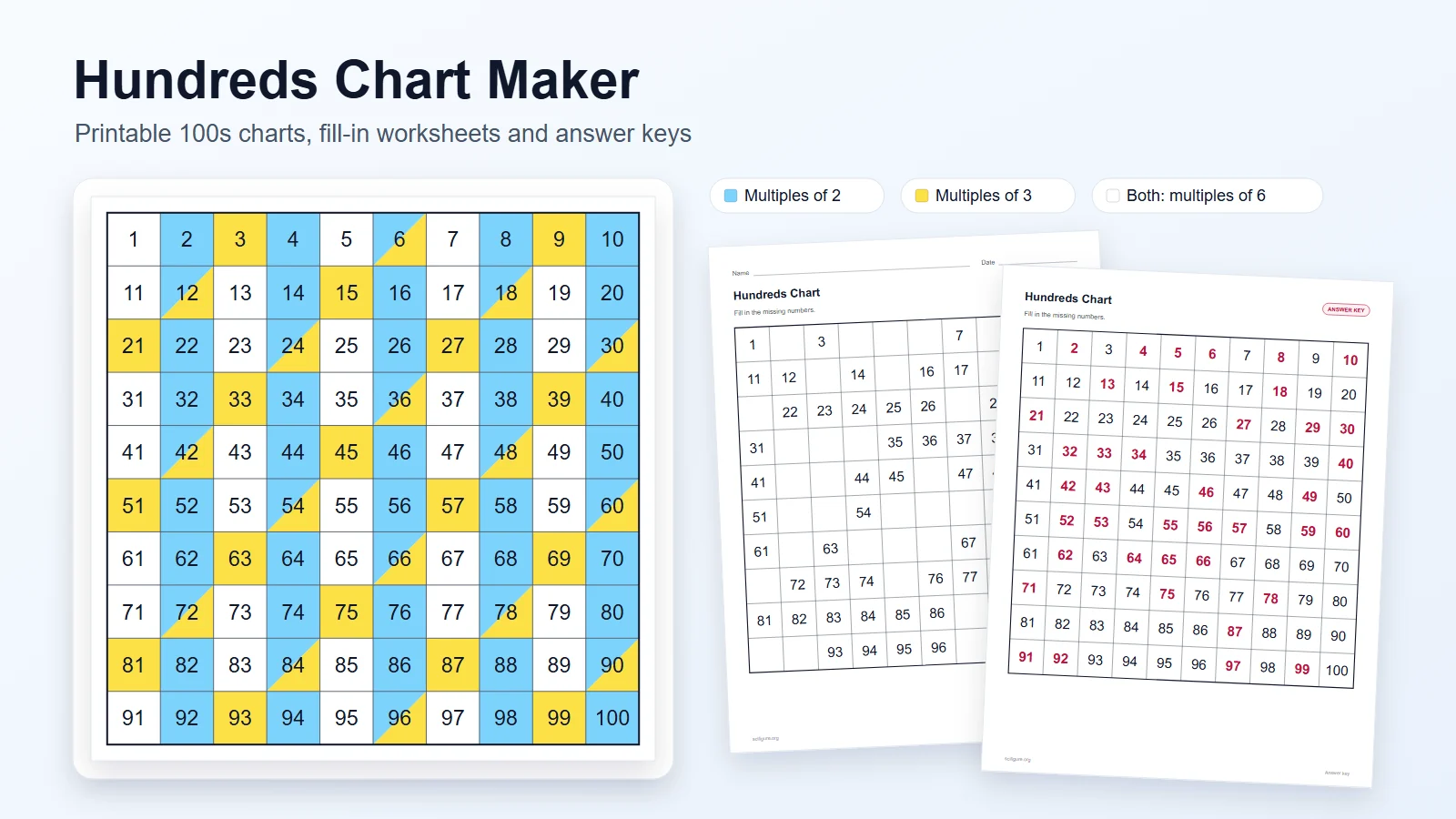
Hundreds Chart Maker
Printable 1–100 charts, puzzles and skip-counting worksheets with answer keys.
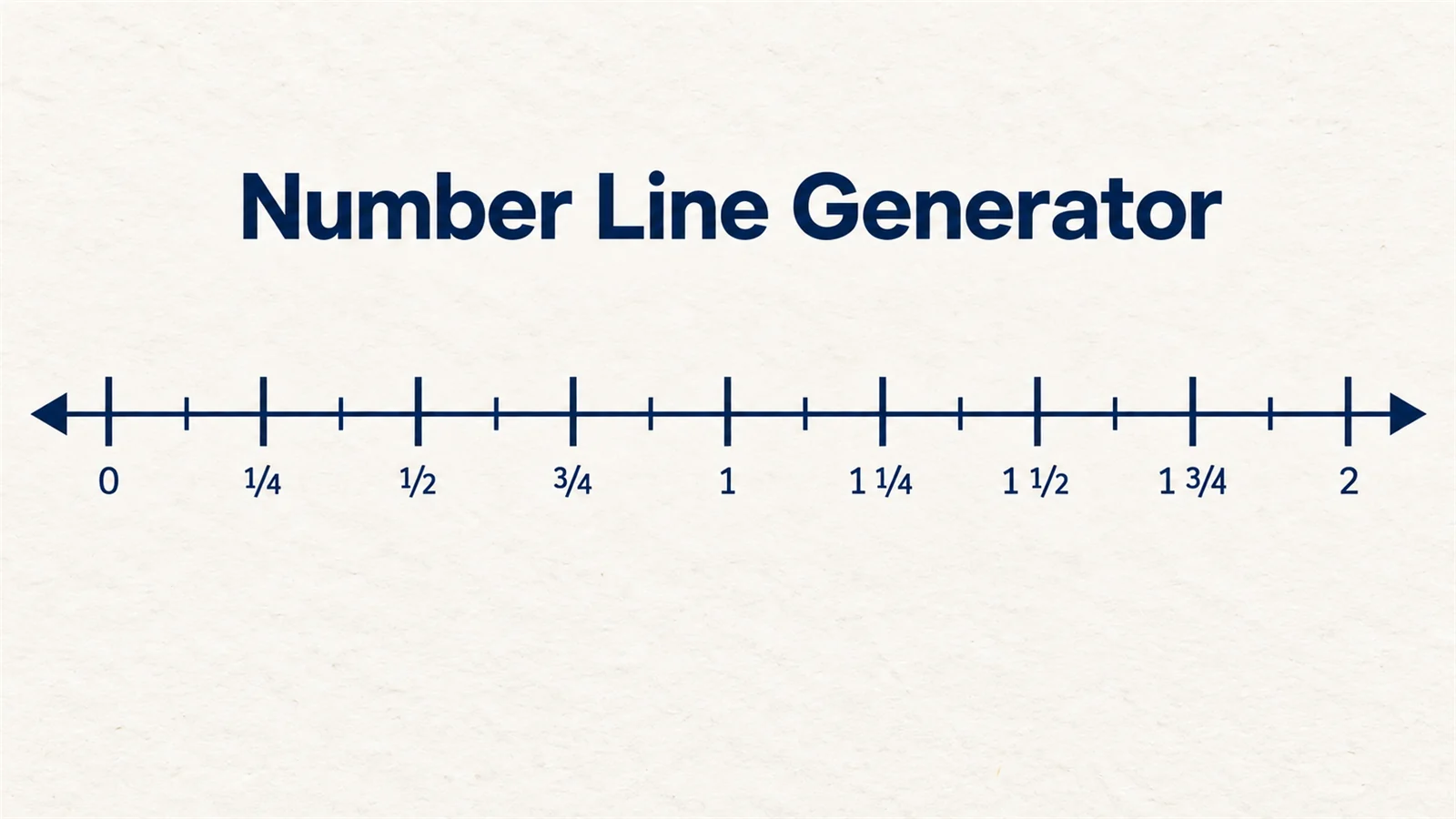
Number Line Generator
Number lines with fraction or decimal labels, points and shaded inequalities.
Mapping ideas rather than grammar?
For a reading response, an essay plan or a topic overview, a concept map links the ideas with labelled arrows.
Open the concept map generatorLast checked: November 17, 2026. Sources: Reed & Kellogg, Higher Lessons in English (revised edition, 1896), Project Gutenberg; Reed & Kellogg, Graded Lessons in English, Project Gutenberg; Kitty Burns Florey, “A Picture of Language”, American Educator (AFT, Summer 2008); The Public Domain Review: Diagramming Sentences in the 19th Century; NPR: A Picture of Language, the Fading Art of Diagramming Sentences (2014).