SciFigure AI logoSciFigure AI

Medical Illustration AI

Medical Illustration Generator

Create clean, labeled medical illustrations for anatomy, procedures, pathology, device placement, injury figures, patient education, and clinical teaching materials.

Anatomy and proceduresPathology and devicesPublication-ready PNG

AI Medical Illustration Generator

Describe the anatomy figure, procedure, pathology scene, or clinical teaching visual you need.

Costs 5 credits321 / 2000 characters

Generate a publication-ready PNG from your description.

Preview

Medical Illustration Example Previews

Target aspect ratio: 4:3

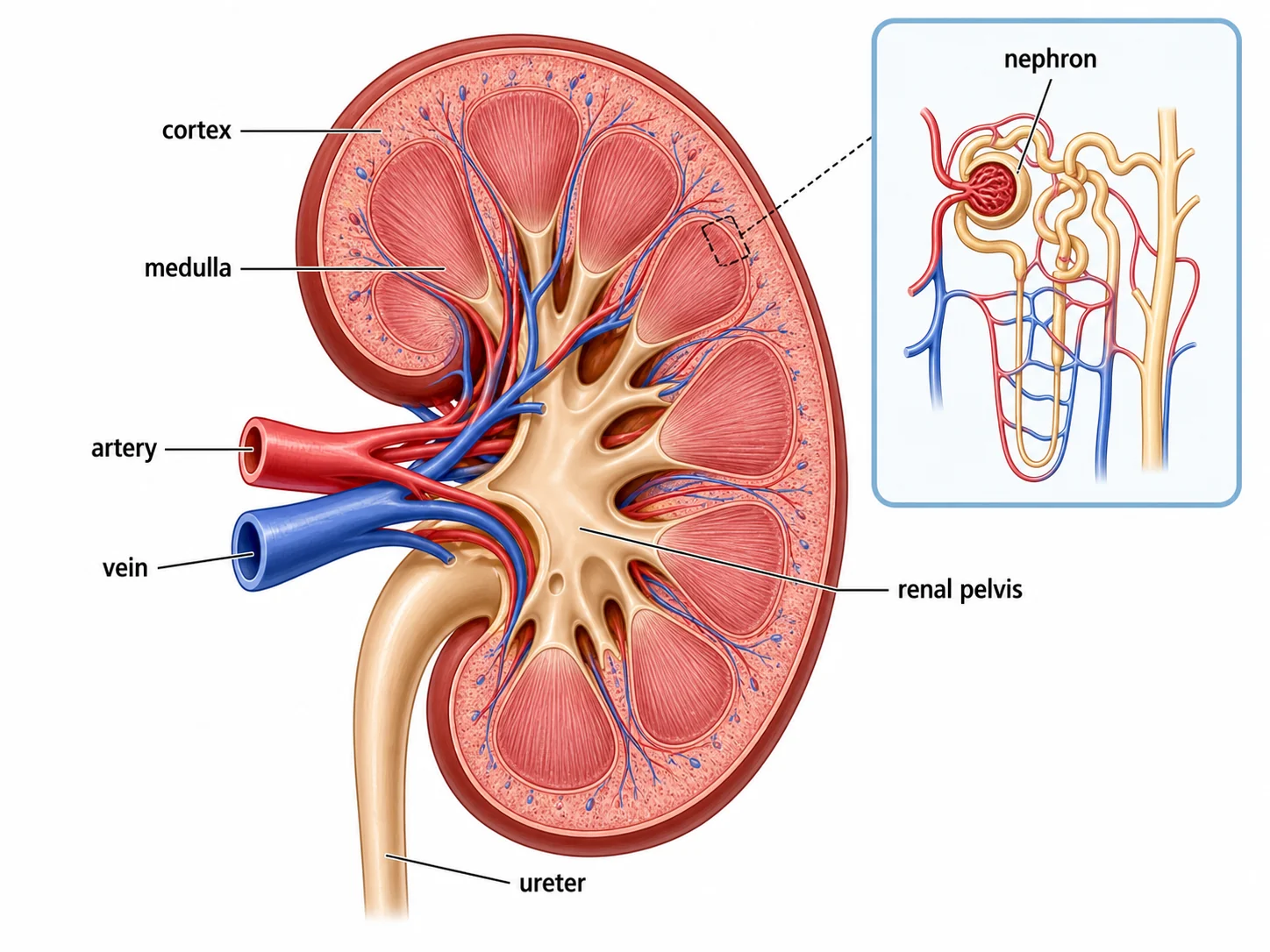
Medical illustration of a labeled kidney cross-section with cortex, medulla, renal pelvis, artery, vein, ureter, and nephron inset
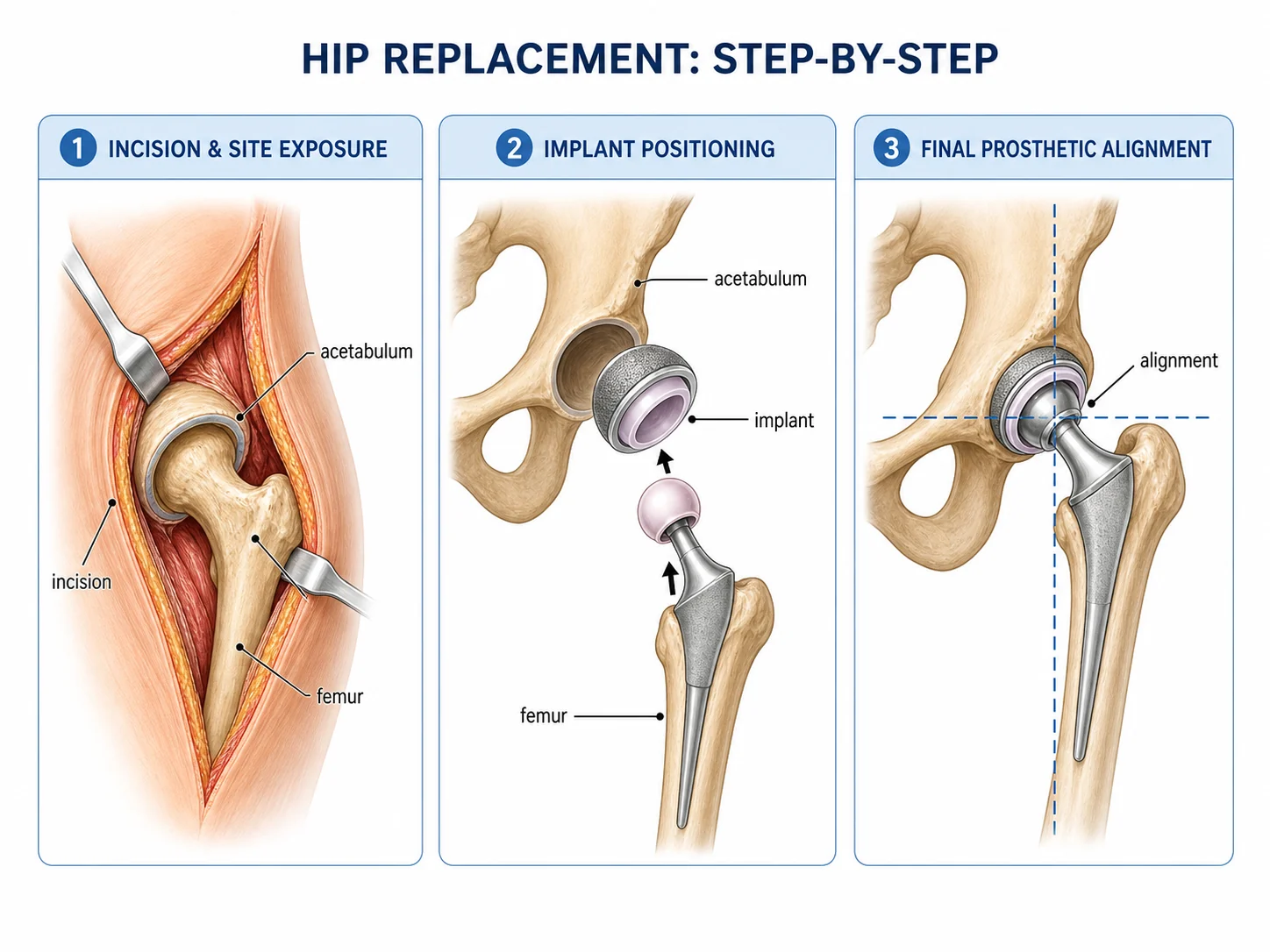
Step-by-step medical illustration of a hip replacement procedure with incision, acetabulum, implant positioning, and alignment labels
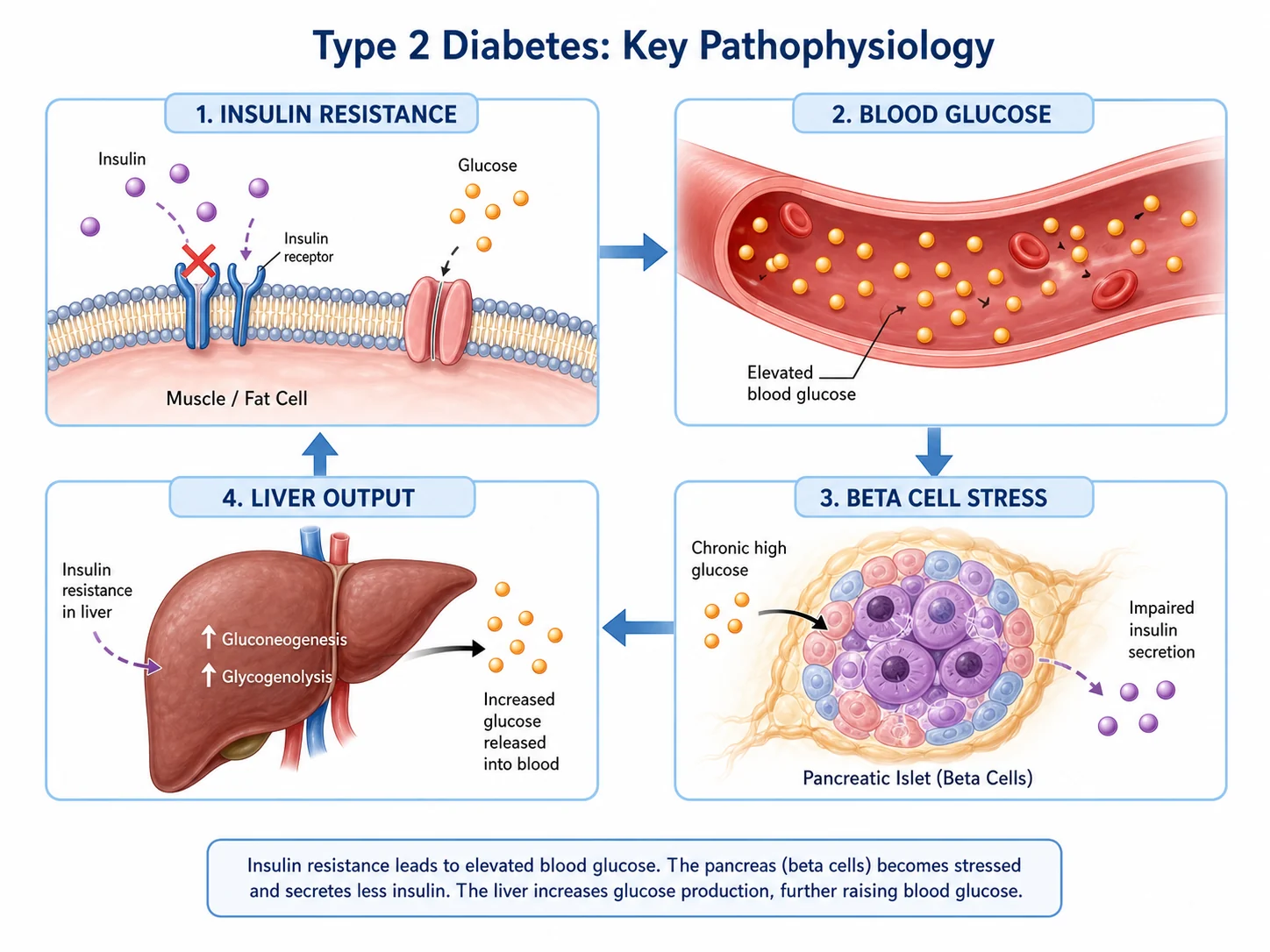
Medical pathology illustration showing insulin resistance, elevated blood glucose, beta-cell stress, and liver glucose output

Sample previews. Describe your medical figure to generate your own result.

Medical Illustration Examples

Use these examples as visual directions for anatomy, procedures, pathology mechanisms, injury figures, device placement, and body-system teaching visuals.

Medical illustration of a labeled kidney cross-section with cortex, medulla, renal pelvis, artery, vein, ureter, and nephron inset

Prompt

Based on your medical illustration description, create a labeled organ anatomy cross-section. Show a kidney with cortex, medulla, renal pelvis, renal artery, renal vein, ureter, and a nephron inset. Use readable callouts, generous margins, and a clean white medical textbook style.
Organ Anatomy Cross-Section

Step-by-step medical illustration of a hip replacement procedure with incision, acetabulum, implant positioning, and alignment labels

Prompt

Based on your medical illustration description, create a three-panel surgical procedure figure for hip replacement. Show incision and site exposure, implant positioning, and final prosthetic alignment. Keep the view educational, non-graphic, clearly labeled, and suitable for clinical teaching.

Surgical Procedure

Medical pathology illustration showing insulin resistance, elevated blood glucose, beta-cell stress, and liver glucose output

Prompt

Based on your medical illustration description, create a disease pathology figure explaining type 2 diabetes. Show insulin resistance at a cell membrane, elevated blood glucose in a vessel, beta-cell stress, and liver glucose output. Use short labels, arrows, and clean medical infographic styling.

Disease Pathology

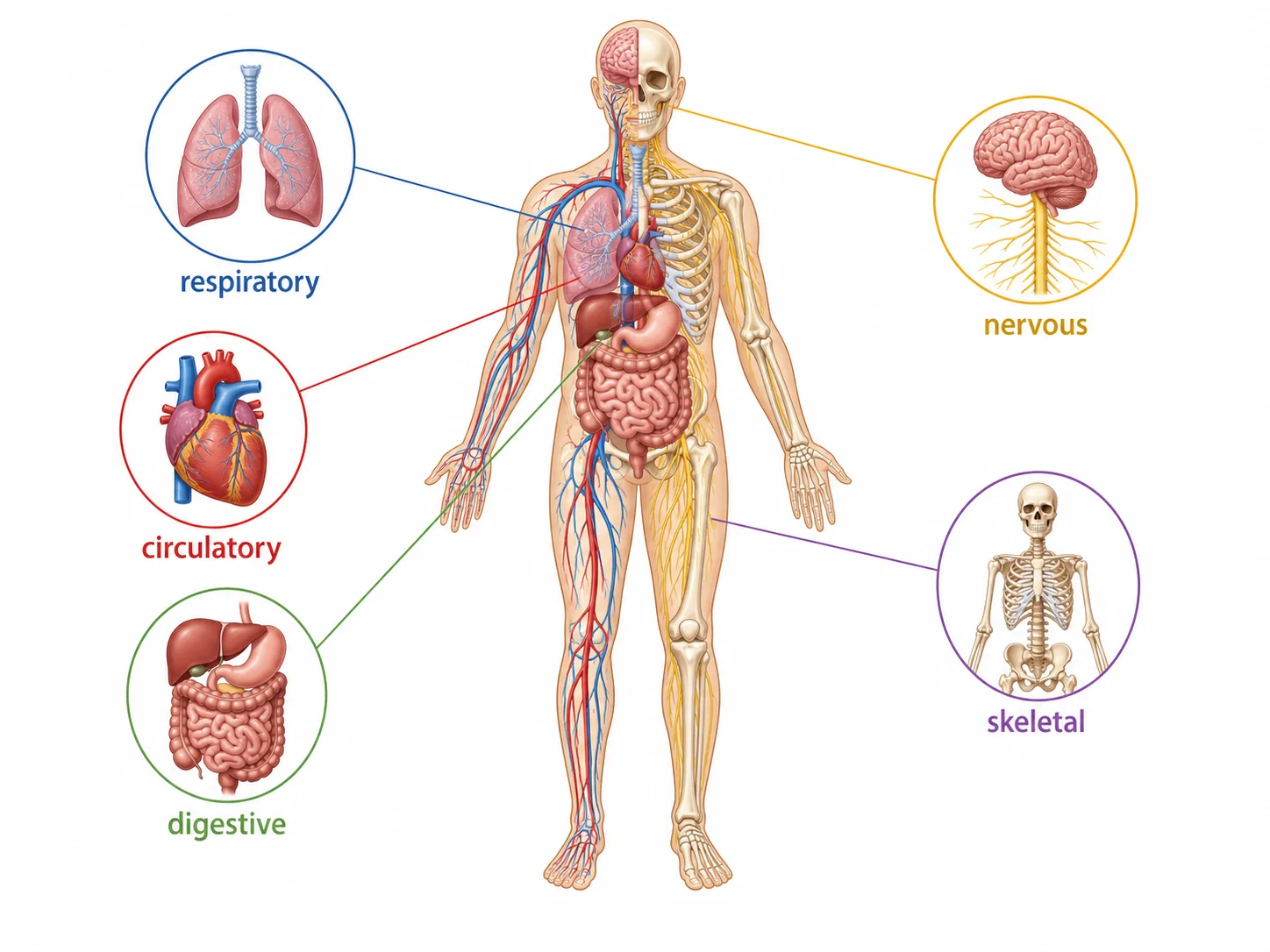
Body system overview medical illustration with respiratory, circulatory, digestive, nervous, and skeletal highlights

Prompt

Based on your medical illustration description, create a body system overview. Show a simplified human body with respiratory, circulatory, digestive, nervous, and skeletal systems highlighted. Add concise labels and small system callouts while keeping the full body and all labels visible.

Body System Overview

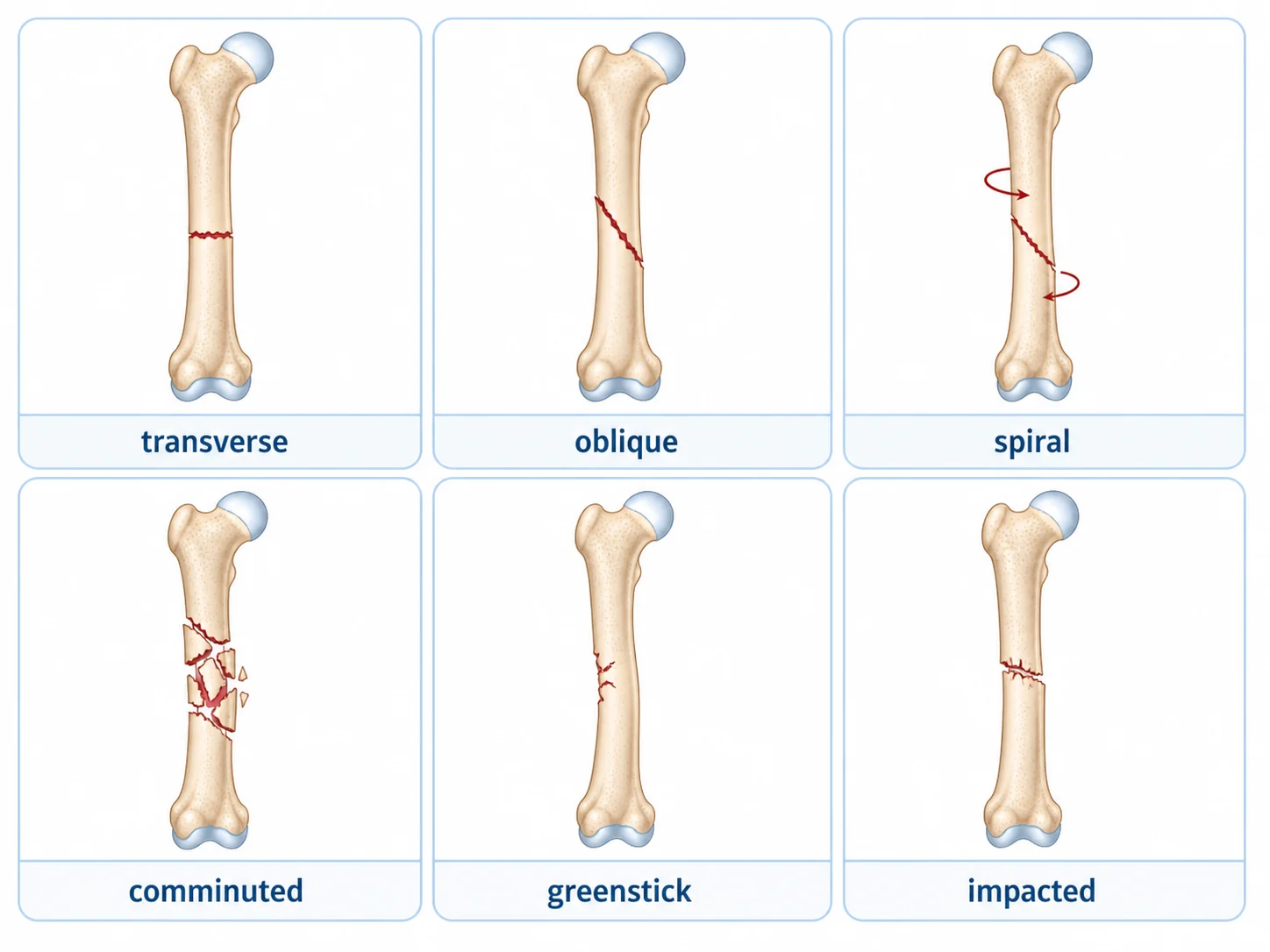
Orthopedic medical illustration showing transverse, oblique, spiral, comminuted, greenstick, and impacted fracture types

Prompt

Based on your medical illustration description, create an orthopedic injury figure showing transverse, oblique, spiral, comminuted, greenstick, and impacted fracture types. Use six clean panels, short labels, non-graphic bone detail, and a white background.

Injury and Fracture Types

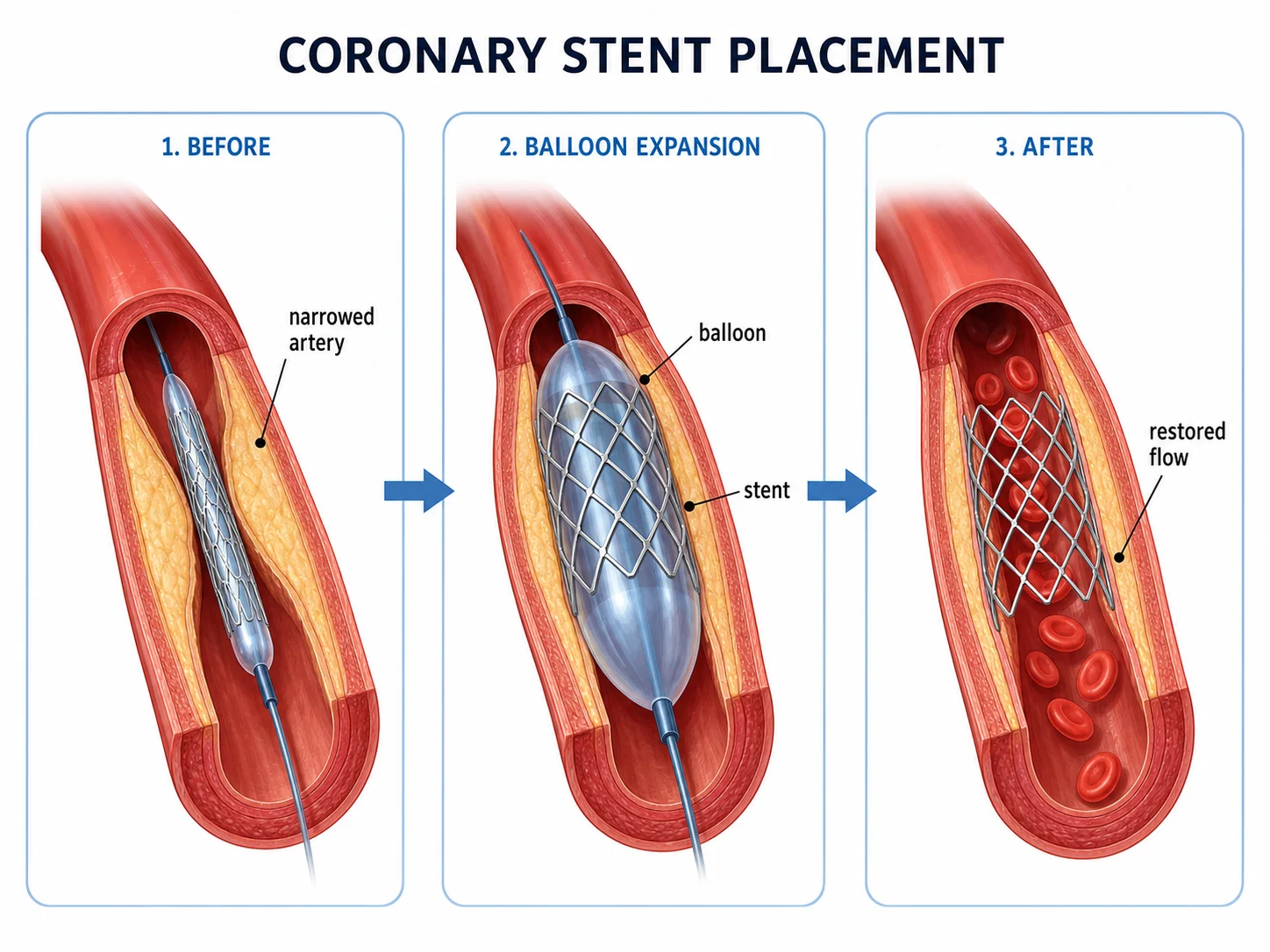
Medical device placement illustration showing coronary stent placement before, during balloon expansion, and after restored blood flow

Prompt

Based on your medical illustration description, create a medical device placement diagram for coronary stent placement. Show before narrowing, balloon expansion, and restored flow after stent placement. Use arrows, concise labels, and an educational clinical illustration style.

Medical Device Placement

How to create a medical illustration

1

Describe the clinical view

Name the anatomy, procedure, pathology, device placement, or injury figure you need, then add the intended audience and level of detail.

2

Choose labels and layout

Ask for cross-sections, step panels, body-system callouts, mechanism arrows, or device-position labels that fit the medical topic.

3

Generate and review

Create the medical illustration, check labels and anatomy, then download the PNG for lessons, slides, handouts, or manuscript drafts.

What can this medical illustration generator create?

A medical illustration generator turns a text description into a structured visual draft for anatomy, clinical teaching, procedure explanation, pathology mechanisms, injury types, and device placement. It helps you start from a specific figure need instead of adapting generic stock imagery.

Why medical illustrations matter

  • Explain complex anatomy, pathology, and procedures with a clear visual hierarchy.
  • Support lectures, case reports, patient education, conference posters, and manuscript figures.
  • Create consistent visual drafts for organs, body systems, treatment workflows, and device placement.
  • Replace generic imagery with concept-specific medical visuals that can be reviewed and refined.

Common elements in medical illustrations

  • Anatomically sensible structures with clean proportions and generous margins.
  • Cross-sections or cutaways that reveal internal anatomy without unnecessary detail.
  • Readable leader lines, labels, arrows, panels, and sequence markers.
  • Color coding for tissues, blood flow, disease states, instruments, or devices.
  • Audience-appropriate text for students, clinicians, researchers, or patient education.

Where medical illustrations are used

  • Clinical lectures, anatomy lessons, nursing education, and medical training handouts.
  • Research manuscripts, case reports, posters, slide decks, and graphical summaries.
  • Patient education materials that need simple, non-graphic explanatory visuals.
  • Procedure planning notes, device placement diagrams, and mechanism-of-disease explainers.

Medical Illustration Generator FAQ

It is a text-to-image tool for drafting labeled anatomy, procedure, pathology, device, and injury visuals. Describe the medical figure you need, then review the generated result for accuracy before use.

Ready to create your first medical illustration?

Turn anatomy notes, procedure outlines, pathology summaries, and clinical teaching ideas into clean publication-ready medical illustrations with SciFigure.