
Free in-browser tool
Vectorize an image: convert PNG or JPG to SVG
Drop in a PNG or JPG and this raster-to-vector converter traces it to an SVG on this page — nothing is uploaded anywhere. It reduces the picture to flat colours, follows the boundary of every region of each colour, and writes one path per colour. That is what a logo, a piece of line art, a chart, or a scanned diagram needs. A photograph is not what this is for, and the page below says plainly why.
Rendering the example…
Built-in example: a bar chart that only exists as a PNG
Polygons, one path per colour. The chequerboard shows through wherever nothing was painted.
Drop a PNG, JPG, WebP, GIF, or BMP here
The file is decoded by your browser and traced on this page. It is never uploaded, so there is no size limit beyond what your own machine will hold.
Enough colours for the series, tight tolerance so axes stay straight, background kept.
Bigger images are resampled down to this before tracing, which is what keeps the page responsive. The SVG is resolution-independent afterwards, so a larger working size buys boundary accuracy, not output size — it costs points instead.
The image is reduced to this many flat colours by median cut, and each one becomes a path. Two colours gives a silhouette; eight is usually enough for a chart.
How far an outline may move from the pixel boundary when points are dropped. At 0 you get the exact staircase; by 1 px the straight edges are clean and curves are still smooth.
Regions and holes smaller than this are dropped — JPEG blocking, scanner dust, and single stray pixels. 123 regions were dropped at this setting.
#fcfcfa5 rings, 450 points#0072b24 rings, 156 points#d55e002 rings, 12 points#3341552 rings, 466 points#009e732 rings, 240 points
What flat-colour tracing looks like
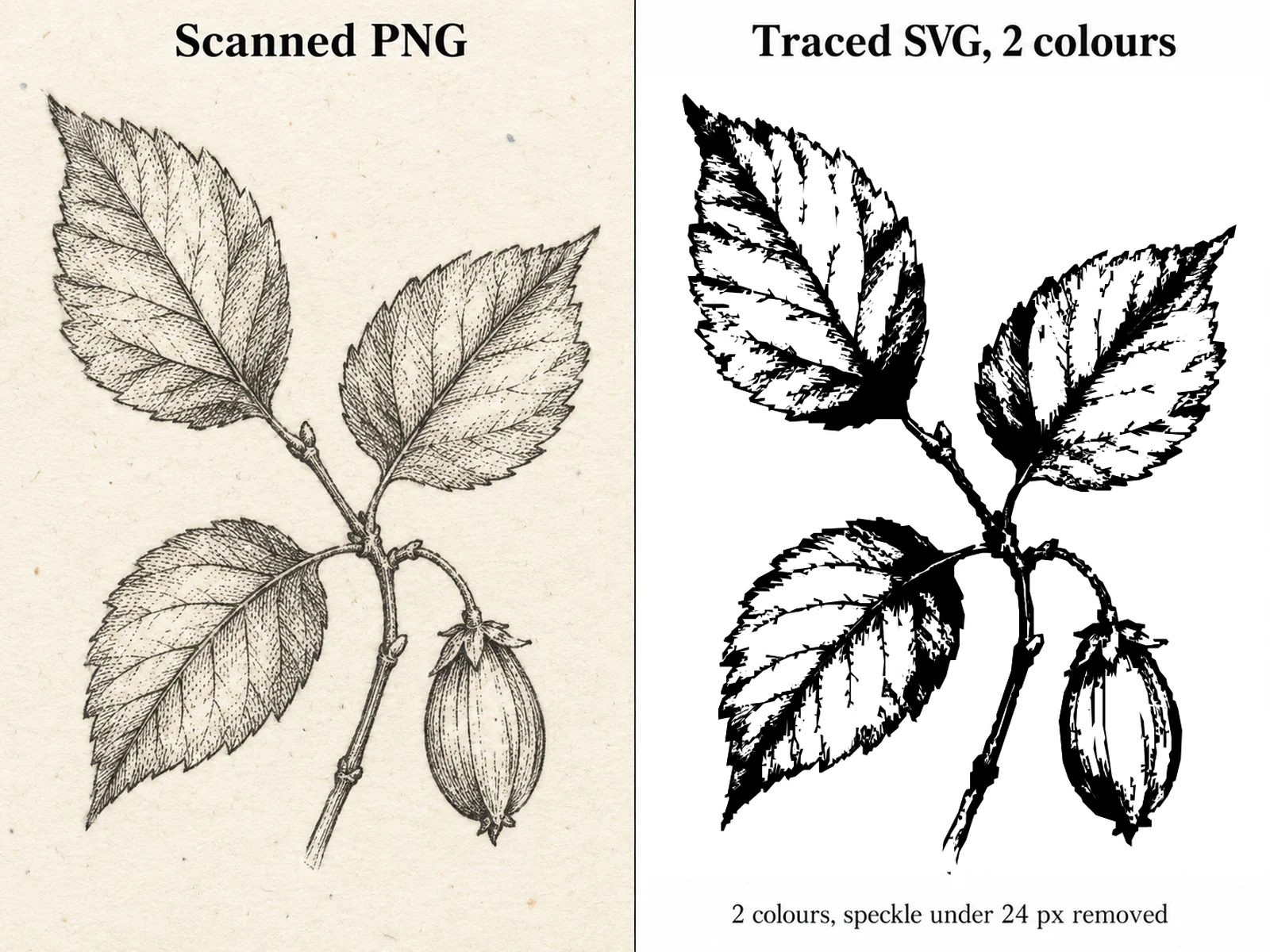
Scanned line drawing
Two colours, white background removed, minimum region area high enough to drop the paper grain. A scan has thousands of near-grey pixels along every stroke; reducing it to two flat colours is what makes the stroke a shape.
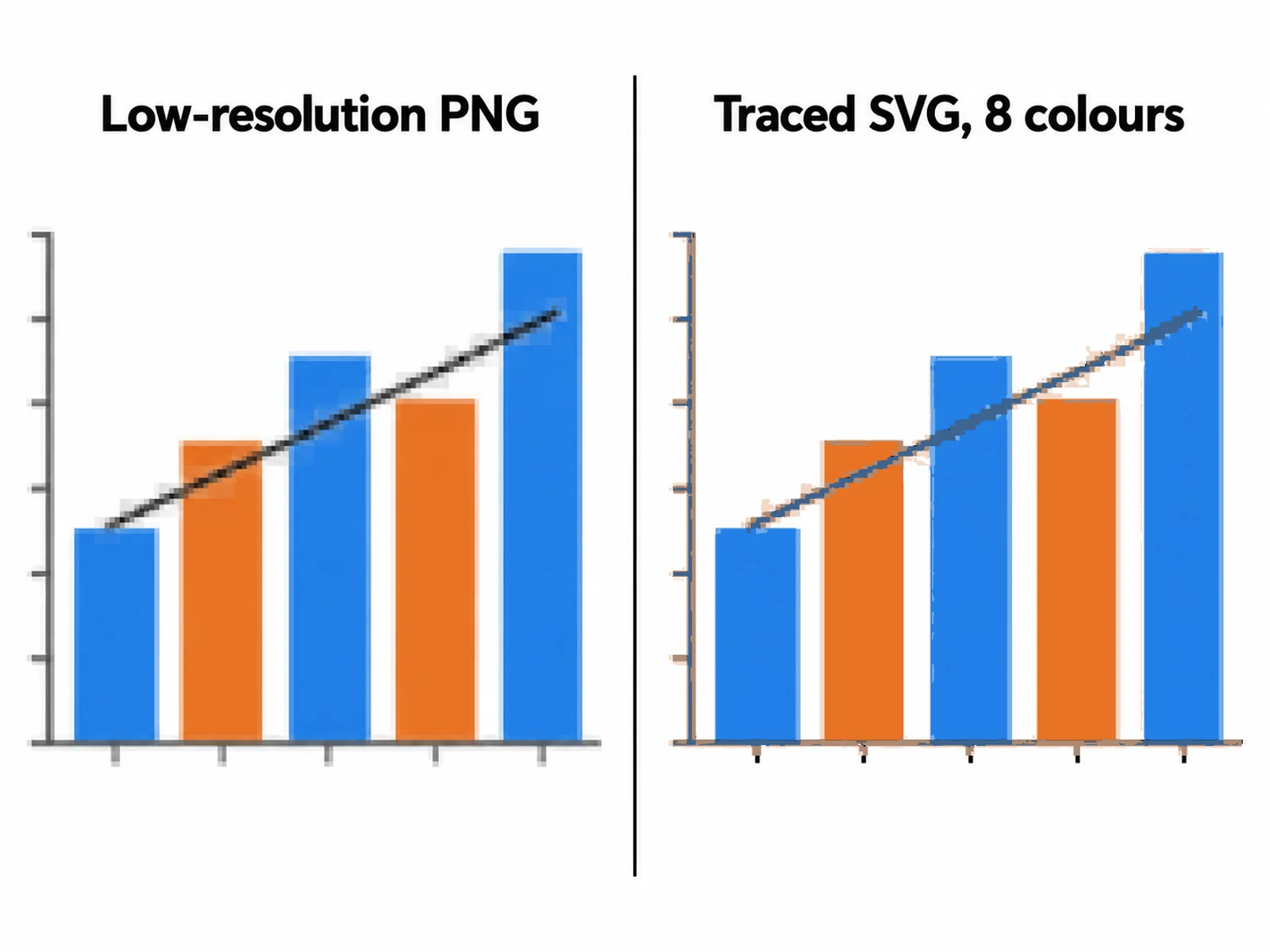
A chart you only have as a PNG
The most common reason to come here: the figure is in a slide deck or an old paper and the plotting script is gone. Eight colours covers the series and the axes, and a tight tolerance keeps the axis lines straight.
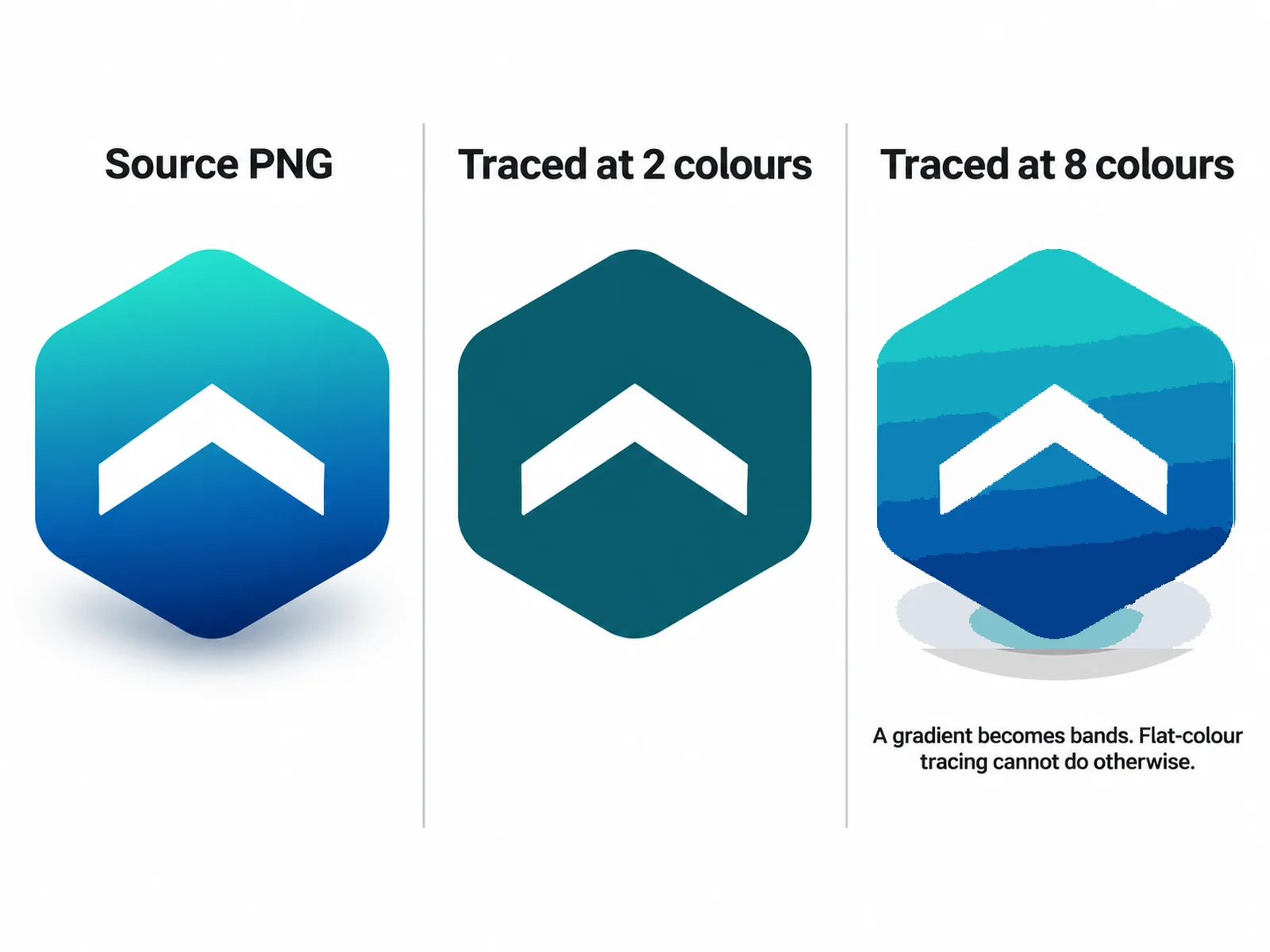
Two colours against eight
More colours is not better. At two the logo is a clean silhouette; at eight the soft shading becomes four visible bands, because flat-colour tracing cannot represent a gradient and will posterise it instead.
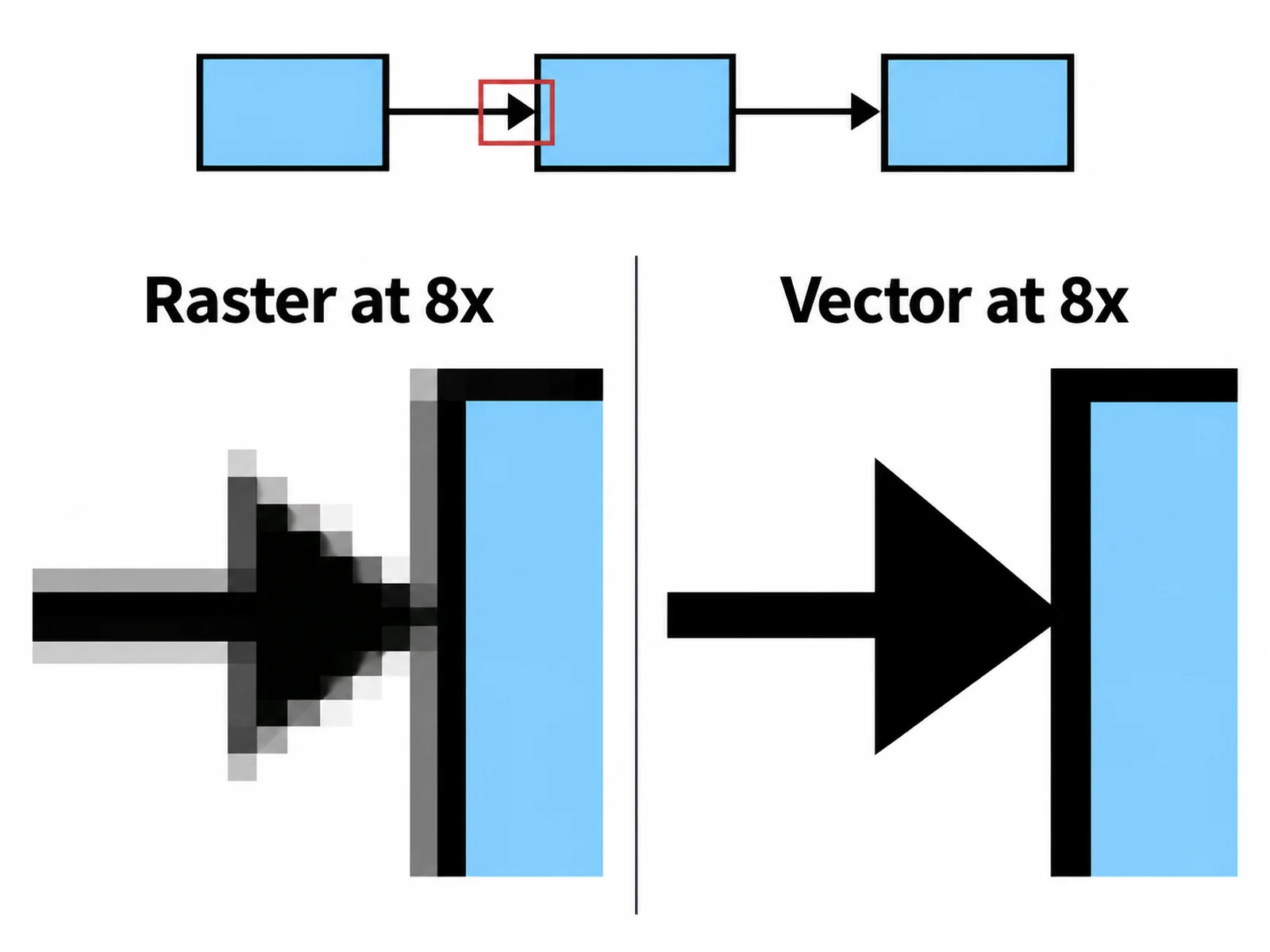
Why a vector scales
The same corner at eight times magnification. The raster has nothing left to show beyond its own pixel grid; the SVG re-draws the edge at whatever size the printer or the journal asks for.
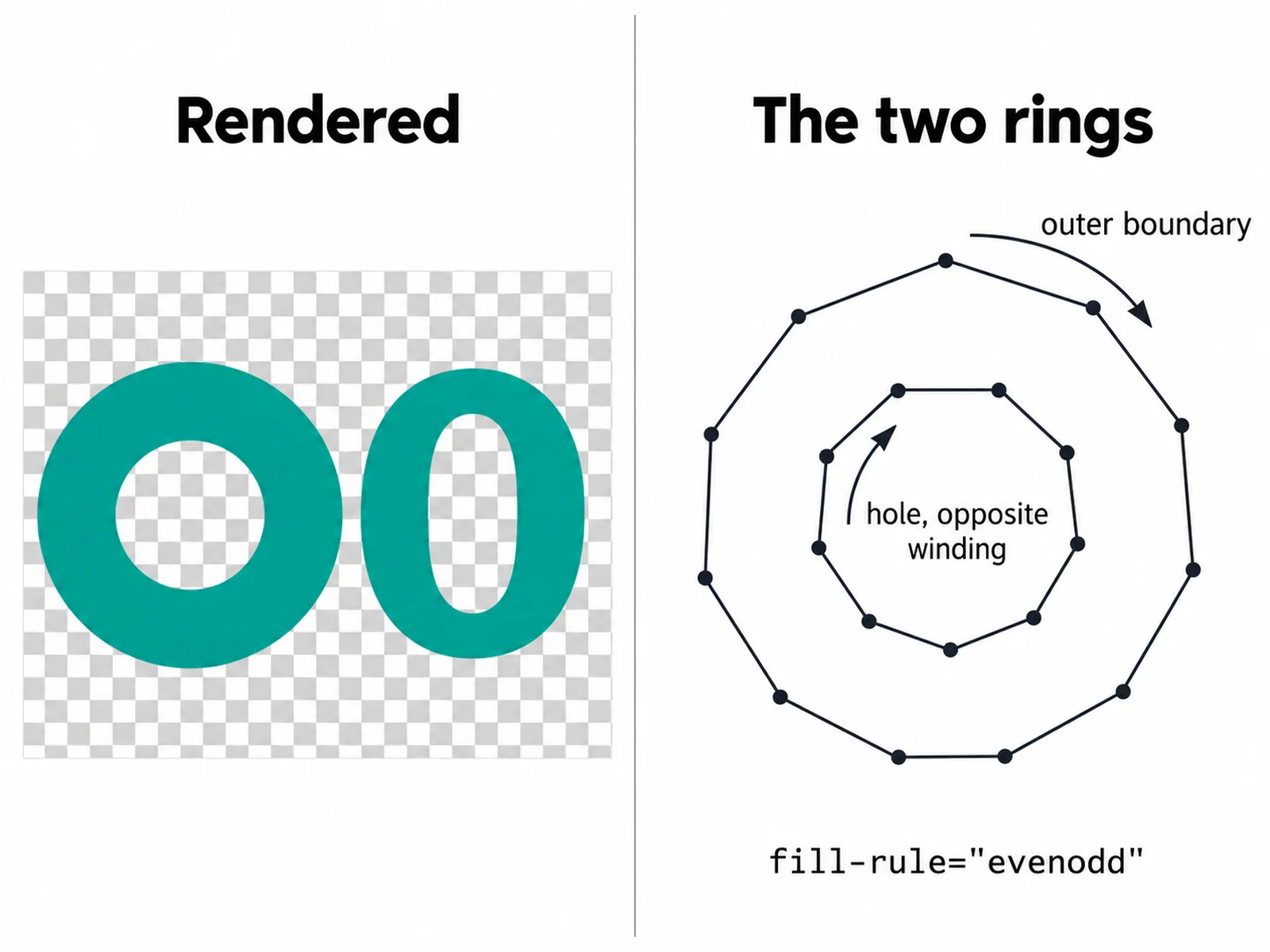
Holes that are really holes
An outer boundary and the hole inside it are traced as two rings that wind in opposite directions, and the path is written with fill-rule evenodd. The middle of a letter O, an annulus, or a doughnut chart is empty rather than filled over.
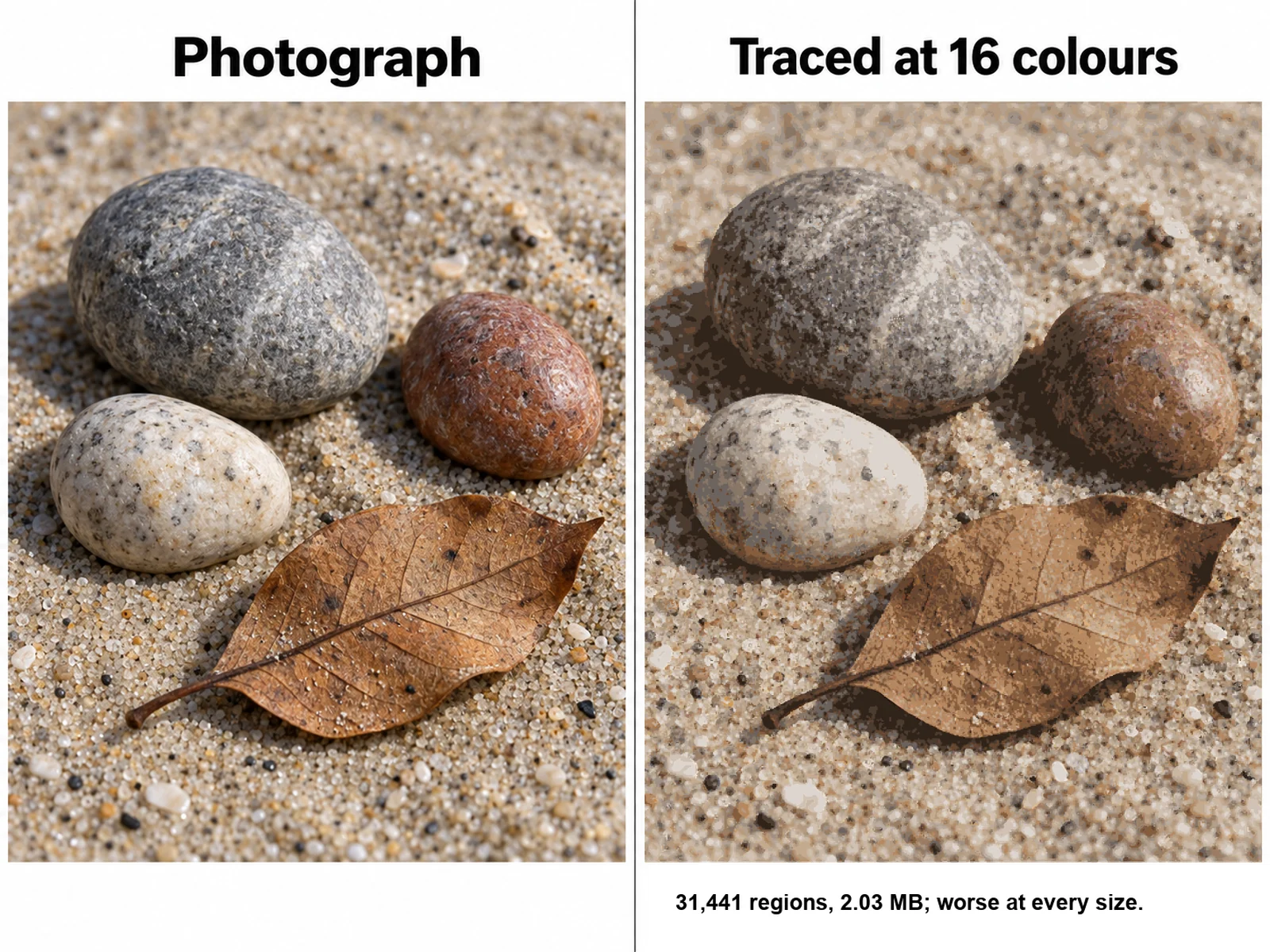
What a photograph does
Shown because it is the question everyone asks. A photograph has no flat regions to find, so the trace invents them: thousands of blotches, a multi-megabyte file, and a picture that looks worse than the original at every size.
How to convert an image to a vector graphic
The whole conversion happens in the page. There is no queue, no account, and no upload step, so the only limit is what your own browser will decode.
- Drop a PNG, JPG, WebP, GIF, or BMP onto the box, or pick a file. The browser decodes it and draws it to a canvas, resampled so its longest side fits the working size you chose.
- Set the number of colours. This is the decision that matters most: the image is reduced to that many flat colours, and each one becomes a single path in the SVG.
- Raise the simplification tolerance until the outlines stop looking like a staircase. Around 1 pixel is right for most artwork; 0 keeps the exact pixel boundary.
- Raise the minimum region area until the speckle disappears. Scanner dust, JPEG blocking, and stray single pixels would otherwise each become their own little polygon.
- Turn on white-background removal if you want the artwork to sit on whatever is behind it rather than on a white rectangle. Off-white scanned paper counts as white.
- Check the point count. It is the honest measure of how heavy the file is; download the SVG when it reads sensibly for the amount of detail you can see.
What the tracing actually does
Worth stating precisely, because "vectorize" is used loosely and the result is only as good as the thing it does. Four steps, all of them in your browser.
- Colour quantisation by median cut. The pixels go into a 32,768-bucket colour histogram, which is split repeatedly until there are as many boxes as you asked for colours, and each box becomes one palette colour — the true mean of the pixels in it. The box picked for the next split is the one with the largest pixel count times colour extent, not the largest count alone, so a scan's acre of near-white paper does not swallow the whole palette.
- One binary mask per colour, then boundary tracing. The tracer walks the cracks between a filled pixel and an empty neighbour, which gives the exact axis-aligned outline of the region rather than a contour offset half a pixel into it. Two regions touching corner to corner come out as two shapes, not one pinched figure of eight.
- Holes are traced as separate rings with the opposite winding, and each path is written with fill-rule evenodd, so the hole is genuinely empty. The inside of a letter O stays open.
- Simplification by Ramer-Douglas-Peucker, at the tolerance you set. Every point in the output is a point that was on the pixel boundary — nothing is interpolated.
- The output is polygons. This tool does not fit Bezier curves, so a traced circle is a many-sided polygon rather than an arc. At a sensible tolerance you cannot see the difference on screen or in print, but if you open the SVG in an editor you will find line segments, and you should know that before you promise someone a curve.
What vectorises well, and what does not
Raster-to-vector tracing finds regions of one colour. Everything about which images work follows from that single sentence.
- Works well: logos and wordmarks, pen-and-ink line art, scanned diagrams and figures, flow charts, maps, screenshots of plots, bar and line charts, icons, stamps and seals, cross-hatched technical drawings. All of these are flat regions with definite edges.
- Works with care: antialiased screenshots and text. The soft pixels along each edge are assigned to the nearest flat colour, which can leave a thin halo. More colours makes the halo its own layer; fewer colours absorbs it. Small text traces legibly but it traces as outlines, not as editable letters.
- Does not work: photographs. A photograph is continuous tone — there are no flat regions to find — so the trace has to invent them, and what comes back is a posterised blotch map with thousands of regions and a file bigger than the JPG it came from. No setting fixes this, because the problem is the image, not the parameters.
- Does not work: gradients, soft shadows, blur, glow, and semi-transparent overlays. Each becomes a set of visible bands. If the original has a gradient, the honest options are to trace at two colours and re-apply the gradient yourself in an editor, or to find the source file.
- Already vector: if the figure came out of a plotting library, a CAD tool, or a drawing program, look for the original SVG, PDF, or EPS first. Tracing a PNG export of a vector file always loses something — exact coordinates, grouping, text as text.
The four controls, and what each one trades away
Every control here gives up one thing to get another. Knowing which direction each one costs is faster than guessing.
- Colours, 2 to 16. Too few and distinct parts of the image merge into one shape. Too many and the antialiasing along every edge gets a layer of its own, which multiplies the path count without adding anything you can see. Count the flat colours you can actually name in the image and start there.
- Simplification tolerance, in pixels. At 0 the outline follows the pixel grid exactly and looks like a staircase under magnification. Raising it collapses the staircase into straight runs, and raising it further starts cutting corners off genuine detail. Thin features vanish first, so if a stroke disappears, this is why.
- Minimum region area, in square pixels. Drops regions and holes smaller than the threshold. A scan usually needs 20 or more; a clean export needs almost none. A hole can only be smaller than the region around it, so raising this never leaves a hole stranded in a shape that was dropped.
- White-background removal. Drops any layer whose colour is near-white rather than painting it. Useful for putting line art over a coloured slide; not what you want if the white is part of the artwork, for example the whites of an eye or the gaps in a diagram that should stay opaque.
- Working size. Bigger means the boundary is measured on more pixels, so the trace is more faithful and has more points. It does not change how large the SVG can be drawn — a vector has no resolution — so raise it for accuracy, not for output size.
After the download
An SVG is a text file full of coordinates, which is why it is worth having rather than a bigger PNG.
- It scales without limit. The same file prints at a 90 mm journal column and on an A0 poster with no pixelation and no resampling, which is the usual reason a publisher asks for vector artwork.
- Every colour is one path, so recolouring a layer in Illustrator, Inkscape, Affinity, or Figma is a single click. The layers are written largest first, so the background is at the top of the file.
- It edits as geometry. You can delete a region, move a point, or union two shapes. What you cannot do is edit text, because traced lettering is outlines — if the labels need changing, relabel the figure rather than the trace.
- It embeds directly. LaTeX takes it through svg or after a conversion to PDF, PowerPoint and Word import it as shapes, and a browser renders it inline with no extra request.
- Diff and version it. Because it is text, two traces of the same figure can be compared line by line, which a binary PNG cannot do.
Frequently asked questions
Is this image to SVG converter free?
Yes, and there is nothing to sign up for. The tracing runs in your browser, there is no credit cost, no watermark, and no limit on how many images you convert. Nothing about the page changes if you have an account.
How do I convert a PNG to SVG?
Drop the PNG onto the box on this page, set the number of flat colours you want, raise the simplification tolerance until the outlines look clean, raise the minimum region area until the speckle is gone, and download the SVG. For a logo or line art that is usually two to four colours and a tolerance near 1 pixel; for a chart, eight colours and a tighter tolerance.
Is my image uploaded to a server?
No. The browser decodes the file, draws it to a canvas, and the tracing code in this page reads those pixels. No network request carries your image, which also means the tool works offline once the page has loaded and that confidential or unpublished figures never leave your machine.
Will it vectorize a photograph?
Not usefully, and it is better to say so than to let you find out. Tracing works by finding regions of a single flat colour, and a photograph has none — the tone varies continuously. What you get back is a posterised blotch map: thousands of tiny regions, a file often larger than the original JPG, and an image that looks worse at every size. If you need a photograph as line art, that is an illustration job rather than a conversion job.
Does it fit curves, or is the output polygons?
Polygons. The outlines are built from the real pixel boundary and thinned with Ramer-Douglas-Peucker, so every point in the SVG was a point on the boundary and nothing is interpolated into an arc. At a tolerance around 1 pixel a traced circle is visually smooth, but it is a many-sided polygon, and an editor will show you line segments rather than Bezier handles.
Why does my traced SVG look jagged?
Either the tolerance is at or near 0, which keeps the pixel staircase exactly as it is, or the working size is small relative to the detail. Raise the tolerance to about 1 pixel first — that collapses the staircase into straight runs. If the artwork is intricate, raise the working size too so the boundary is measured on more pixels before it is simplified.
How do I get a transparent background instead of a white rectangle?
Turn on white-background removal. Any layer whose quantised colour is near-white is dropped rather than painted, so the SVG has no fill where the paper was and whatever sits behind it shows through. Off-white scanned paper is treated as white. Leave it off when the white is part of the artwork.
What is the difference between a raster image and a vector graphic?
A raster image — PNG, JPG, GIF, WebP — is a fixed grid of pixels, so enlarging it can only make the pixels bigger. A vector graphic — SVG, EPS, PDF artwork — stores shapes as coordinates and is redrawn at whatever size is asked for, which is why publishers and print shops want it. Converting raster to vector means recovering shapes from pixels, and that can only be done where the pixels form definite flat regions.
Related tools
Image DPI Checker
Check whether a figure has the pixels a journal column needs before you submit it.
Journal Figure Requirements
Column widths, resolution, and file formats for major publishers, with official sources.

Editable SVG and PPTX Export
Get figures out as editable vectors and slides rather than flat images.
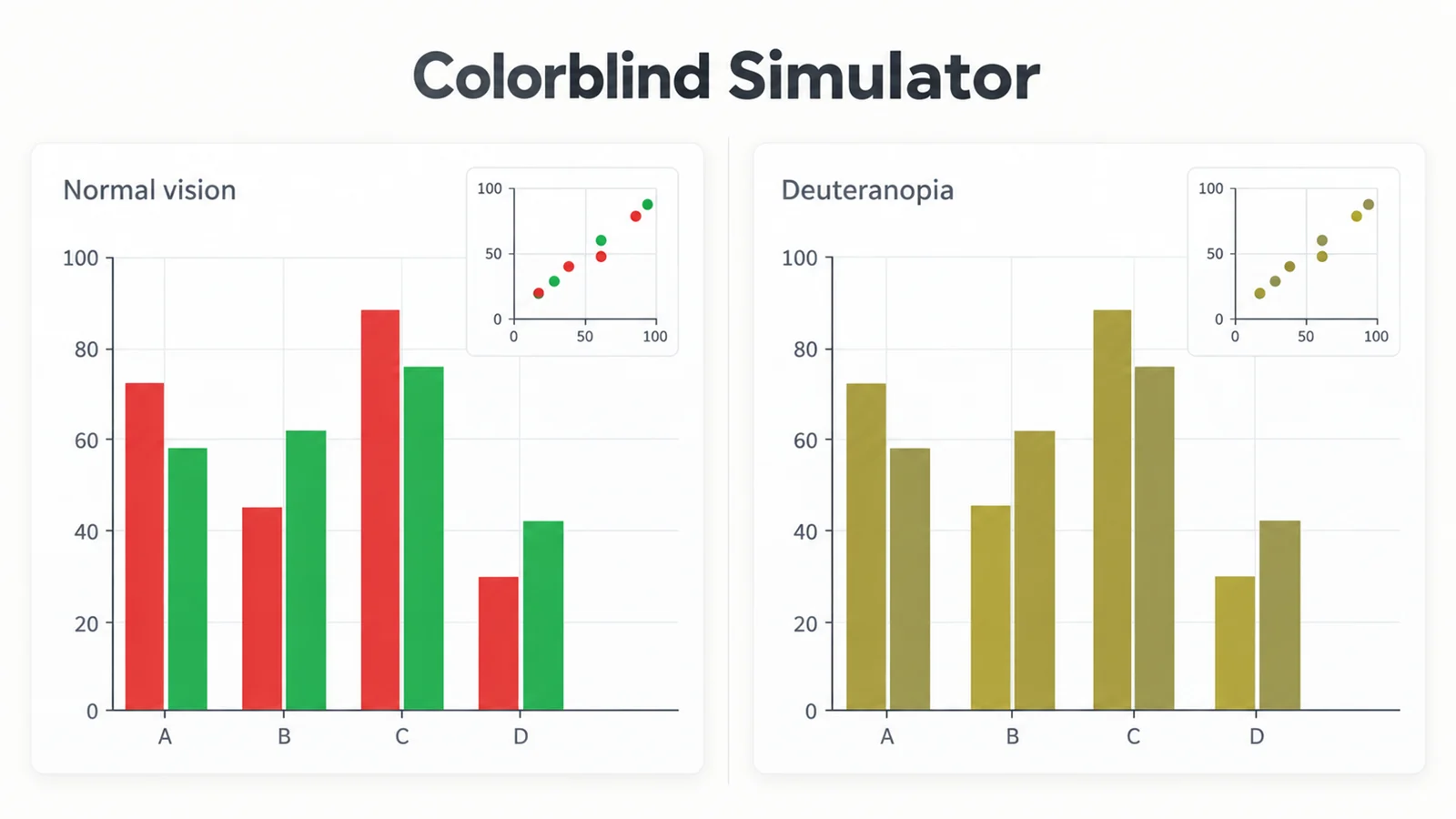
Colorblind Simulator
Preview a figure as protanopia, deuteranopia, or tritanopia sees it.
The figure needs redrawing, not converting?
If the original is a photograph, a gradient, or a diagram you no longer have the source for, SciFigure AI draws a clean labelled figure from a description instead of tracing a bitmap.
Open the scientific diagram makerLast checked: October 1, 2026. Sources: W3C SVG 2: the fill-rule property; Heckbert, Color image quantization for frame buffer display (median cut, SIGGRAPH 1982); Douglas & Peucker, Algorithms for the reduction of the number of points required to represent a digitized line (1973); MDN, CanvasRenderingContext2D.getImageData.