SciFigure AI logoSciFigure AI

Anatomy AI

Human Anatomy Diagram Generator

Create labeled anatomy diagrams from plain text. Describe a body system, organ, skeleton, muscle group, heart, brain, or full-body view, then generate a clean educational figure for lessons, worksheets, slides, and study materials.

Clearly labeledBody systems and organsPublication-ready PNG

AI Anatomy Diagram Generator

Describe the body part, organ system, labels, and view you need.

Costs 5 credits318 / 2000 characters

Generate a publication-ready PNG from your anatomy description.

Preview

Anatomy Diagram Example Previews

Target aspect ratio: 4:3

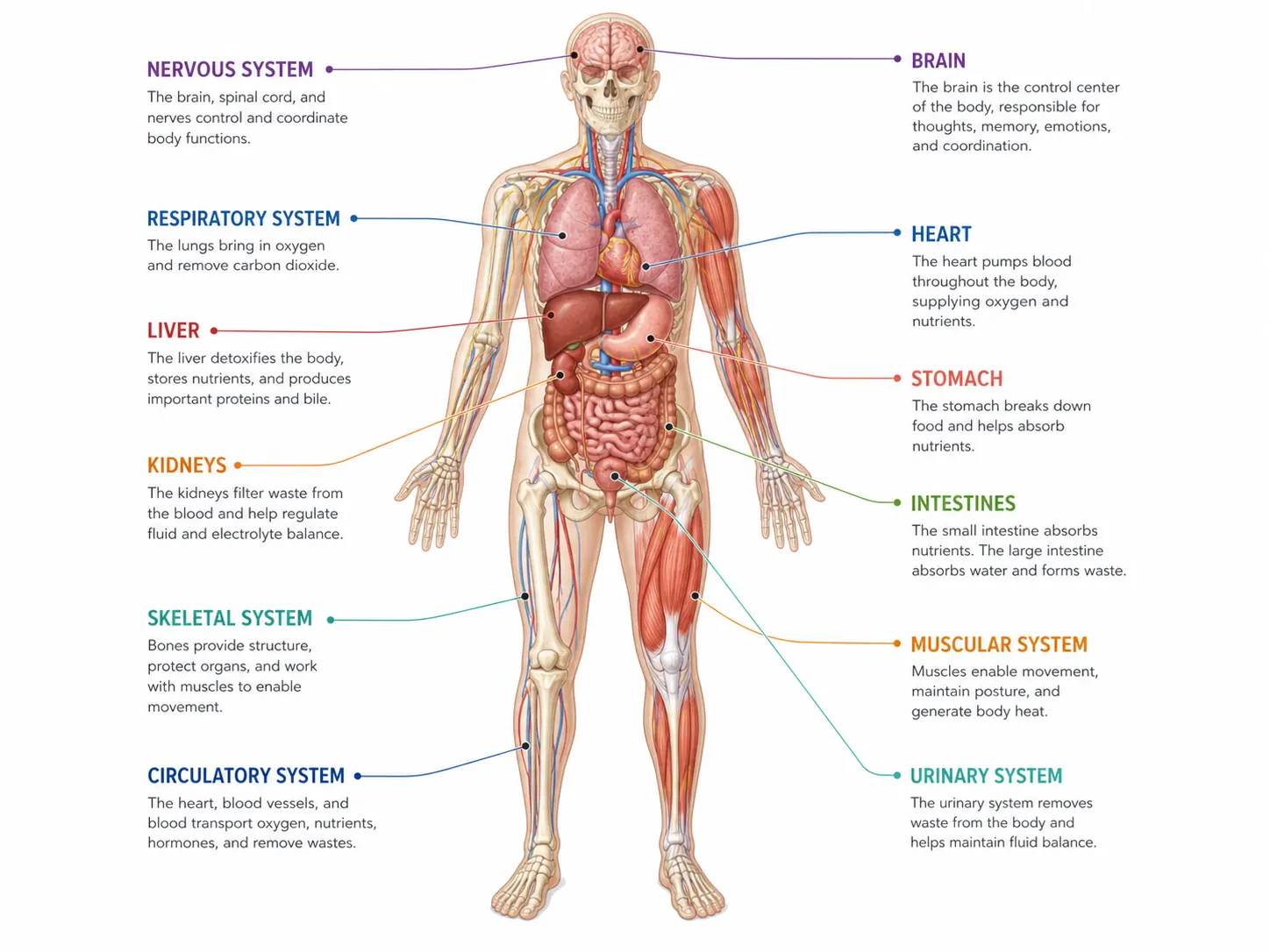
Labeled human body anatomy diagram with organs, skeleton outline, muscles, and body system callouts
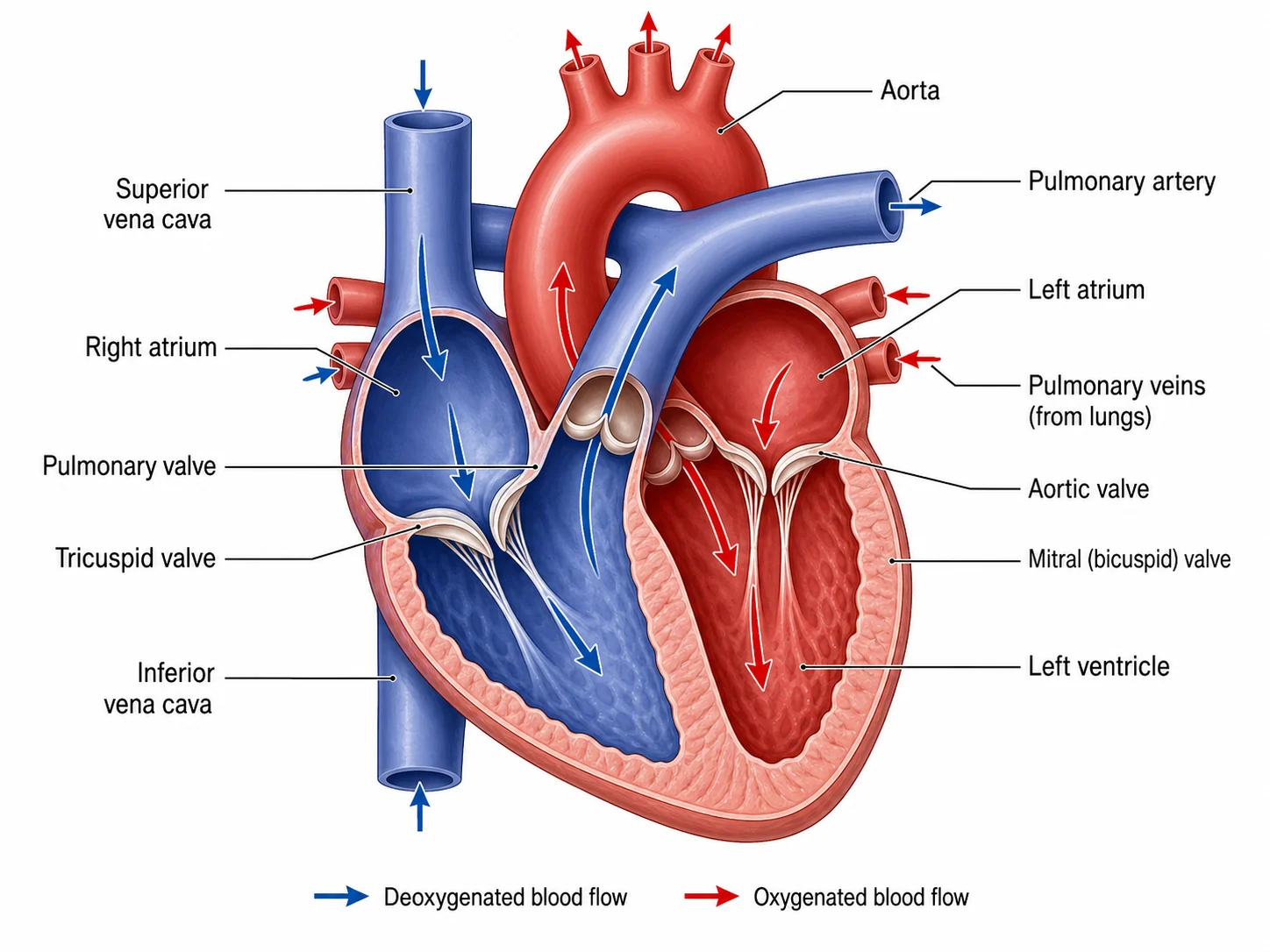
Labeled heart anatomy diagram showing chambers, valves, major vessels, and blood flow direction
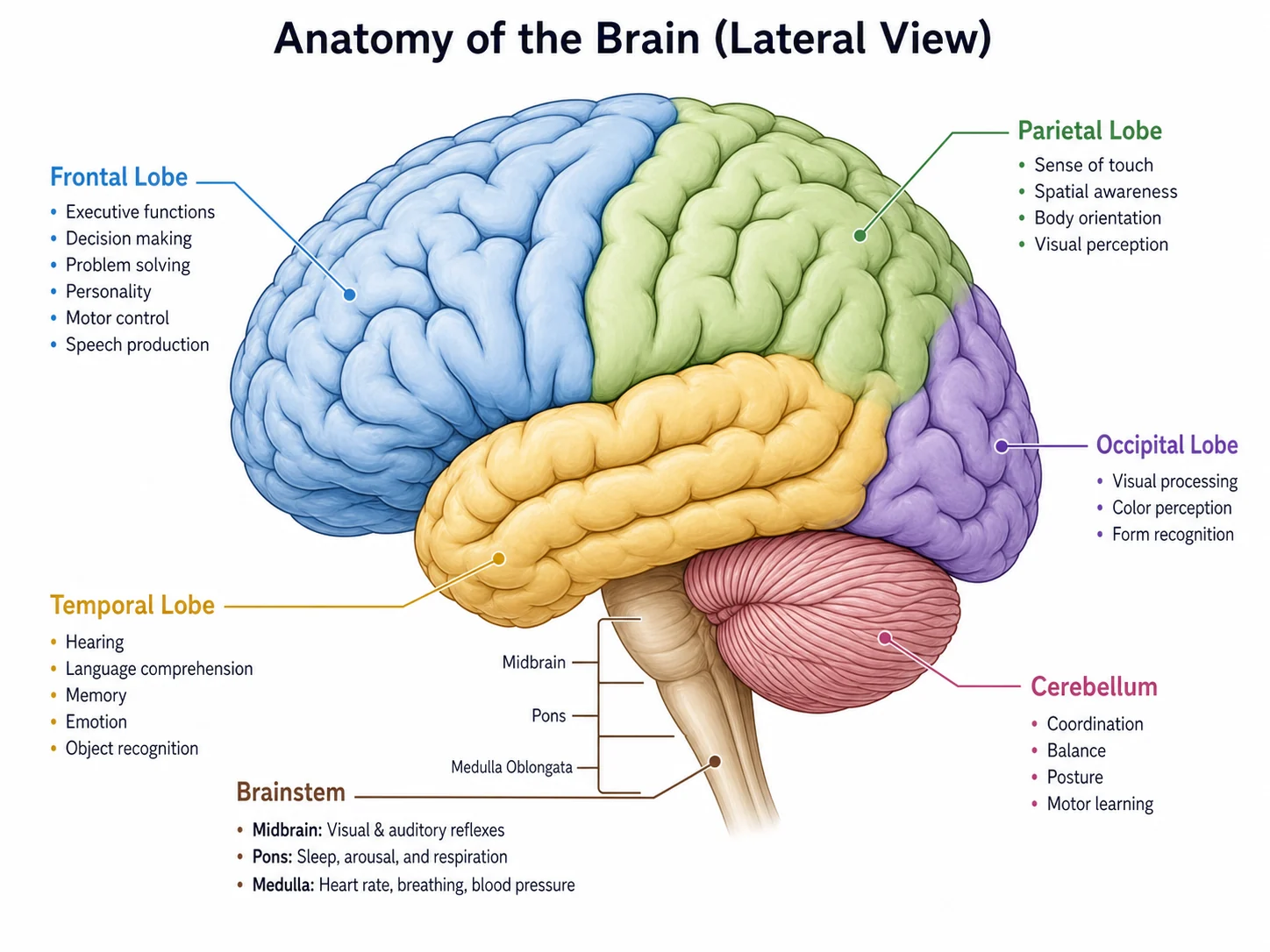
Labeled brain anatomy diagram with lobes, cerebellum, brainstem, and key regions

Sample previews. Describe the body system or organ to generate your own anatomy figure.

Anatomy Diagram Examples

Use these examples as visual directions for full-body anatomy, organs, heart, brain, skeleton, muscle, and body system diagrams.

Labeled human body anatomy diagram with organs, skeleton outline, muscles, and body system callouts

Prompt

Create a labeled human body anatomy diagram in anatomical position. Show major organs, skeleton outline, major muscle groups, head, torso, arms, legs, and concise leader-line labels. Use a clean white background and a textbook-style educational layout.
Human Body Diagram

Labeled heart anatomy diagram showing chambers, valves, major vessels, and blood flow direction

Prompt

Create a labeled human heart anatomy diagram. Show left atrium, right atrium, left ventricle, right ventricle, valves, aorta, vena cava, pulmonary artery, pulmonary veins, septum, and blood flow arrows. Use a clear educational style with readable labels.

Heart Anatomy Diagram

Labeled brain anatomy diagram with lobes, cerebellum, brainstem, and key regions

Prompt

Create a labeled lateral view of the human brain. Show frontal lobe, parietal lobe, temporal lobe, occipital lobe, cerebellum, brainstem, corpus callosum, and simple region labels. Use soft anatomical colors on a white background.

Brain Anatomy Diagram

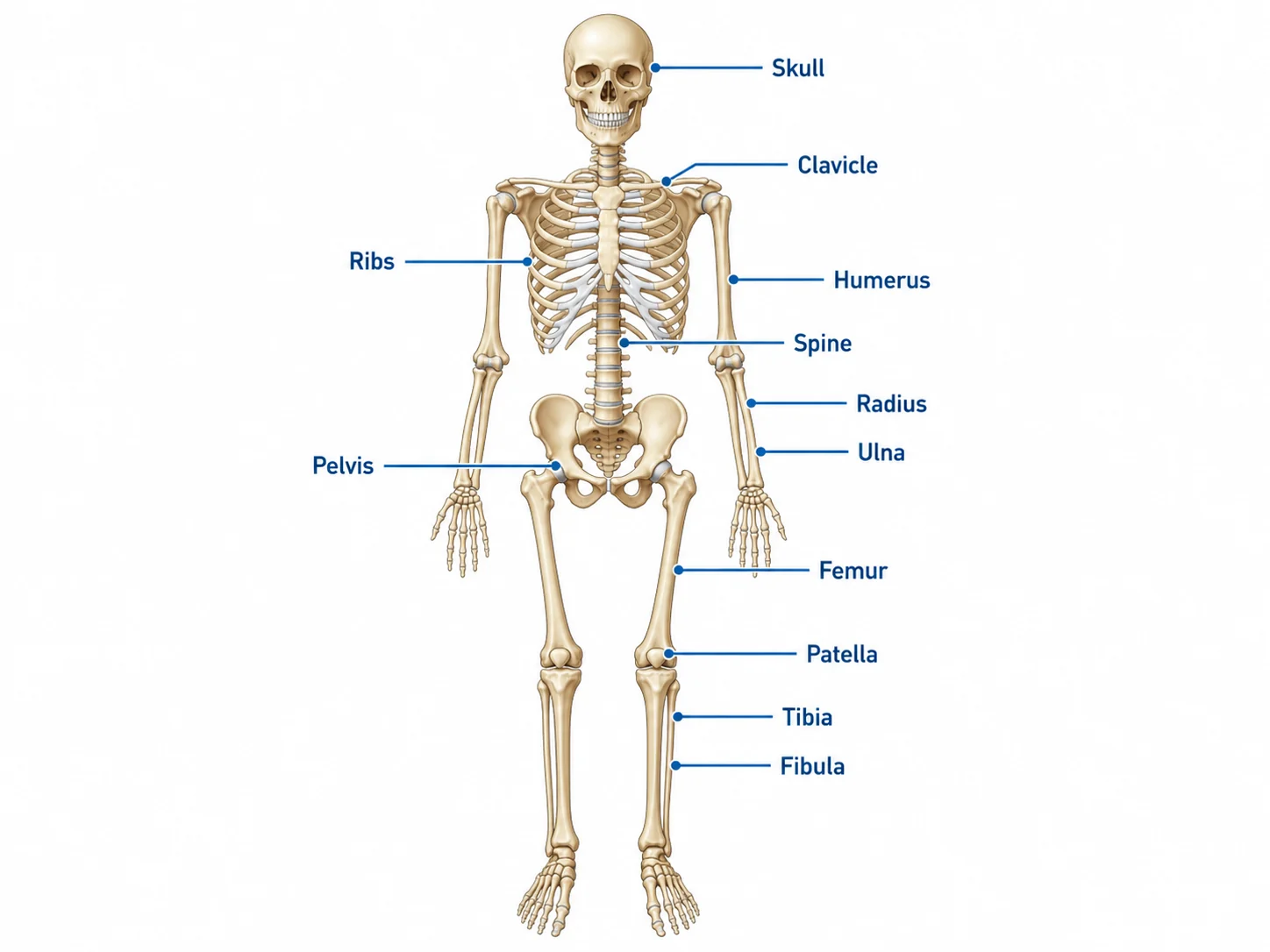
Labeled human skeleton diagram with skull, spine, ribs, pelvis, arms, legs, and major bones

Prompt

Create a labeled human skeleton diagram in anterior view. Show skull, spine, ribs, sternum, pelvis, humerus, radius, ulna, femur, tibia, fibula, hands, and feet. Use leader-line labels and a clean biology worksheet style.

Skeleton Diagram

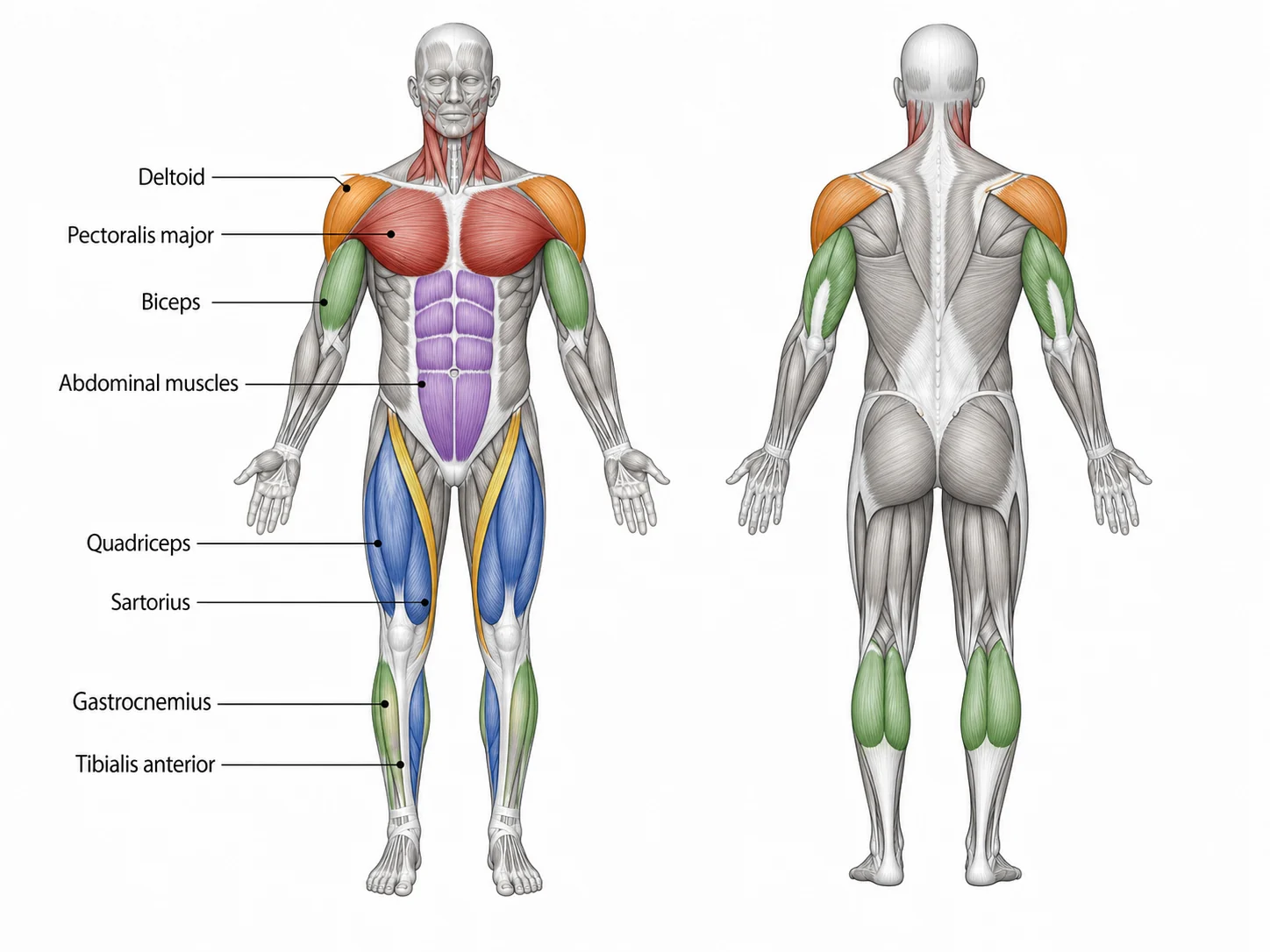
Labeled human muscular system diagram with anterior muscles of the torso, arms, and legs

Prompt

Create a labeled anterior muscular system diagram. Show deltoid, pectoralis major, biceps, rectus abdominis, external oblique, quadriceps, sartorius, tibialis anterior, and major muscle groups. Use red muscle shading and clear labels.

Muscle Diagram

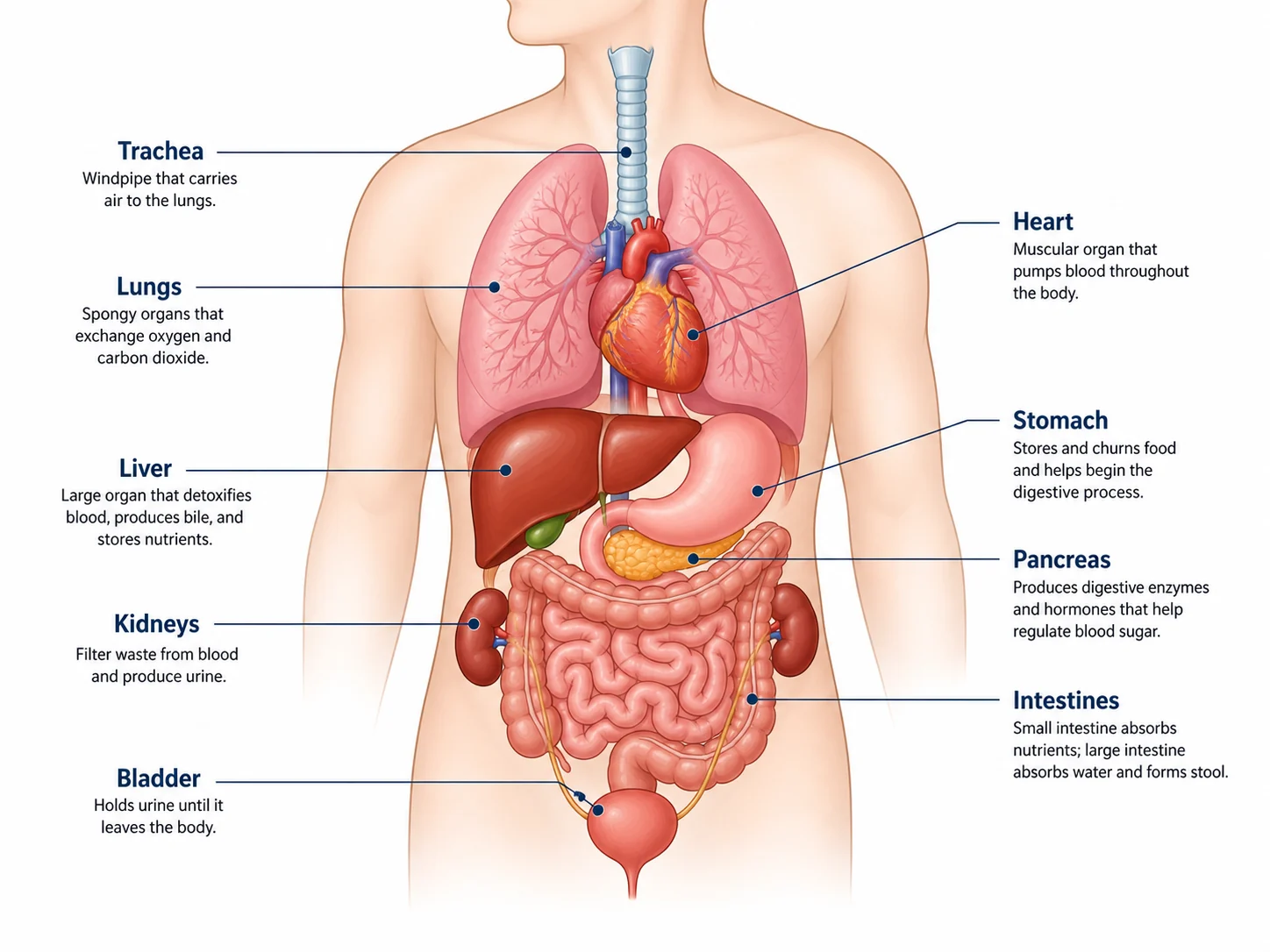
Labeled human organ diagram showing digestive, respiratory, circulatory, and urinary organs in the torso

Prompt

Create a labeled human organ diagram focused on the torso. Show lungs, heart, liver, stomach, pancreas, spleen, small intestine, large intestine, kidneys, bladder, and major vessels. Use a clean educational style with readable labels.

Organ Diagram

How to make an anatomy diagram

1

Choose the anatomy focus

Name the body part, organ, system, view, or teaching objective, such as full body, heart cross-section, skeleton, muscle system, or brain lobes.

2

Specify labels and view

Ask for leader-line labels, anterior or lateral view, cross-section, worksheet style, body system colors, or the exact structures you need labeled.

3

Generate and review

Create the diagram, then review organ names, label placement, leader lines, and anatomical clarity before using it in teaching or study materials.

What is an anatomy diagram?

An anatomy diagram is a labeled illustration of the human body or one of its structures. It can show organs, muscles, bones, body systems, cross-sections, or regional views with callouts that help students and readers understand structure and position.

Why use an anatomy diagram generator

  • Create labeled anatomy visuals faster than searching for a figure that exactly matches your lesson or worksheet.
  • Turn short descriptions into body system diagrams, organ diagrams, skeleton diagrams, and muscle diagrams.
  • Build consistent visuals for biology classes, study guides, slides, flashcards, and classroom handouts.
  • Adapt labels, view angle, detail level, and diagram format for different audiences and teaching goals.

Human anatomy diagrams you can create

  • Full human body diagrams showing major organs, body systems, skeleton outline, and anatomical position.
  • Heart, brain, lung, kidney, liver, digestive, respiratory, circulatory, and urinary system diagrams.
  • Skeleton diagrams with major bones and muscle diagrams with anterior or posterior muscle groups.
  • Cross-section, worksheet, study guide, and labeled teaching figures for biology and anatomy classes.

Where anatomy diagrams are used

  • Biology, anatomy, nursing, health science, and middle-school or high-school lessons.
  • Worksheets, flashcards, study guides, answer keys, and slide decks.
  • Lab reports, classroom handouts, tutoring materials, and educational web content.
  • Quick visual drafts for explaining body systems, organ locations, and anatomical relationships.

Anatomy Diagram Generator FAQ

An anatomy diagram is a labeled visual of the human body or one of its structures, such as organs, muscles, bones, body systems, or cross-sections.

Draw your anatomy diagram now

Describe the body part, organ, or system you need and create a clean labeled anatomy figure with SciFigure.