Tool Comparisons
Lucidchart Alternatives for Researchers: Free, Open-Source and Offline Diagram Tools
Lucidchart alternatives compared for research teams: free tiers, Visio import, Mermaid text-to-diagram, offline apps and export formats, checked November 2026.
 SciFigure Editorial
Most people start looking for a Lucidchart alternative at the same moment: the free plan runs out. Lucidchart's free tier gives you 3 editable documents with up to 75 shapes each, and Visio import and export start on the paid Individual plan. For a lab that draws study flowcharts, database schemas, pipelines and protocol diagrams, that limit arrives quickly.
Researchers also have needs that general business reviews skip. Figures must leave the tool as clean vector files for a journal. Some diagrams describe patient data flows that should not sit on a third-party server. And a diagram that lives next to the analysis code, as text, is easier to reproduce and review than one locked in a proprietary file. This guide compares the Lucidchart competitors that matter for that work: free tiers, export formats, collaboration, Visio (VSDX) import, Mermaid and other text-to-diagram options, and offline use. Every price and limit was checked on the vendor's own page on 17 November 2026.
What to check before you switch
These are the problems people discover a month after moving their diagrams, when it is too late to choose again.
- The free tier caps the wrong thing. Lucidchart limits documents and shapes, Creately limits shapes (45 per diagram), Whimsical limits new board objects (50 a month) and Miro limits editable boards (3). Count what your largest diagram needs.
- Exports are paid. Creately's free plan has no PNG, PDF or SVG export, Miro's free boards export at low resolution only, and Whimsical watermarks free exports. A diagram you cannot export in vector form is no use in a paper.
- Visio files do not round-trip. Importing a VSDX is common; exporting one is rarer. If collaborators or a hospital department work in Visio, check both directions. Our guide to what a VSDX file is explains the format and its quirks.
- The data leaves the building. A diagram of a clinical data pipeline can itself be sensitive. Tools that save locally, such as draw.io's desktop app or in-browser editors, keep it on your machine.
- Lock-in. If the only export is an image, the diagram can never be edited elsewhere. Prefer tools that save an open, text-based or widely imported format: .drawio, VSDX, SVG, Mermaid or PlantUML code.
Lucidchart alternatives at a glance
| Tool | Free tier | Paid from (list price) | Visio (VSDX) | Text-to-diagram | Offline | Useful exports |
|---|---|---|---|---|---|---|
| Lucidchart (for reference) | 3 editable documents, 75 shapes each, 100 templates | Individual and Team plans (prices shown in local currency) | Import and export from Individual | Not compared | No | Not compared |
| draw.io | Free, no sign-up; Apache 2.0 source code | Free | Imports .vsdx, .vsd; also imports Lucidchart and Gliffy files | Imports Mermaid code and CSV | Yes, desktop app | SVG, PNG, PDF, VSDX |
| Microsoft Visio | Visio in Microsoft 365 web app, included in Microsoft 365 commercial plans | Plan 1 $5, Plan 2 $15 per user a month, paid yearly | Native | No | Plan 2 desktop app | Native VSDX, PDF, images |
| Miro | 3 editable boards, basic shapes, low-resolution exports | Starter $8 per member a month, billed yearly | Visio and Lucidchart import from Starter | Not compared | No | JPG, PDF frames (Starter) |
| Creately | All diagram types, up to 45 shapes per diagram | Pro (price not shown to us) | Not compared | Not compared | No | PDF, SVG, PNG, JPEG on Pro |
| Gliffy (Confluence app) | Free for up to 10 Confluence users | $3.80 per user a month, billed annually (11–100 users) | Imports Visio and draw.io | Mermaid diagrams | No | JPEG, PNG, SVG |
| Whimsical | 50 board objects a month; watermark on exports | Pro $10 per editor a month, billed annually | Not compared | Not compared | No | Watermark removed on Pro |
| Excalidraw | Free and open source; hand-drawn style | Excalidraw+ $6 per user a month | No | Not compared | Save to file | PNG, SVG; PDF and PPTX on Excalidraw+ |
| Mermaid | MIT-licensed library; Mermaid's editor has 3 free diagrams | Plus $10 per user a month | No | Yes, Mermaid syntax | Library runs locally | SVG, PNG via renderers |
| PlantUML | Open source (GPL) | Free | No | Yes, PlantUML syntax | Yes | PNG, SVG |
| yEd | Free, including commercial use; Windows, macOS, Linux | Free | No | Imports Excel and XML data | Yes, desktop app | PNG, JPG, SVG, PDF |
| SciFigure diagram tools | Free, no sign-up, runs in your browser | Free (AI figures are paid) | No import | Mermaid syntax in the UML editors | Saved in your browser | SVG, PNG, PDF |
"Not compared" means we did not find the fact on the vendor's pricing page, not that the feature is missing.
How we compared the tools
We read each vendor's pricing page and, where needed, its documentation, on 17 November 2026. We compared what decides whether a tool can replace Lucidchart for research work:
- Free tier limits that bite first: documents, boards, shapes or objects.
- Export formats, especially vector SVG and PDF for papers and theses.
- Visio and Lucidchart import, for moving old diagrams across.
- Text-to-diagram support, for diagrams kept under version control with code.
- Offline or local storage, for sensitive projects.
- Collaboration, for labs that edit the same diagram.
Prices are list prices in US dollars before tax and promotions. Lucidchart's page showed prices in our local currency, so we left its US prices out rather than convert them.
The best Lucidchart alternative by use case
| You need | Best fit | Why |
|---|---|---|
| Free, unlimited, Lucidchart-like editing | draw.io | No sign-up, no shape caps, local or cloud storage, imports Lucidchart, Gliffy and Visio files |
| Colleagues who use Visio | Microsoft Visio (Plan 1 or 2), or draw.io for occasional files | Native VSDX; draw.io imports VSDX and can export it |
| Whiteboarding with a whole team | Miro | Real-time boards; Visio and Lucidchart import from the Starter plan |
| Diagrams inside Confluence | Gliffy or draw.io for Confluence | Gliffy is free for up to 10 users and imports Visio and draw.io files |
| Diagrams kept in Git next to code | Mermaid or PlantUML | Plain-text diagrams that diff, review and render in Markdown |
| Large graphs with automatic layout | yEd | Free automatic layout of networks and hierarchies from data |
| Sketch-style figures for talks | Excalidraw | Hand-drawn look, open source, PNG and SVG export |
| Standard UML, ER and data flow figures for a thesis | SciFigure's free generators | Correct notation, vector export, no account |
Open-source diagram software
If you want software you can inspect, self-host or keep using whatever the vendor decides, four tools stand out:
- draw.io publishes its source under the Apache License 2.0. The project does not accept outside pull requests, and its icon and stencil libraries carry their own terms, but the diagrams you make are yours: the repository states it makes no copyright claim on them. The desktop app runs on Windows, macOS and Linux and saves files locally.
- Excalidraw is open source and free, with an optional paid Excalidraw+ for teams.
- Mermaid is MIT-licensed. You write a diagram as text, and GitHub, GitLab and many documentation tools render it.
- PlantUML is distributed under the GPL and draws UML and other diagrams from text descriptions.
yEd is also free, including for commercial use, but yWorks does not describe it as open source.
Lucidchart vs Gliffy
The "Lucidchart vs Gliffy" question has changed. Gliffy's pricing page now lists only its Confluence apps: Gliffy Diagrams for Confluence is free for up to 10 users and costs $3.80 per user a month, billed annually, from 11 to 100 users, with a separate compliance-focused edition. It draws flowcharts, UML, BPMN, network and Mermaid diagrams, exports JPEG, PNG and SVG, and imports Visio and draw.io files. Lucidchart is a standalone app with Confluence and Jira integrations on its Team plan. If your documentation lives in Confluence, Gliffy or draw.io for Confluence will feel more natural; if you need diagrams outside it, Lucidchart or draw.io will.
Text-to-diagram: Mermaid for reproducible figures
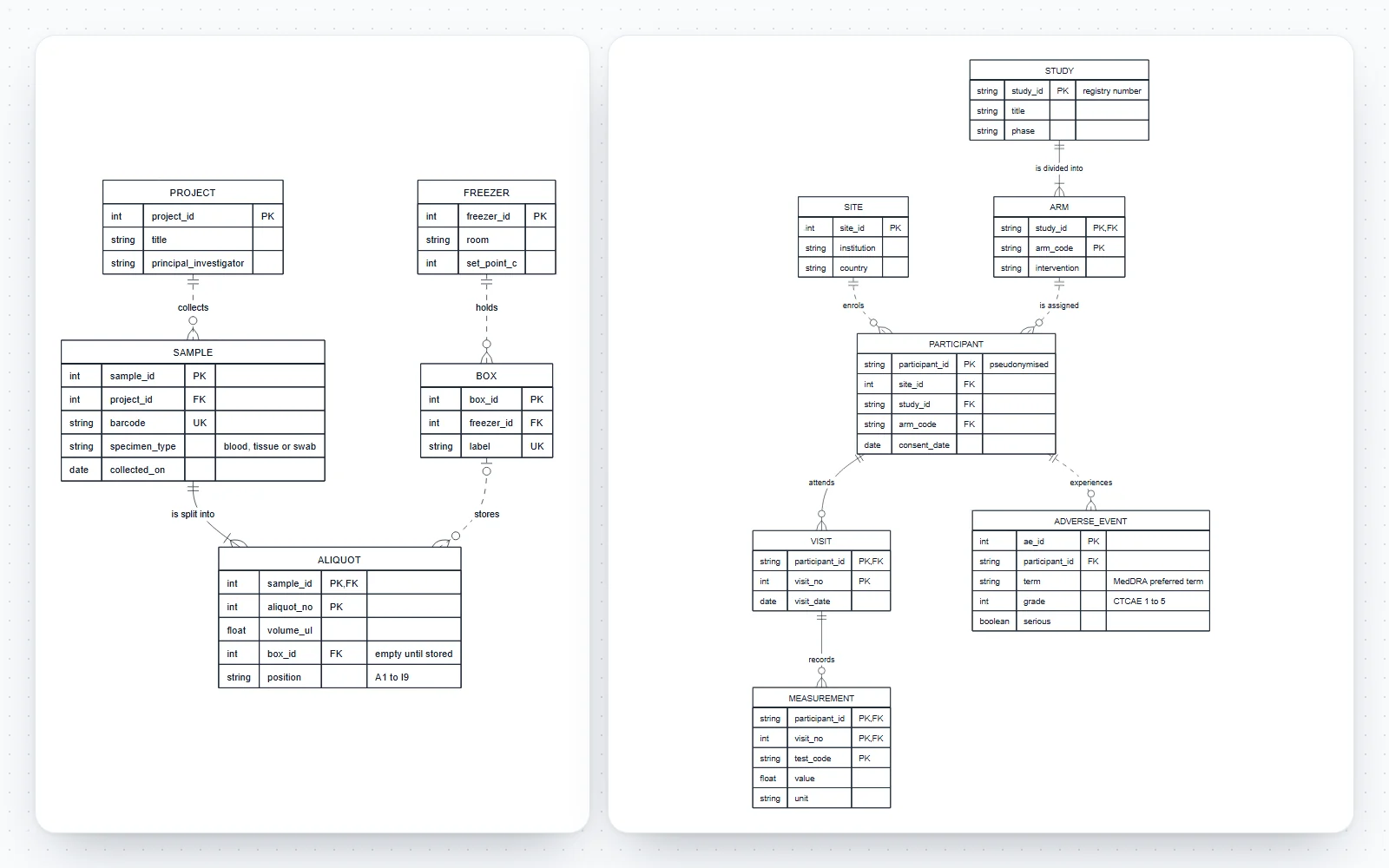
A diagram written as text has three advantages for research: it sits in the same repository as the analysis, a reviewer can see exactly what changed, and anyone can redraw it without your software. Mermaid is the most widely supported syntax. Here is a template for a study flowchart you can paste into any Mermaid editor, including our Mermaid to PNG converter and flowchart maker:
flowchart TD
  A[Records screened<br/>n = 1,240] --> B{Meets inclusion criteria?}
  B -- No --> C[Excluded<br/>n = 1,102]
  B -- Yes --> D[Full texts assessed<br/>n = 138]
  D --> E[Studies included<br/>n = 42]
  E --> F[Meta-analysis<br/>n = 31]
Change the labels and counts, keep one node per line, and render. For a systematic review, the reporting rules are in our PRISMA flow diagram guide; for UML, the same syntax drives the UML class diagram generator, the sequence diagram generator and the state diagram generator.
How to move your diagrams out of Lucidchart, step by step
1. List what you actually use
Count your documents, the largest diagram's shape count, and who edits each one. That decides whether you need collaboration, Visio round-trips or just a free editor.
2. Export while you still can
On a paid plan, export each diagram as VSDX (Visio import and export start on Lucidchart's Individual plan) and also as PDF or SVG as a visual reference. On the free plan, keep at least a vector or high-resolution image of each.
3. Import into the new tool
draw.io's documentation covers importing Lucidchart files, VSDX and Gliffy diagrams; Miro imports Visio and Lucidchart from its Starter plan. Expect to fix some styling after any import.
4. Check connectors, fonts and text
Drag a few boxes to confirm the arrows are attached, not just drawn. Replace missing fonts with a standard sans-serif such as Arial or Helvetica, which most journals ask for.
5. Re-export for publication
Export SVG or PDF for papers and posters, and PNG at 2× or more for slides. Check any raster file's size at print width in the image DPI checker.
6. Keep an editable master
Store the .drawio, .vsdx or Mermaid source next to the paper's data, so the figure can be corrected at revision without redrawing it.
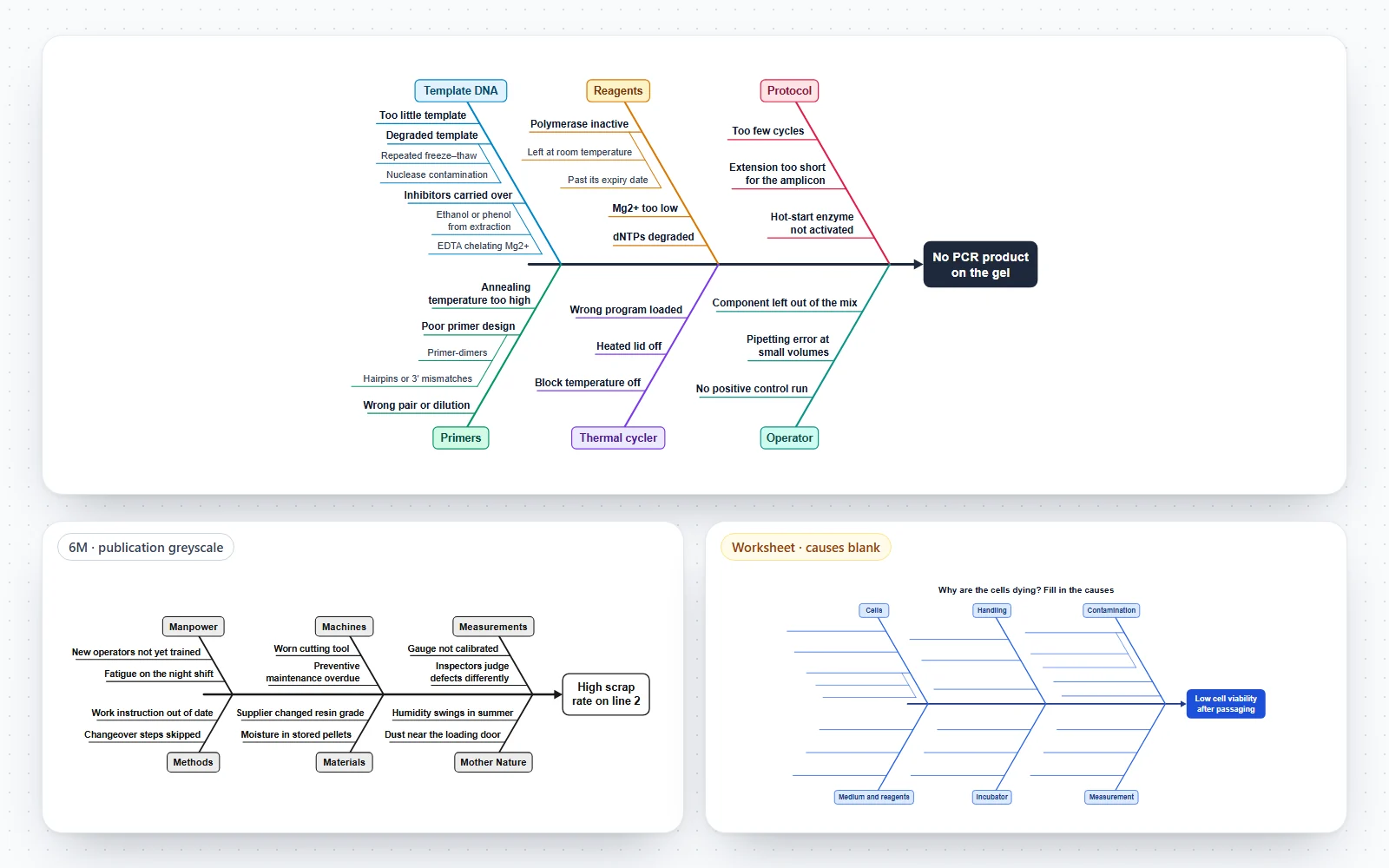
Make research diagrams with SciFigure's free tools
SciFigure is not a general whiteboard, and it does not replace Lucidchart for shared editing or Visio import. Where it helps is standard research diagrams with correct notation, made in the browser with no account and no watermark:
- UML class diagrams, sequence diagrams, state diagrams and use case diagrams, following UML 2.5.1, with SVG, PNG and PDF export; the class, sequence and state editors read Mermaid code you paste in;
- ER diagrams for databases and data flow diagrams for pipelines and information systems;
- the fishbone diagram maker for root-cause analysis;
- the new flowchart maker, swimlane diagram maker and org chart maker, and Mermaid to PNG for rendering code you already have.
Your work is saved in your browser, and the UML editors let you download the code as a .mmd file. For flowchart-style figures you have as images, the paid "Convert to editable files" option rebuilds them as VSDX, PPTX and SVG; the VSDX guide shows a sample.
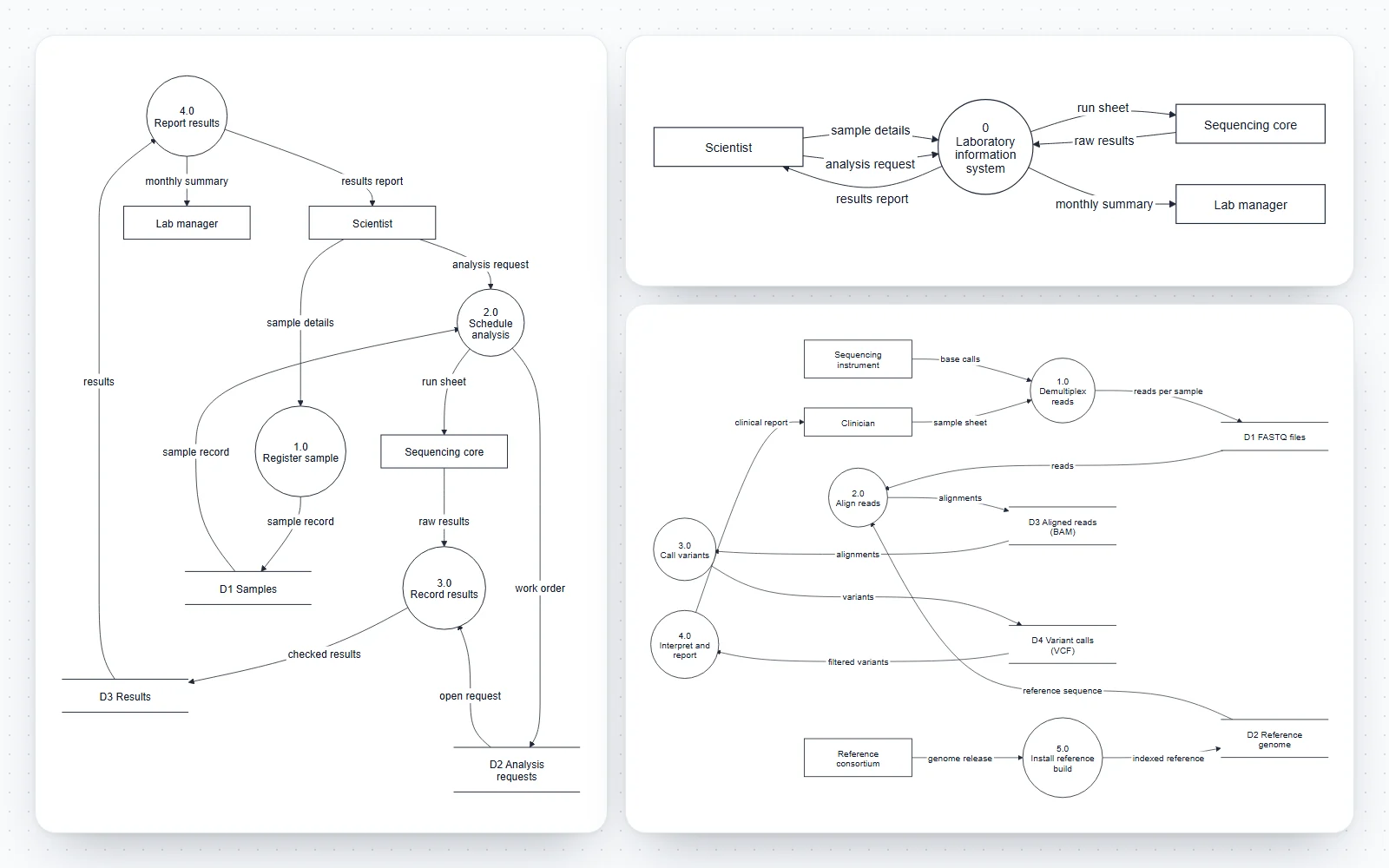
Checklist before you leave Lucidchart
- Every diagram exported in an editable format (VSDX or .drawio) and as a vector PDF or SVG.
- New tool's free limits checked against your largest diagram and your number of editors.
- Vector export available on the plan you will actually use.
- Visio import and, if colleagues need it, VSDX export tested on a real file.
- Storage location acceptable for the data the diagrams describe.
- Fonts set to a journal-safe sans-serif; see fonts for scientific figures.
- Colours readable in greyscale and by colour-blind readers, checked in the colorblind simulator.
- Source files stored next to the project's data or code.
- Final figures checked against the journal submission figure checklist.
Depending on who you are
- Students writing a thesis: draw.io or our free generators cover flowcharts, UML and ER diagrams at no cost, with vector export for the thesis PDF. Our thesis figure workflow explains how to keep one master file per figure.
- Lab heads and core facilities: pick one shared tool and one file format for protocols and SOP diagrams. Visio suits labs inside Microsoft 365; draw.io suits mixed or budget-limited groups.
- Research software engineers and bioinformaticians: keep pipeline and architecture diagrams as Mermaid or PlantUML in the repository, and render them in documentation.
- Clinical and hospital teams: check where diagrams are stored before drawing patient data flows, and prefer local files or approved institutional tools.
Frequently asked questions
What is the best free alternative to Lucidchart?
For most people, draw.io: it is free with no sign-up, has no document or shape limits, saves locally or to your own cloud storage, and imports Lucidchart, Gliffy and Visio files. For standard UML, ER and data flow diagrams with correct notation, SciFigure's free generators are a quicker option.
Is there an open-source alternative to Lucidchart?
Yes. draw.io's source code is under the Apache License 2.0, Excalidraw is open source, Mermaid is MIT-licensed and PlantUML is distributed under the GPL. Mermaid and PlantUML work from text rather than a drag-and-drop canvas.
Is Lucidchart free?
There is a free plan with 3 editable documents, up to 75 shapes per document and 100 templates. The 7-day free trial of a paid plan asks for payment details at sign-up, according to Lucidchart's pricing page.
Can I open Lucidchart diagrams in draw.io?
draw.io's import documentation includes importing Lucidchart diagrams, and it imports .vsdx, .vsd and Gliffy files as well. Expect to tidy some styling after the import.
Which Lucidchart alternative works offline?
draw.io's desktop app, Visio Plan 2's desktop app, yEd and PlantUML all work without an internet connection. Excalidraw can save to a local file, and SciFigure's diagram tools keep your work in your browser.
Can I edit Visio files without Visio?
Yes. draw.io imports .vsdx and .vsd files and can export VSDX, and Gliffy for Confluence imports Visio diagrams. Our VSDX guide lists the free ways to open, convert and edit them.
Which diagram tool is best for scientific papers?
Any tool that exports vector SVG or PDF with real text and standard fonts. Text-based tools such as Mermaid add reproducibility, and for illustrated figures rather than diagrams, see our Illustrator alternatives for scientific figures.
Related guides
- What is a VSDX file: open, convert and edit Visio drawings without Visio.
- How to make a PRISMA flow diagram: the most common flowchart in research papers.
- How to make a conceptual framework diagram: variables and relationships for theses and proposals.
- Adobe Illustrator alternatives for scientific figures: when you need illustration rather than diagramming.
- Journal figure requirements: widths, fonts and file types by publisher.
Sources
All pages checked on 17 November 2026. Prices are list prices in US dollars before tax and promotions, except where a page showed another currency.
- Lucidchart: pricing (free plan limits, Visio import and export on paid plans, free trial terms; prices shown in local currency)
- draw.io, draw.io import formats, drawio source repository (Apache 2.0, contributions, diagram ownership) and drawio-desktop (desktop builds)
- Microsoft: Visio plans and pricing (Visio in Microsoft 365, Plan 1, Plan 2)
- Miro: pricing (free boards, exports, Visio and Lucidchart import)
- Creately: plans (free shape limit, exports by plan)
- Gliffy: pricing (Confluence apps, imports, exports)
- Whimsical: pricing (free object limit, watermark)
- Excalidraw+: pricing (free features, paid exports)
- Mermaid: pricing and Mermaid source repository (MIT licence)
- PlantUML: FAQ (GPL licence)
- yWorks: yEd (platforms, import, export, free commercial use)