Tutorials
How to Make PRISMA Flow Diagram
Learn how to make PRISMA flow diagram for systematic reviews with screening counts, exclusions, and included studies.
 Nancy Taylor / SciFigure AI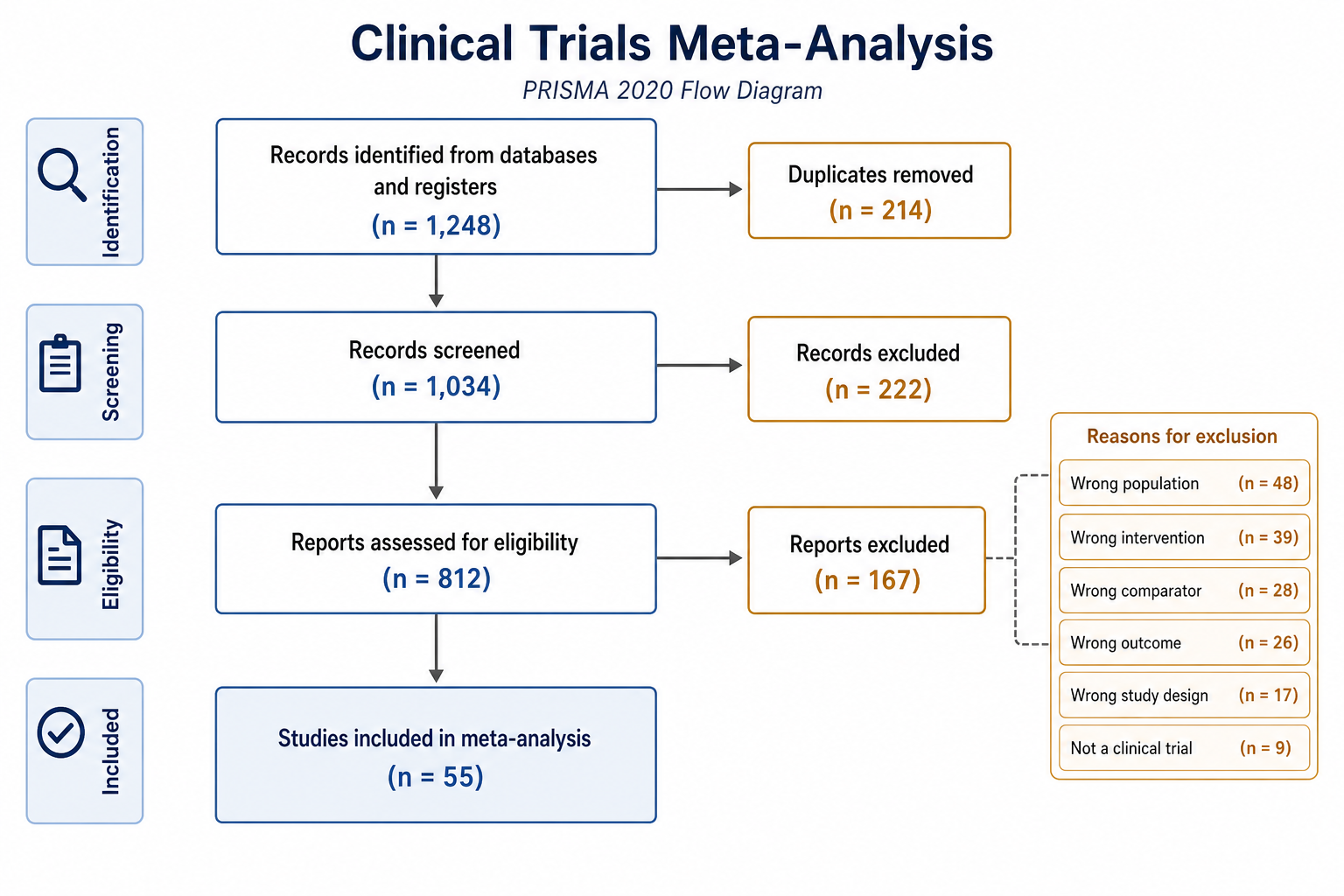
PRISMA flow diagrams summarize how records move from database search to final study inclusion.
Gather the counts
Prepare database records, duplicates removed, records screened, reports assessed, exclusion reasons, and final included studies.
Keep the flow linear
Use top-to-bottom boxes for the main path and side boxes for exclusions. This makes the review process easy to audit.
Label exclusions clearly
Include short exclusion reasons and counts. Avoid vague categories that reviewers cannot interpret.
Common mistakes
Do not mix records, reports, and studies without clear labels. PRISMA diagrams depend on precise count categories.
Try it in SciFigure AI
Open the PRISMA Flow Diagram Generator and paste your screening counts into the prompt.