Tool Comparisons
Free AI Graphical Abstract Makers Compared: Credits, Watermarks and Journal Rules
We compared free AI graphical abstract makers on credits, watermarks, resolution and publication rights, and checked what Elsevier, Cell Press and Nature allow.
 SciFigure Editorial
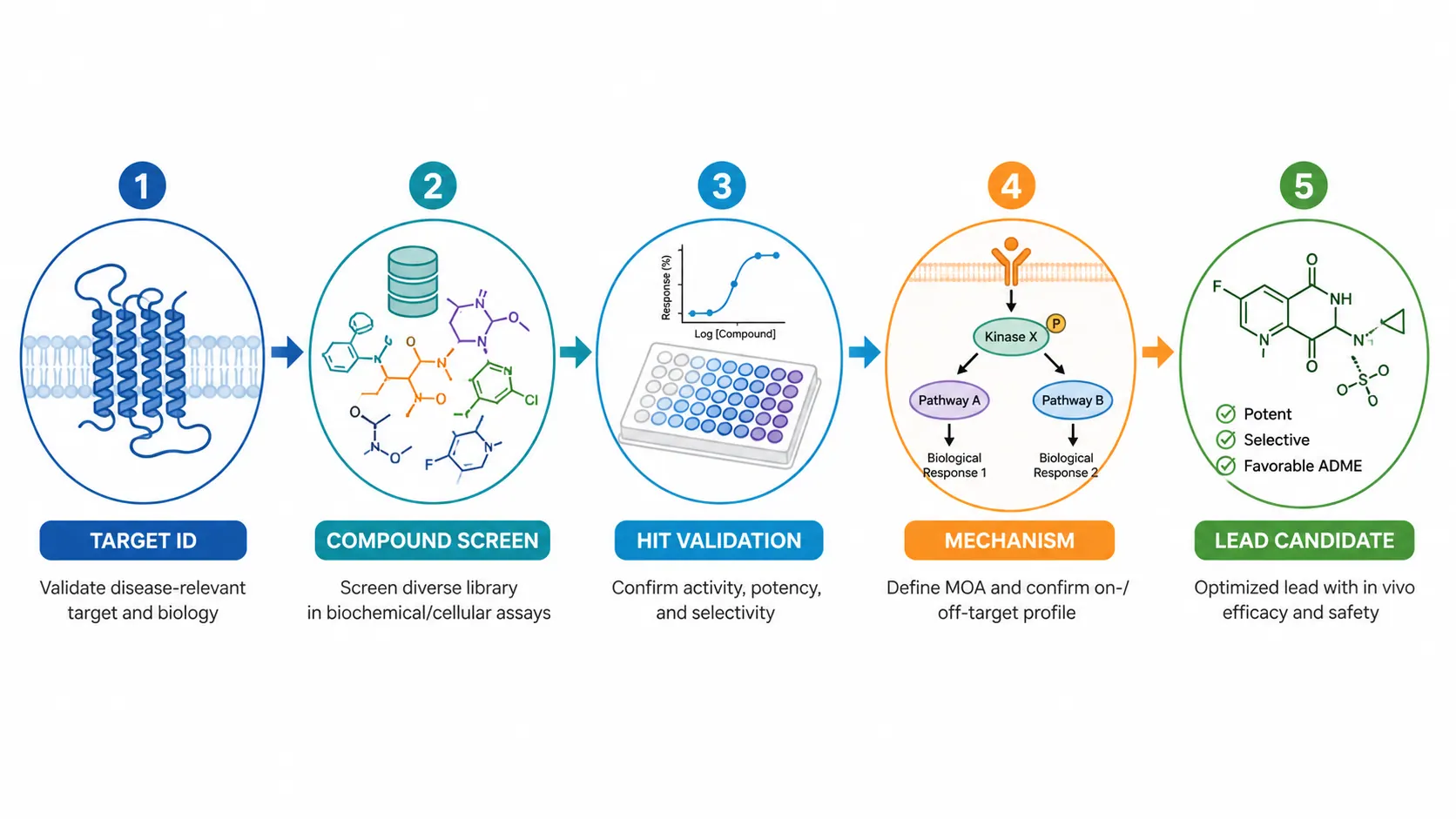
A graphical abstract is the single image a journal shows next to your title in the table of contents and in search results. Plenty of tools now promise to draw one from your abstract in a minute, and many advertise a free plan. The catch is that "free" rarely means "free to publish": most free tiers either stamp a watermark on the export, cap the resolution, or license the result for personal use only. And since June 2026, Elsevier's journals no longer accept graphical abstracts made with general-purpose AI image tools at all.
This guide compares the free and freemium AI graphical abstract makers people search for, our own included, on what you can check before signing up: the real free allowance, publication rights, export quality and what the big publishers allow. Every price and limit comes from the vendor's own page, checked on 17 November 2026. If you are new to the format, start with how to make a graphical abstract and come back.
Five ways a "free" graphical abstract gets you into trouble
These are the problems that turn a quick free draft into a rejected file or an awkward email from the editorial office. Check them before you pick a tool, not after.
- The free licence excludes publication. BioRender's free plan says "No commercial use or publication". SciDraw's free plan is for personal and evaluation use, and FigureLabs' free plan is non-commercial only. A journal article counts as publication even when the journal is open access.
- The watermark stays. Mind the Graph's free users must keep its watermark and cite the platform; Scientific Figure's free exports are watermarked. A watermark in a graphical abstract will be sent back.
- The file is too small. Several free tiers generate at "1K" only. Elsevier asks for at least 1,328 × 531 pixels at 300 dpi, and Cell Press for 5.5 inches square at 300 dpi, which is 1,650 pixels a side. Check the downloaded file's pixel size in our image DPI checker before you upload it.
- The tool is the wrong kind of AI for the journal. Elsevier's generative AI policy (updated June 2026) says general-purpose generative AI image tools must not be used to create graphical abstracts, and names dedicated illustration tools such as BioRender and Mind the Graph as the alternative. Nature Portfolio's figure guide does not permit generative AI in figures of any sort.
- The AI invented something. Image models add pathway arrows, receptor names, sample sizes or p-values that were never in your paper. Elsevier holds authors responsible for "the accuracy and originality of all images", whatever tool drew them.
Free AI graphical abstract makers at a glance
The table lists what each free plan includes, what it leaves out, and the cheapest way to get publication rights. Prices are the list prices shown on 17 November 2026 in US dollars, before promotions and tax; several vendors were running Black Friday discounts that day, which we left out.
| Tool | What the free plan gives you | Free export limits | Publish from the free plan? | Cheapest paid route |
|---|---|---|---|---|
| SciFigure | One free trial generation per new account; free figure tools need no credits | Trial figure is watermarked and cannot be downloaded or edited | No; publication and commercial use need a purchase | Credit pack from $2.99 for 30 credits (a figure costs 5 credits, 10 at 4K); pack credits never expire |
| BioRender | Up to 3 figures, 1 graphing file, free credits for AI tools | Paid plans add high-resolution exports with no watermark | No: "No commercial use or publication" | Individual (academic) $35 a month billed annually, or $39 monthly; AI figure generation is an add-on from $4 a month |
| Mind the Graph | Freemium, no card at sign-up | Watermark must stay; the platform must be cited | Only with the watermark and a citation | Paid plans remove the watermark (pricing page did not load for us) |
| SciDraw | 10 credits at sign-up plus 5 a day (daily credits last one day); an image costs 5 credits | No SVG conversion on the free plan | No: free images are for personal and evaluation use | Standard $20 a month, or $10 a month billed yearly, for 300 credits |
| SciFig | 150 credits on day one (about 3 figures at 50 credits each), then up to 150 a day from check-ins | 1K generation, upscale to 2K; no SVG or editable PPTX | The free plan lists full publication and commercial rights | Starter $100 a year |
| FigureLabs | 150 one-time credits plus 50 a day | 1K export; flowcharts as SVG | No: free plans are non-commercial only | Starter $10 a month, or $9 a month billed yearly ($108) |
| Scientific Figure | 100 credits at sign-up plus 30 per daily check-in, up to 120 a month | 1K, watermarked exports | No publication licence on the free plan | Lite $9.90 a month, or $99 a year |
| Canva | General design tool with AI features under usage limits | You own the output, except stock library content, which stays licensed | Allowed by Canva's terms, but it is a general-purpose tool under Elsevier's rule | Not compared |
| General AI chatbots | Image generation inside a chat app | Varies by app and changes often | Check the app's terms; Elsevier bars them for graphical abstracts | Not compared |
Two numbers in that table matter more than the headline price. The first is the cost per finished figure: 5 credits at SciFigure and SciDraw, 50 at SciFig, and plan-dependent elsewhere, so a "1,000 credits" plan can buy fewer figures than a "300 credits" one. The second is the licence: among the science-specific tools, only SciFig's free plan states publication and commercial rights, and none of them exports an illustration as an editable SVG or PPTX file on the free plan (FigureLabs exports flowcharts, not illustrations, as SVG).
How we compared the tools
We judged each tool on what you can verify before paying, not on sample images, because output quality changes with every model update.
- Free allowance: credits or figures on sign-up and per day, and the cost of one figure in credits.
- Export: resolution, watermark, and whether you can get a vector (SVG) or editable PowerPoint file.
- Rights: whether the free plan permits journal publication and commercial use, read from the pricing page or terms.
- AI policy fit: whether the tool is a general-purpose image generator or a dedicated scientific illustration tool, the distinction Elsevier now draws.
- Price to publish: the cheapest plan or pack that gives publication rights, at list price.
We did not test paid generations for this article and we are not paid by any vendor in the table. SciFigure is our product; its row uses the same criteria as the others.
Which graphical abstract maker to pick, by use case
| Your situation | Sensible choice | Why |
|---|---|---|
| Submitting to an Elsevier or Cell Press journal | A dedicated illustration tool on a paid plan (BioRender, Mind the Graph), or ask the editor before using any AI generator | Elsevier's policy bars general-purpose AI image tools and names these two as examples |
| Submitting to a Nature Portfolio journal | Draw it yourself in an illustration program; no generative AI | Nature's figure guide does not permit generative AI in figures |
| A conference slide, poster, lab website or social post | Any AI maker whose licence covers commercial use, such as SciFigure after a purchase | Journal AI rules do not apply; the licence still does |
| Testing whether AI can draw your idea at all | The free allowance at SciFig or SciDraw, or SciFigure's one trial | Enough to judge layout and style before paying |
| You need to fix labels by hand afterwards | A tool that exports SVG or PPTX: SciFigure, SciDraw, FigureLabs or Scientific Figure on paid plans | A flat PNG cannot be corrected without redrawing |
| Zero budget and a journal that accepts AI with disclosure | SciFig's free plan, if 2K is enough for the journal | The only free plan here that states publication rights |
If you are still deciding between the illustration platforms themselves, our BioRender alternatives page and the longer BioRender alternatives comparison cover icon libraries, licences and prices in more depth.
What journals allow for AI-made graphical abstracts
Graphical abstracts sit in an odd place: they are not data, but they are published with your name on them. Publishers have answered the AI question differently, and Elsevier changed its rule in 2026.
| Publisher | AI-generated graphical abstract | What to disclose | Format basics |
|---|---|---|---|
| Elsevier | General-purpose generative AI image tools must not be used; use dedicated scientific illustration tools | Name the tool in the image caption | At least 1,328 × 531 px at 300 dpi (5:2); TIFF, EPS, PDF or MS Office |
| Cell Press | Cell Press journals are published by Elsevier; confirm with the journal (its figure guidelines page was behind a browser check when we tried) | As the journal instructs | One square panel, 5.5 in at 300 dpi; Arial 12–16 pt; TIFF, PDF or JPG; no data |
| Springer Nature (Nature Portfolio) | Generative AI in figures is not permitted; AI-generated cover art is not permitted at Nature Medicine | Document any LLM use in the Methods | Journal-specific |
Elsevier sorts images into three groups. AI may help with explanatory images such as flowcharts, disclosed in the caption; it must never create or alter primary research images such as blots or micrographs. Graphical abstracts get their own rule: "General-purpose generative AI image tools must not be used to create graphical abstracts." The FAQ adds that free versions of illustration tools "may not permit publication in academic journals".
Cell Press asks for a single square panel with simple labels, sparse text and "no data items of any type", which rules out the bar charts and p-values AI drafts like to add. Its guide predates the AI question, so ask the editorial office first.
Springer Nature's current AI policy is a risk framework: authors stay accountable, AI use should be disclosed, and photorealistic images are not permitted. Nature Portfolio's figure guide is stricter: "The use of any sort of generative AI in figures is not permitted." Our Nature Medicine submission guide and Nature submission guide cover those figure rules in full.
For pixel sizes at ACS, RSC, Angewandte Chemie and MDPI as well, see TOC graphic requirements by journal, and our journal figure requirements table for the main figures.
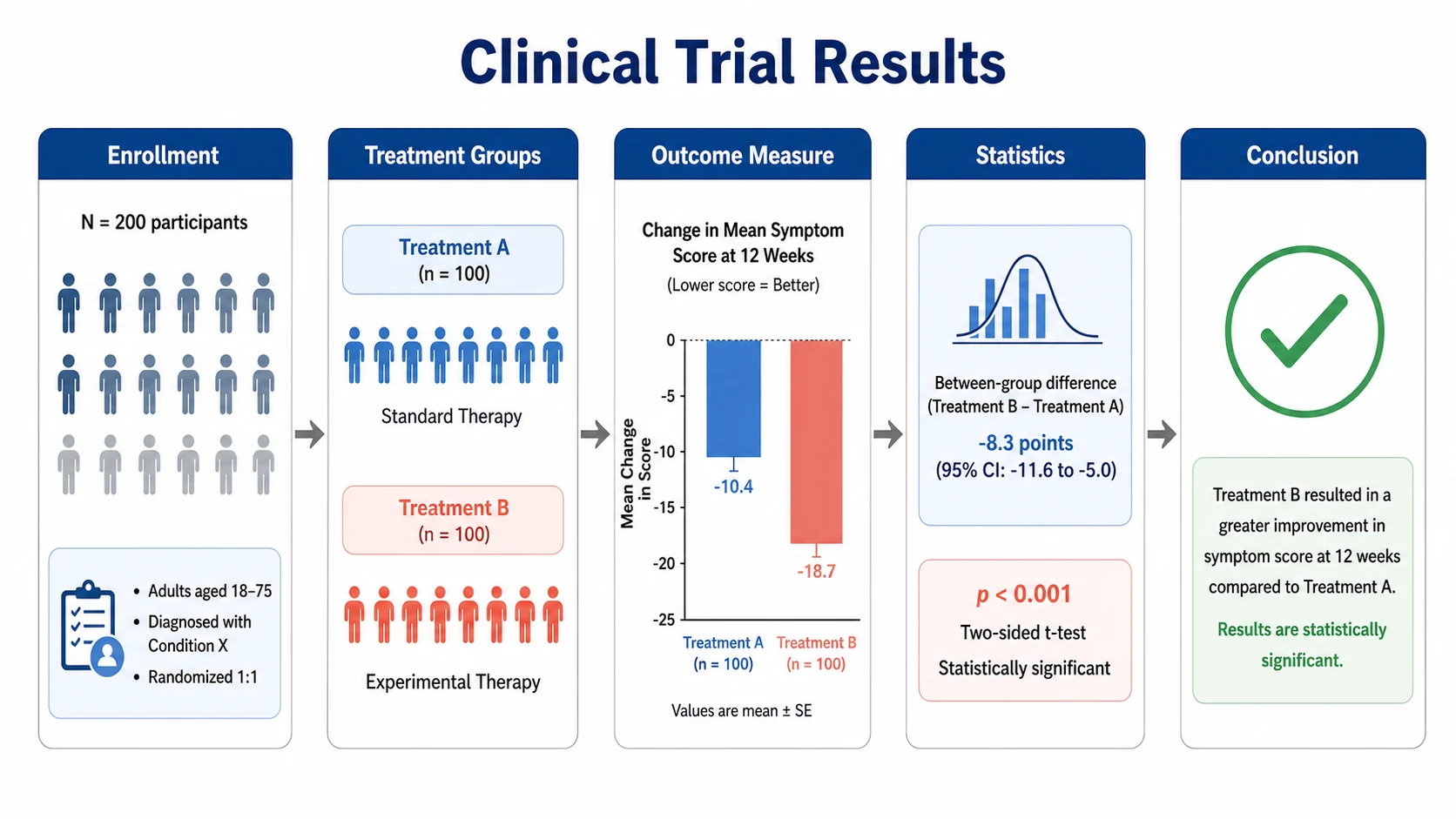
How to make a graphical abstract with an AI maker, step by step
1. Read the target journal's rules first
Find three things on the journal's guide for authors: the size and file type, whether data may appear, and what it says about generative AI. Five minutes here decides which tool you can use at all.
2. Write the one-sentence message
State the finding as a sentence a reader outside your field would understand, such as "Drug X shrinks tumours by blocking kinase Y". Everything in the image should serve that sentence.
3. Choose a layout with a clear start and end
Pick left-to-right for a process (sample to result), top-to-bottom for a mechanism, or a split panel for a before/after comparison. Elsevier's 5:2 box suits a left-to-right strip; Cell Press's square suits a two-row layout.
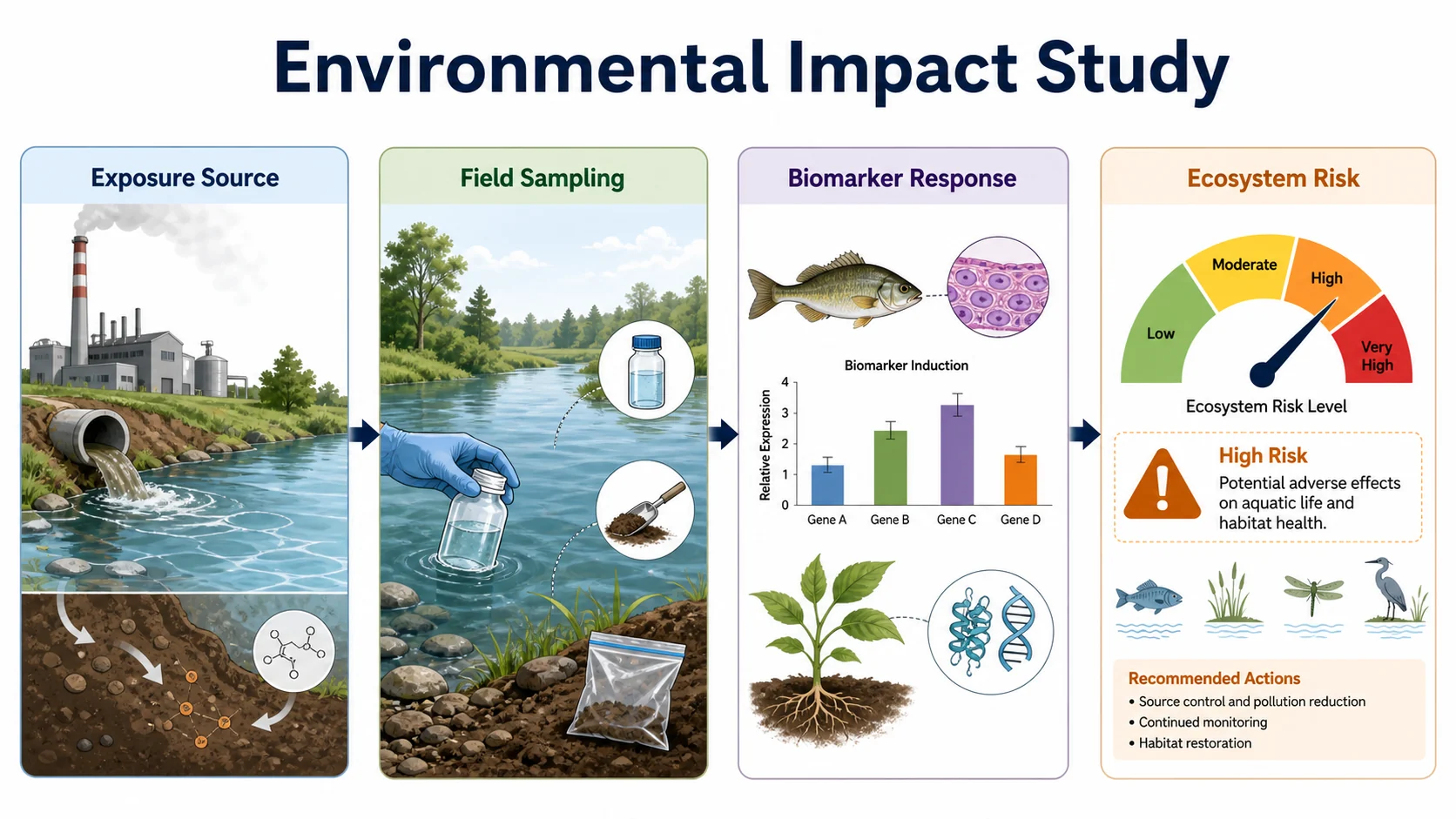
4. List every label, word for word
Write down the exact names, abbreviations and units you want to appear. Image models spell well when they are given the words and badly when they have to guess them.
5. Generate, then remove anything you did not ask for
Compare the draft with your list. Delete invented arrows, extra proteins, made-up numbers and decorative text. An AI draft is a sketch of a layout, not a source of facts.
6. Fix labels in an editable file
Convert the draft to SVG or PPTX and correct type, spelling and positions by hand. Our editable export and vectorize image tools do this for SciFigure figures and for any raster image.
7. Export at the journal's size and check it
Export at the required pixel size, then check colour contrast with the colorblind simulator and the resolution with the image DPI checker. Name the tool in the caption if the journal asks.
A prompt you can copy
Fill in the brackets and keep the constraints. The constraints matter more than the description: they stop the model from adding things you will have to remove.
Graphical abstract for a research paper, [5:2 landscape | square], white background.
Message: [one sentence stating the main finding].
Layout: [left-to-right | top-to-bottom] in [3-5] stages with arrows between them:
1. [stage 1, e.g. "Patient tumour biopsy"]
2. [stage 2]
3. [stage 3]
4. [result, e.g. "Tumour growth reduced"]
Labels, exactly as written: [label 1], [label 2], [label 3].
Style: flat scientific illustration, sans-serif labels, one accent colour,
colour-blind-safe palette, generous white space.
Do not add: data charts, numbers, p-values, extra text, logos, watermarks,
or any structure or label not listed above.
More patterns for mechanisms, workflows and comparisons are in our AI prompts for graphical abstracts.
Make it with SciFigure
Paste your abstract or the prompt above into the graphical abstract maker, choose the resolution (1K, 2K or 4K), and refine the draft by asking for changes in plain words. A new account gets one free trial figure, shown with a watermark; after a purchase it is unlocked, and each further figure costs 5 credits (10 at 4K). Export PNG, SVG or PPTX. For chemistry table-of-contents boxes use the TOC graphics generator; for covers, the journal cover maker. For an Elsevier or Nature journal, use SciFigure for slides, posters and lab pages rather than the submitted graphical abstract.
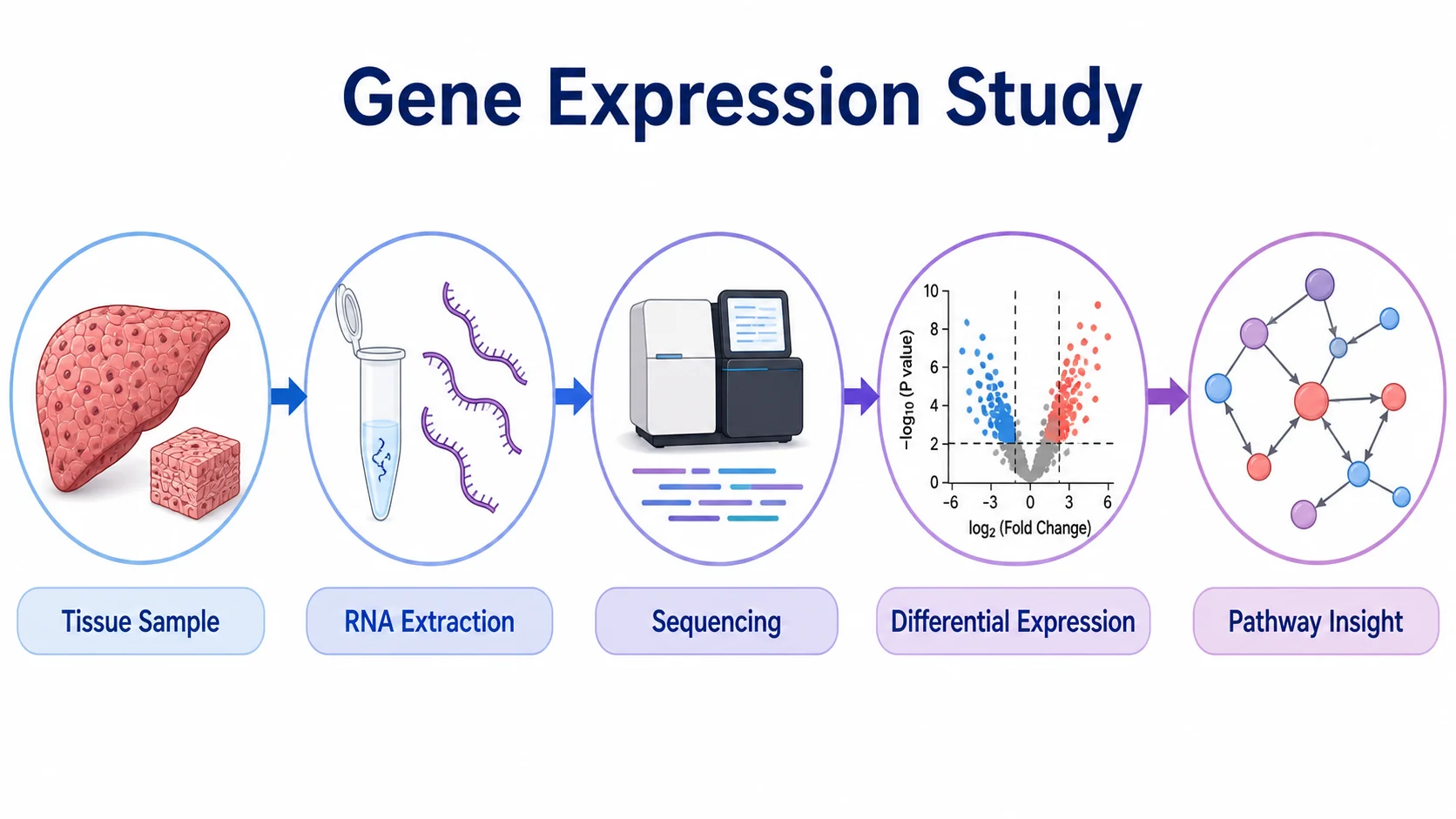
Checklist before you upload a graphical abstract
- The journal's rule on AI-made graphical abstracts is read, and your tool fits it (or the editor has agreed).
- Your plan's licence covers journal publication; free-plan output usually does not.
- No watermark, logo or platform credit inside the image (unless your licence requires a citation, then put it in the caption).
- Pixel size meets the journal minimum at 300 dpi; checked in the image DPI checker.
- One message, one reading direction, a clear start and end.
- Every label matches your list: spelling, abbreviations, units, italics for gene names.
- Nothing invented: no extra structures, numbers, p-values or arrows.
- No data at Cell Press journals; no generative AI at Nature Portfolio journals.
- Text large enough at thumbnail size (Cell Press asks for Arial 12–16 pt).
- Colours checked for colour-blind readers; see colour-blind-safe palettes.
- The tool is named in the caption where the journal asks for it.
Depending on who you are
- Graduate students: use free credits to explore layouts, then rebuild the final version in whatever your lab already licenses. If your thesis reuses the image, our thesis figure workflow explains how to keep one editable master.
- Researchers submitting to Elsevier, Cell Press or Nature journals: treat AI output as a sketch, check the journal policy above, and budget for a licensed illustration tool or a hand-drawn final.
- Communications staff and teachers: journal AI rules do not cover press releases, websites or classroom slides, but licences do. Pick a plan that grants commercial use before anything is published.
Frequently asked questions
What is a free AI tool to make a graphical abstract?
SciFig, SciDraw, FigureLabs and Scientific Figure all give free credits, and SciFigure gives new accounts one free trial figure. Of these, only SciFig's free plan states publication and commercial rights; the others restrict free output to personal, evaluation or non-commercial use, or watermark it. Read the licence before you submit anything.
Can I use an AI-generated graphical abstract in an Elsevier journal?
Not one made with a general-purpose generative AI image tool. Elsevier's policy, updated in June 2026, says authors should use dedicated scientific illustration tools such as BioRender or Mind the Graph and mention the tool in the caption. If you want to use an AI tool built for scientific figures, ask the journal's editorial office first.
Do Nature journals accept AI-made graphical abstracts?
Nature Portfolio's research figure guide says generative AI may not be used in figures of any sort, including content-aware editing in Photoshop, and Nature Medicine does not accept generative AI cover art. Plan to draw any figure for a Nature journal yourself.
Is BioRender free for graphical abstracts?
You can make up to three figures on BioRender's free plan, but it does not allow commercial use or publication. Publishing rights start with the Individual plan, listed at $35 a month billed annually for academics on 17 November 2026.
Why does my free graphical abstract have a watermark?
Watermarks are how freemium tools separate trial use from publication. Mind the Graph's free users must keep its watermark, and Scientific Figure's free exports are watermarked. Removing a watermark yourself breaks the terms; upgrade or redraw instead.
What size should a graphical abstract be?
It depends on the journal. Elsevier asks for at least 1,328 × 531 pixels at 300 dpi in a 5:2 ratio; Cell Press asks for a 5.5-inch square at 300 dpi. Our TOC graphic requirements by journal lists more publishers.
Do I need to disclose that AI helped make my graphical abstract?
Yes, where the journal allows AI at all. Elsevier asks you to name the tool in the image caption. When in doubt, disclose: an undeclared AI image is a bigger problem than a declared one.
Related guides
- How to make a graphical abstract: the message, three-zone layout and labels.
- AI prompts for graphical abstracts: prompt patterns that keep the model on task.
- TOC graphic requirements by journal: sizes, resolution and rules at ACS, RSC, Elsevier, Cell Press and MDPI.
- Best BioRender alternatives and scientific illustration software: the wider tool landscape.
- Journal submission figure checklist: checks every figure should pass before you submit.
- FigureLabs alternatives: AI figure tools for full figures, not only graphical abstracts.
Sources
All pages were checked on 17 November 2026. Prices are list prices in US dollars before promotions and tax.
- Elsevier: generative AI policies for journals (policy updated June 2026; image categories, graphical abstracts, cover art, disclosure)
- Elsevier: graphical abstract (size, fonts, file types)
- Cell Press: graphical abstract guidelines (PDF) (size, font, file types, content rules)
- Springer Nature: journal policies, artificial intelligence and Nature Portfolio: AI policy (risk framework)
- Nature research figure guide: image integrity (no generative AI in figures)
- Nature Medicine: AIP and formatting (no generative AI cover artwork)
- BioRender: pricing (free plan limits, academic Individual plan, AI add-on)
- Mind the Graph: can I use Mind the Graph for free? (watermark and citation rules)
- SciDraw: pricing (free credits, credit cost per image, free-plan rights)
- SciFig: pricing (free credits, credit costs, free-plan rights)
- FigureLabs: pricing (free credits, export, non-commercial free plan)
- Scientific Figure: pricing (free credits, watermark, publication licence)
- Canva: AI product terms (effective 26 June 2026; output ownership and usage limits)
- SciFigure: pricing (trial, credit costs, packs)