For Researchers
RSNA 2026 Educational Exhibit and Poster Guide: Slide Limits, Deadlines and the Hardcopy Board
RSNA 2026 education exhibits and scientific posters: 40- and 35-slide limits, 16:9 format, November upload deadlines, the hardcopy board and AI disclosure.
 SciFigure Editorial
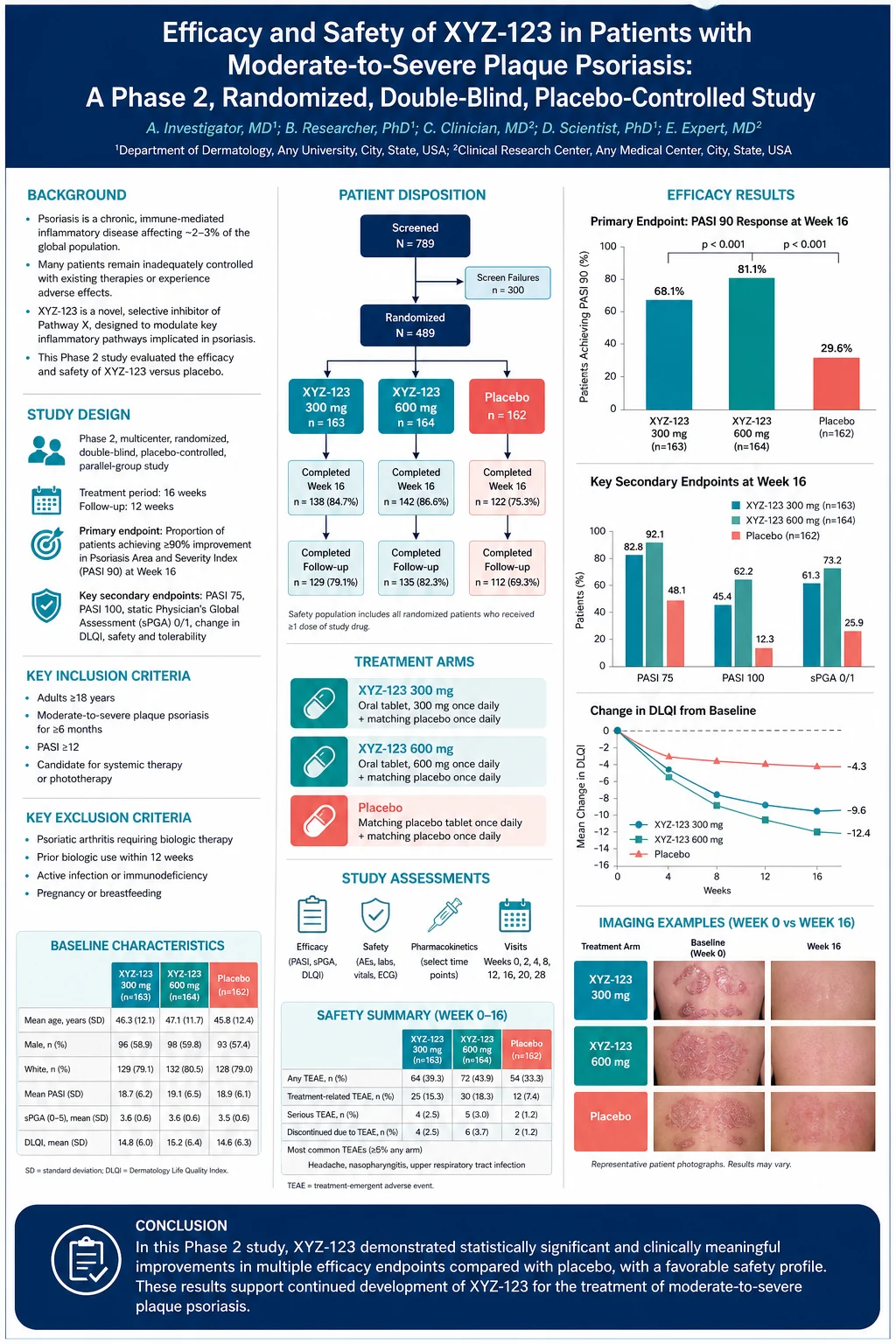
RSNA 2026, the Radiological Society of North America's annual meeting, runs November 29 to December 3, 2026, at McCormick Place in Chicago, with technical exhibits open November 29 to December 2. If you are coming from another specialty, the first thing to know is that an RSNA "poster" is usually not a printed poster at all. Education exhibits and scientific posters are digital presentations — multi-slide decks uploaded to RSNA's presentation system and viewed on screens in the Learning Center and on attendees' own devices. A printed board is the exception: a hardcopy version shown only when RSNA selects your work for a second format.
This guide covers both: the slide limits, file rules and upload deadlines for digital education exhibits and scientific posters, the hardcopy board and print size, RSNA's patient-privacy and AI-disclosure rules, a slide-by-slide outline for an education exhibit, and a layout for the hardcopy board. Every date, size and rule is as published on rsna.org when we checked it on November 8, 2026, with the official pages listed in Sources. Where RSNA does not publish something, we say so.
RSNA 2026 presentation rules at a glance
| Item | Education exhibit | Scientific poster |
|---|---|---|
| Format | Digital presentation (PDF or PowerPoint) | Digital presentation (PDF or PowerPoint) |
| Slide limit | 40 slides | 35 slides |
| Aspect ratio | 16:9 preferred; 4:3 supported | 16:9 preferred; 4:3 supported |
| Narration | Optional, 7 minutes maximum | Optional, 7 minutes maximum |
| Award consideration deadline | October 21, 12 p.m. CT | October 21, 12 p.m. CT |
| Final upload and approval | November 11, 12 p.m. CT | November 11, 12 p.m. CT |
| In person? | Not required — the exhibit is hosted digitally | Assigned a discussion time in a Learning Center community |
| On view | From November 29, 8 a.m. CT, to registered attendees, until February 26, 2027 | Same |
Case of the Day submissions are one slide plus a second file of up to 35 slides; their final deadline was October 28, 12 p.m. CT. Hardcopy presentations (the printed second format) have a final deadline of November 17, 12 p.m. CT.
RSNA 2026 dates and deadlines
| Date | What happens |
|---|---|
| May 6, 2026, 12 p.m. CT | Spring call for scientific presentations and education exhibits closes |
| Later in 2026 | A Cutting-Edge Research call for abstracts ran; it has also closed |
| End of August | Login instructions for the digital presentation system sent to presenting authors of education exhibits and scientific posters |
| September | Hardcopy presenters receive their login instructions |
| October 21, 12 p.m. CT | Award consideration deadline: the version in the system at this moment is the one judged |
| October 28, 12 p.m. CT | Case of the Day final deadline |
| November 11, 12 p.m. CT | Final deadline to upload and approve education exhibits and scientific posters; the system then closes |
| November 17, 12 p.m. CT | Final deadline for hardcopy presentations |
| November 29, 8 a.m. CT | Digital presentations open for on-demand viewing |
| November 29–December 3 | RSNA 2026 at McCormick Place, Chicago |
| December 3, 4 p.m. | Meeting closes; hardcopy posters must stay up until then |
| February 26, 2027, 12 p.m. CT | Access to digital presentations ends |
The abstract submission page now says submissions are closed and that authors will be notified by email. RSNA had not published its 2027 call dates when we checked. Note that RSNA 2027 starts two weeks earlier than this year: RSNA lists it as November 14–18, 2027, so watch rsna.org for the 2027 call dates rather than assuming this year's.
What RSNA means by an education exhibit
RSNA accepts abstracts in two broad categories. Science abstracts report hypothesis-driven research and are presented as oral papers or as scientific posters. Education exhibits are designed to teach or review a topic in medical imaging — an imaging spectrum of a disease, a pictorial review of anatomy and variants, a guide to a technique or a reporting system, pitfalls and mimics. People often search for "RSNA educational exhibit"; RSNA's own term is education exhibit.
Education exhibits are presented as digital presentations, and a smaller number as stand-alone exhibits with their own computer equipment (RSNA offered a $600 subsidy per stand-alone exhibit for network connections and hardware, with the order form due September 11, 2026). Every accepted education exhibit must upload a digital presentation, and the presenter does not need to be at the meeting in person — the exhibit is hosted in the digital presentation system for the whole meeting and beyond.
Digital presentation rules: education exhibits and scientific posters
RSNA's 2026 guidelines for both formats are nearly identical. Presentations are hosted by RSNA's digital presentation partner, and presenting authors receive login credentials from upload@scientificposters.com (add it to your contacts; the email goes only to the presenting author, who must sign in and submit personally even if someone else prepares the file).
File and format
- Upload one file, in PDF or PowerPoint. Everything is converted to PDF for viewing.
- 16:9 is preferred; 4:3 is supported.
- No more than 40 slides for an education exhibit; no more than 35 for a scientific poster.
- PowerPoint animations, builds, transitions, hyperlinks and embedded audio or video are not supported. Design every slide to work as a static page.
Narration and video
- After uploading, you can record audio narration of up to 7 minutes in the system (or upload an audio file), with timings that auto-advance the slides.
- You can add content videos — for example cine clips that expand on a finding. Each video appears on its own page after the slide you choose; you can add several. Do not leave placeholder slides for them. A video that simply presents the deck is not allowed and will be disabled.
Content rules
- The presentation must reflect the accepted abstract.
- It must be non-promotional: use generic names for products and equipment, give a balanced view of options, and include no commercial logos.
- It must be your original work. Borrowed text, images, graphs or charts must be clearly labelled with full citations, and RSNA may ask you to explain material that lacks attribution.
- New this year: slides containing AI-generated line drawings, radiology facsimiles or other AI-generated content must carry a brief disclosure on the slide itself (see below).
Viewing
- Presentations are viewable on phones, tablets, laptops and monitors, in a viewer that blocks downloading.
- They open on demand on November 29 at 8 a.m. CT to registered attendees, and stay available until February 26, 2027, 12 p.m. CT. Digital poster access is included with every registration package except Technical Exhibits Only.
- Attendees can message you through an "Ask the Author" forum unless you opt out when you submit.
- After the virtual meeting closes, 2026 education exhibits move to RSNA's EdCentral for RSNA members.
Deadlines that cannot move
- To be considered for an award, upload and approve by October 21, 12 p.m. CT. You may keep editing afterwards, but the version captured at that moment is the one reviewed (you can ask for it to be removed from award consideration).
- Everything must be uploaded and approved by November 11, 12 p.m. CT. After your final approval no edits are accepted, and after the deadline the system closes. RSNA advises having mentors and co-authors review the deck before then.
Patient privacy: what RSNA requires
RSNA's guidelines are explicit, and radiology images are where most accidental breaches happen.
- No patient names, hospital ID numbers or other identifying information in any image or illustration.
- Photographs or videos showing a face must be cropped or adequately masked. Masking only the eyes is not enough.
- If an identifiable image is essential, you need consent from the patient or guardian before submission, and the consent should be stated in the exhibit.
- RSNA's AI guidance adds that protected health information must never be entered into AI tools.
In practice, check every image for burned-in text: name, date of birth, accession number, study date, institution, and technologist initials in the corners of CT, MR, ultrasound and radiograph exports. Export from PACS without overlays where you can, and crop or redact what remains — a black box drawn in PowerPoint over text is not redaction if the original image is still underneath in the file, so flatten or crop the image itself.
AI disclosure at RSNA
RSNA's 2026 rules on AI apply to every presentation:
- Disclose substantive AI use, both in your opening remarks (for spoken presentations) and directly on any slide that contains an AI-generated line drawing, a radiology image created or altered with AI, or AI-generated text or slide content.
- State the tool's name, version and date used, and what you used it for — RSNA suggests short labels such as "Line drawing generated using [tool name]", "Radiology image modified with AI assistance" or "Slide content generated in part by AI".
- Every AI-generated or AI-modified image, chart or graphic needs a source attribution on the slide where it appears.
- Not required: routine help with grammar, formatting suggestions, and slide design and formatting, as long as you keep full control of the final content.
So if you use an AI tool to draw a schematic — including our scientific poster maker or graphical abstract maker — add the disclosure line to that slide. Never use AI to generate or alter the radiology images themselves for an exhibit without saying so, and never upload patient images to an AI tool.
A sample outline for an RSNA educational exhibit (40 slides)
RSNA does not prescribe a structure. This is the shape that works for a teaching exhibit viewed on a screen, one idea per slide:
| Slides | Section | What goes on them |
|---|---|---|
| 1 | Title | Title, authors, institution; AI disclosure if any |
| 2 | Teaching points | Two to four learning objectives, written as things the viewer will be able to do |
| 3–4 | Background | Why the topic matters clinically, in a few lines and one figure |
| 5–8 | Anatomy and technique | Normal anatomy with labelled images; protocol table (sequences, phases, parameters) |
| 9–28 | Imaging spectrum | Two to three slides per entity: key findings, annotated images across modalities, one pearl each |
| 29–32 | Mimics and pitfalls | Side-by-side look-alikes and how to tell them apart; a differential diagnosis table |
| 33–35 | What changes management | Reporting language, classification or decision points |
| 36–37 | Summary | The teaching points again, answered |
| 38–40 | References | Full citations, including for any borrowed image |
For a scientific poster (35 slides), the equivalent is: title; purpose; materials and methods (patients, inclusion and exclusion, imaging protocol, reference standard, readers, statistics); a patient flow diagram; results with confidence intervals; representative images; limitations; conclusion; and clinical relevance. The CONSORT diagram generator draws the patient flow from your own counts in the browser and flags numbers that do not add up; it involves no AI, so it needs no disclosure.
Making radiology slides that read well on a phone
Your exhibit will be read on a laptop in a hotel room and on a phone in a queue as often as on a Learning Center screen.
- Let the image fill the slide. One or two images per slide, as large as possible, with text pushed into a short caption strip.
- Label every image fully: modality, plane, sequence or phase — for example "Axial contrast-enhanced CT, portal venous phase" — and keep window and level consistent within a series.
- Annotate consistently. Use the same arrow style for the same meaning throughout, with a key on first use. Yellow or cyan arrows show up on greyscale images; avoid red–green pairs, and check them with the colorblind simulator.
- Keep text at 24 pt or larger on a 16:9 slide so it survives a phone screen.
- Export images at native resolution, not as screenshots of thumbnails. If a slide image looks soft, check it at its displayed size with the image DPI checker.
- Use cine clips as content videos rather than trying to embed them; they will appear on their own page after the slide you choose.
- Script the narration. Seven minutes is about 900–1,000 spoken words for the whole deck, so narrate the teaching points and the key cases, not every slide.
- Start from the official template. RSNA provides an official RSNA 2026 PowerPoint template and downloadable logos on its Faculty and Presenter Resources page.
Hardcopy presentations: the RSNA poster board
If RSNA selected your work to be shown in a second format, you also have a hardcopy poster in the Learning Center. It is for viewing only — no oral presentation is attached.
Printing and hanging are free. You order the print through the same digital presentation system, which lists print templates, sizes and the deadline, and RSNA hangs the poster for you. The final deadline is November 17, 12 p.m. CT. The poster must stay up until the meeting closes at 4 p.m. on Thursday, December 3.
| Measurement | Inches | Centimetres |
|---|---|---|
| Board, including frame legs | 84 high × 77 3/16 wide | 213.36 high × 197.64 wide (as RSNA gives it) |
| Usable poster space (½-in grey fabric foam) | 48 high × 77 3/16 wide | 121.92 high × 196.06 wide |
| Recommended print size | 72 wide × 42 high | 182.9 × 106.7 |
Mind the QR card. RSNA places a 4.25 × 11 in card with your poster's QR code on the left side of the board at mid-height, and asks that it not be covered; it links viewers to your digital presentation and narration. RSNA's recommended 72-in width leaves about 5 in of the 77 3/16-in board free — room for the 4.25-in card. A wider print would compete with it for that space.
Templates. RSNA's hardcopy guidelines link two optional templates (one built as a visual abstract) and the #betterposter format, which RSNA describes as an easy-to-scan, learner-centred design that cuts text overload and highlights the main findings. More print templates are in the submission system. If you use your own design, keep to the maximum size.
A layout for the 72 × 42 in hardcopy poster
| Zone | Inches | Centimetres | What goes there |
|---|---|---|---|
| Outer margin | 1 | 2.5 | Clear on every side |
| Title band | 70 × 6 | 178 × 15 | Title, authors, institution |
| Left column | 22 wide | 55.9 wide | Purpose, methods or teaching points, protocol |
| Centre column | 24 wide | 61 wide | Key images or key results — the panel people photograph |
| Right column | 22 wide | 55.9 wide | Findings summary, pitfalls, conclusion |
| Gutters | 1 | 2.5 | Between columns |
| Footer strip | 70 × 2 | 178 × 5 | References, disclosures (including any AI disclosure) |
Columns: 1 + 22 + 1 + 24 + 1 + 22 + 1 = 72 in. Height: 1 + 6 + 1 + 30 (body) + 1 + 2 + 1 = 42 in. Body text at 28–36 pt and a title of 100 pt or more read well from the Learning Center aisle. Because the hardcopy is a second view of the digital presentation, a visual-abstract layout often works best: one large central image or result, three to five short findings, and the QR card doing the rest. The graphical abstract maker is a quick way to rough out that central panel (with the AI disclosure on the poster).
RSNA presentation checklist
- File is one PDF or PowerPoint, 16:9, within 40 slides (education exhibit) or 35 (scientific poster).
- No animations, builds, transitions, hyperlinks or embedded media; videos added in the system as content videos.
- Narration, if any, 7 minutes or less in total.
- Every image de-identified: no names, IDs, dates or accession numbers; faces cropped or masked (not just the eyes).
- Generic names only; no commercial logos.
- Borrowed material credited with full citations.
- AI disclosure on every slide with AI-generated drawings, images or content, naming tool, version, date and purpose.
- Modality, plane and sequence on every image; consistent arrows with a key.
- Text at 24 pt or larger on slides.
- Uploaded and approved by November 11, 12 p.m. CT, after co-author review.
- Hardcopy (if selected): ordered by November 17, 12 p.m. CT, at 72 × 42 in or smaller, leaving room for the QR card.
Frequently asked questions
When and where is RSNA 2026?
November 29 to December 3, 2026, at McCormick Place in Chicago. Technical exhibits are open November 29 to December 2.
What was the RSNA 2026 abstract deadline?
The spring call for scientific presentations and education exhibits closed on May 6, 2026, at 12 p.m. CT. A later Cutting-Edge Research call has also closed.
What is an RSNA education exhibit?
An abstract designed to teach or review a topic in medical imaging — such as the imaging spectrum of a disease, anatomy and variants, technique, or pitfalls — rather than to report hypothesis-driven research. It is presented as a digital presentation, or in some cases as a stand-alone exhibit.
How many slides can an RSNA education exhibit have?
No more than 40. Scientific posters may have no more than 35, and Case of the Day submissions are one slide with a second file of up to 35.
When is the RSNA 2026 upload deadline?
Education exhibits and scientific posters must be uploaded and approved by November 11, 2026, at 12 p.m. CT. The award consideration deadline was October 21. Hardcopy presentations are due November 17.
What file format and aspect ratio does RSNA accept?
One PDF or PowerPoint file per presentation. 16:9 is preferred and 4:3 is supported. Files are converted to PDF for viewing.
Can I include video in an RSNA digital presentation?
Not embedded in the file. After uploading, you can add content videos in the system; each appears on its own page after a slide you choose. You can also record up to 7 minutes of narration.
Do I have to attend RSNA in person to present an education exhibit?
No. RSNA says education exhibit presenters do not need to be at the meeting; the exhibit is hosted digitally. Scientific poster presenters are assigned a discussion time in a Learning Center community.
What size is the RSNA poster board?
For hardcopy presentations, the usable space is 48 in high by 77 3/16 in wide (121.9 × 196.1 cm), and RSNA recommends printing at 72 in wide by 42 in high (182.9 × 106.7 cm).
Does RSNA print my poster?
If your work was selected for a hardcopy second format, yes: printing is free through RSNA's digital presentation system, and RSNA hangs the poster for you.
Do I have to disclose AI use in an RSNA presentation?
Yes, for substantive use. AI-generated line drawings, radiology images created or altered with AI, and AI-generated content each need a disclosure on the slide, naming the tool, version, date and purpose. Grammar checks and routine slide formatting do not.
Where can I see sample RSNA educational exhibits?
Registered attendees can view this year's digital presentations from November 29, 2026 until February 26, 2027. After that, 2026 education exhibits are available to RSNA members on EdCentral.
More conference poster guides
- SfN Neuroscience 2026 poster guide — the 6 × 4 ft board, deadlines and virtual posters.
- NeurIPS 2026 poster size and template — three venues, two sizes and print deadlines.
- ASH 2026 poster guidelines — print-upload deadlines and ASH's ban on AI-generated posters.
- Scientific poster layout checklist and best fonts for scientific figures and posters.
- Colorblind-friendly palette and figure legend generator for charts and captions in the deck.
Sources
All pages checked on November 8, 2026.
- RSNA, Annual Meeting (2026 dates)
- RSNA, Future and Past Meetings (venue; 2027 dates)
- RSNA, Faculty and Presenter Resources
- RSNA, Resources for Education Exhibits and Scientific Poster Presenters
- RSNA, Education Exhibits – Digital Presentation Guidelines 2026 (PDF)
- RSNA, Scientific Posters – Digital Presentation Guidelines 2026 (PDF)
- RSNA, Resources for Hardcopy Presentation Presenters and the 2026 Hardcopy Presentation Guidelines (PDF)
- RSNA, Resources for Stand-Alone Education Exhibit Presenters
- RSNA, Program Planning and Disclosing Use of AI (PDF)
- RSNA, Abstract Submission
- RSNA, RSNA in Brief, April 2026 (May 6 abstract deadline)
- RSNA, Annual Meeting FAQs (digital poster access)