
Tool comparison
ChemDraw alternative: structure editors and chemistry figure tools
ChemDraw from Revvity Signals is the standard for chemical structures and reaction schemes, and no single tool replaces all of it. This guide splits the work in two: free editors such as Ketcher are the closest ChemDraw alternative for drawing accurate structures, while SciFigure AI builds the figure around them, such as a TOC graphic or graphical abstract. SciFigure AI does not edit chemical structures.
ChemDraw vs SciFigure AI at a glance
Keep ChemDraw for
- Structure drawing with stereochemistry indicators
- Name-to-structure and structure-to-name conversion
- 1H and 13C NMR prediction in the higher tiers
- Reaction schemes your group already maintains
Use a structure editor for
- Ketcher: free, open source (Apache 2.0), runs in a web browser
- ChemDoodle 2D: paid, on Windows, macOS, and Linux
- MarvinSketch: desktop drawing tool from Chemaxon (Certara)
- Avogadro: free, open-source 3D molecular editor
Use SciFigure AI for
- TOC graphics and graphical abstracts from a text prompt
- Mechanism overviews and catalysis or materials schematics
- Data charts from CSV or Excel, where free credits work
- Not for SMILES, reaction arrows, or stereochemistry editing
ChemDraw and alternatives compared
Best for
- ChemDraw
- Structures, reaction schemes, name-to-structure, NMR prediction
- Ketcher
- Free structure and reaction drawing in a browser
- MarvinSketch
- Chemical drawing in Chemaxon workflows
- ChemDoodle 2D
- Paid 2D chemical drawing on desktop
- SciFigure AI
- Figures around structures: TOC graphics, graphical abstracts, schematics, charts
Pricing model
- ChemDraw
- Subscription (see official site)
- Ketcher
- Free, open source (Apache 2.0)
- MarvinSketch
- See official site
- ChemDoodle 2D
- $29/month, $199/year, or $999 lifetime
- SciFigure AI
- Charts: 5 credits each; one free trial figure, then packs from $2.99
Chemical structure editing
Structures that appear in a SciFigure AI image are illustrations, not validated chemistry.
- ChemDraw
- Yes
- Ketcher
- Yes
- MarvinSketch
- Yes
- ChemDoodle 2D
- Yes
- SciFigure AI
- No
Where it runs
- ChemDraw
- See official site
- Ketcher
- Web browser
- MarvinSketch
- Desktop (MarvinSketch)
- ChemDoodle 2D
- Windows, macOS, and Linux
- SciFigure AI
- Web browser
Free option
- ChemDraw
- 15-day Signals ChemDraw trial
- Ketcher
- Free to use
- MarvinSketch
- Marvin Cloud 14-day trial
- ChemDoodle 2D
- 14-day trial with restricted features and watermarked output
- SciFigure AI
- Signup and daily credits, for charts only
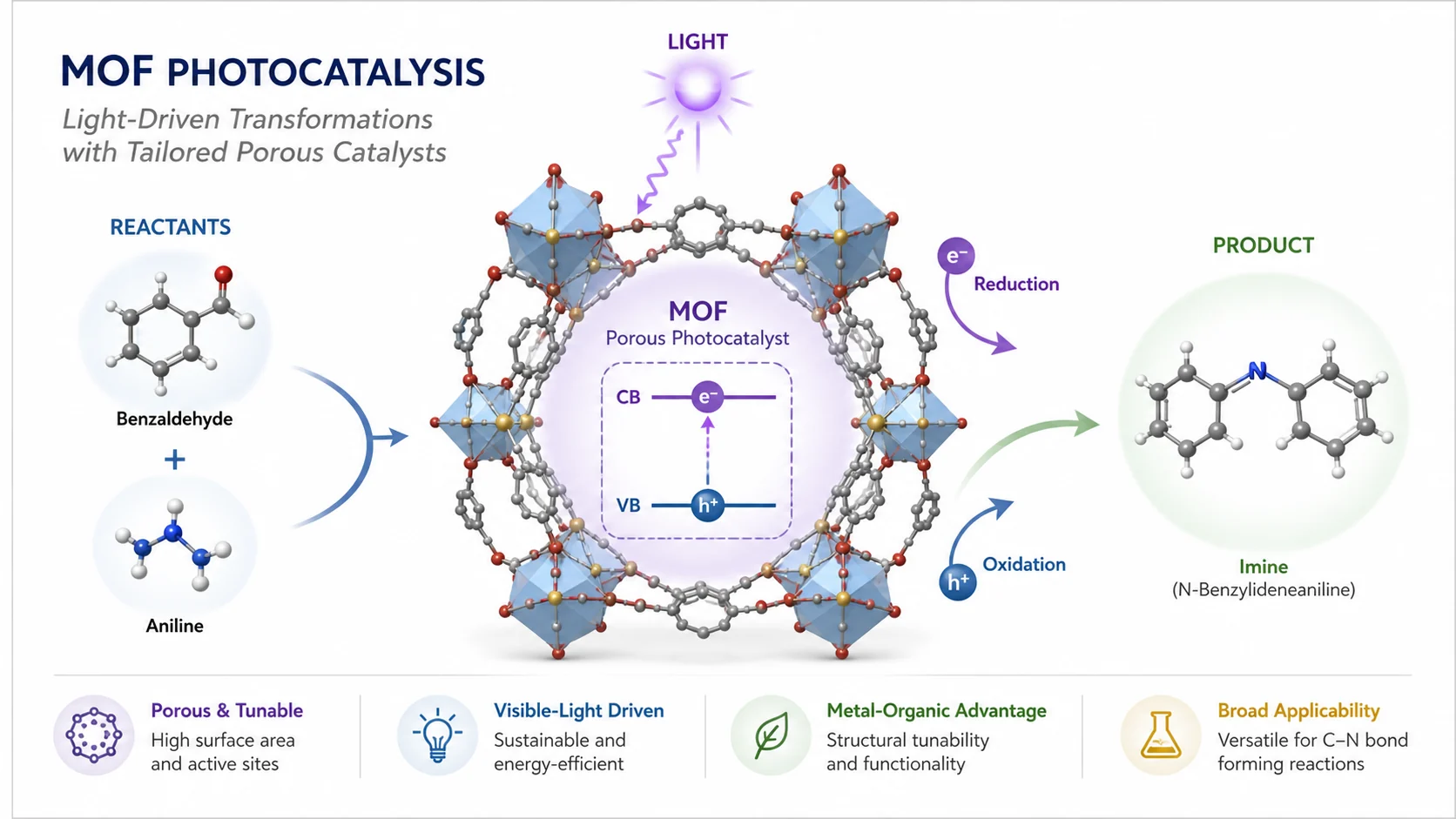
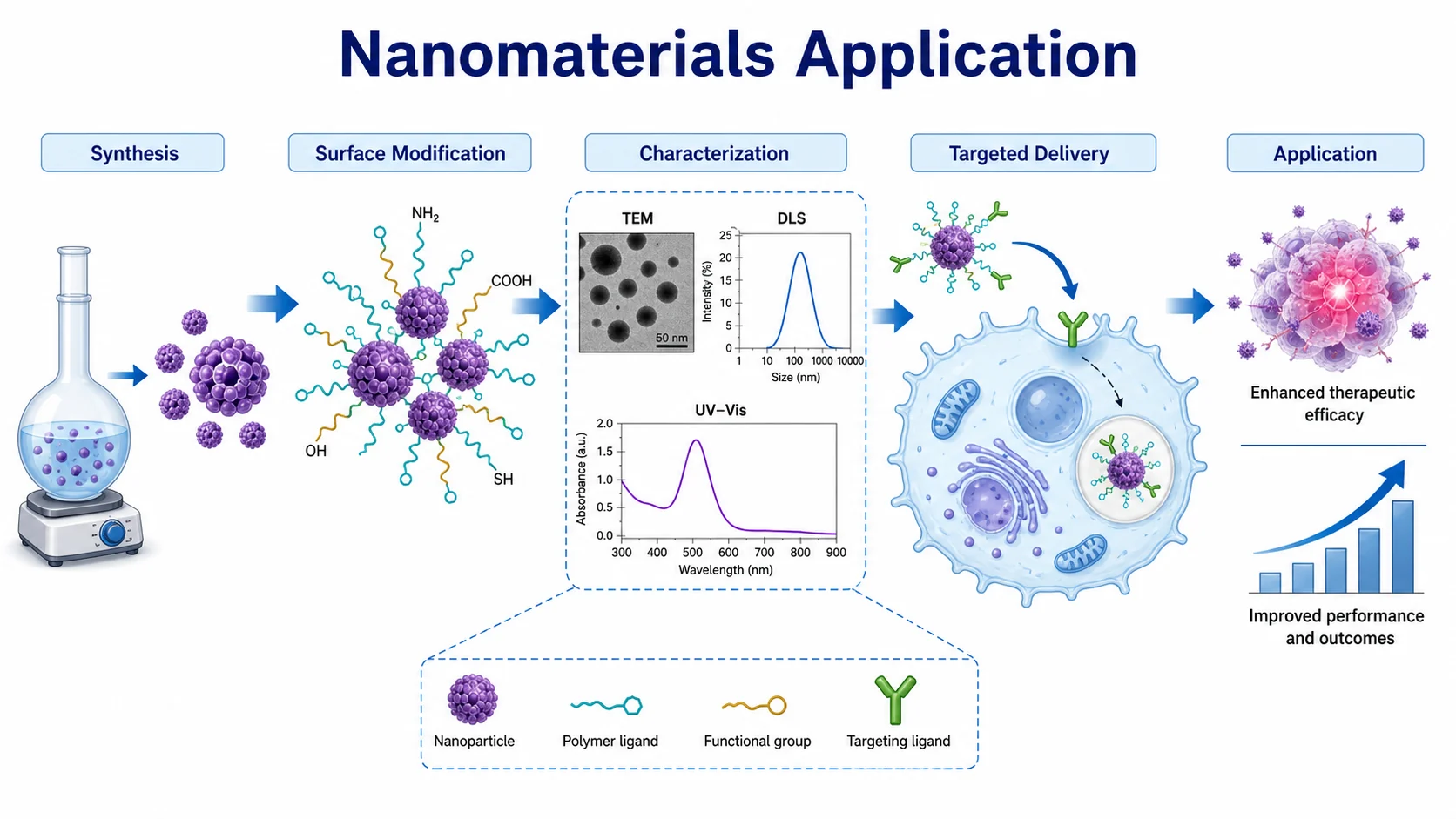
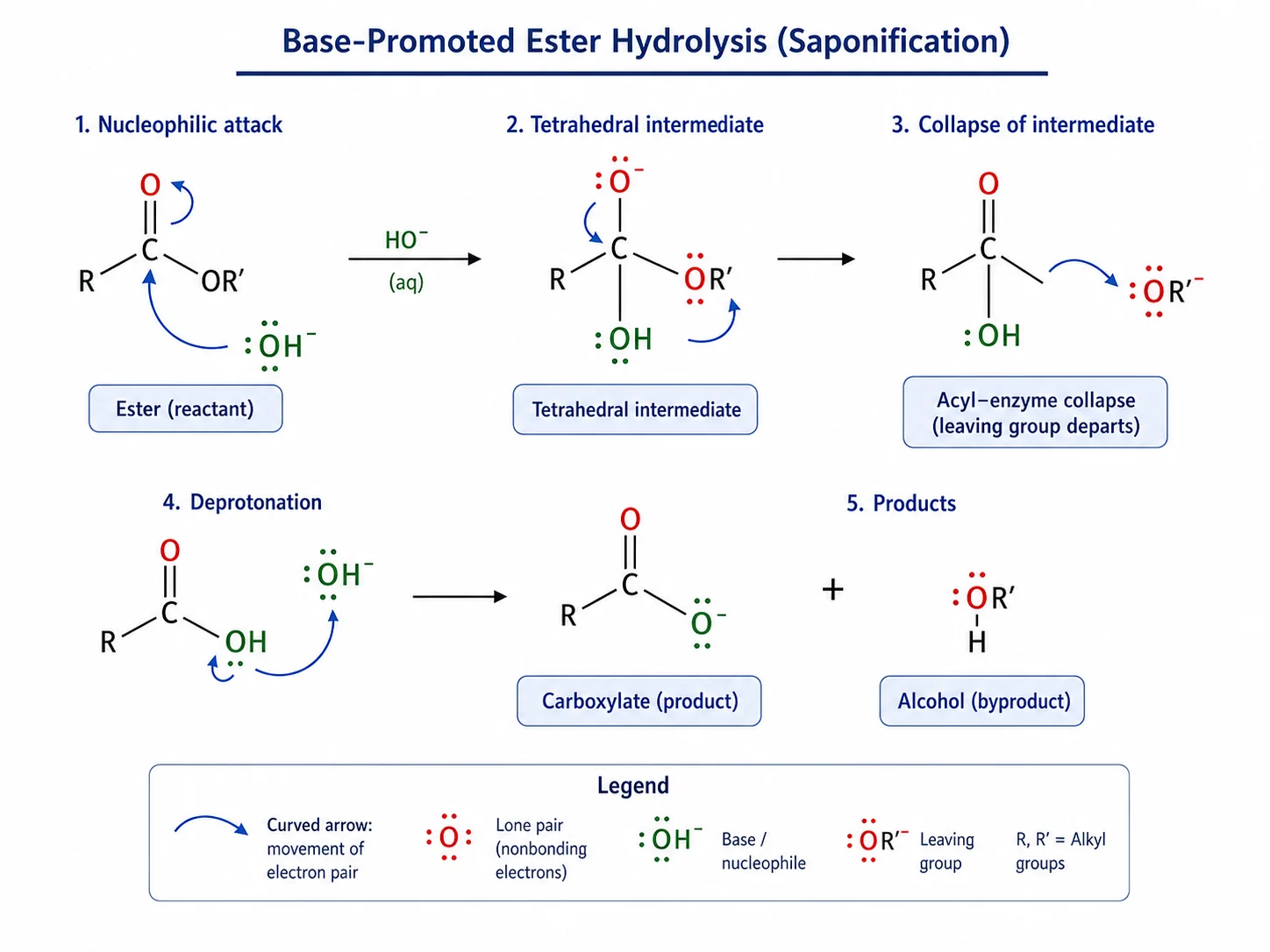
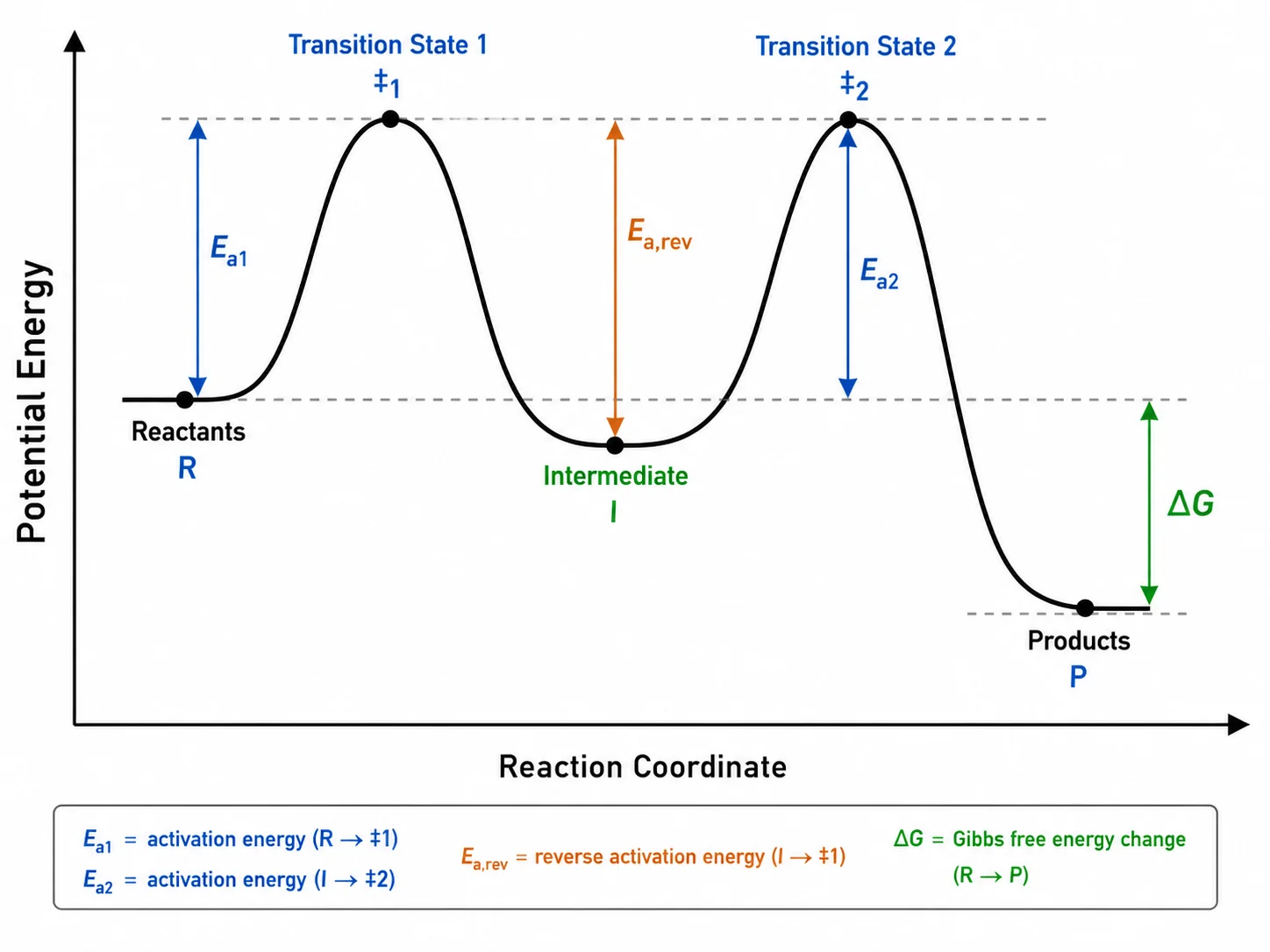
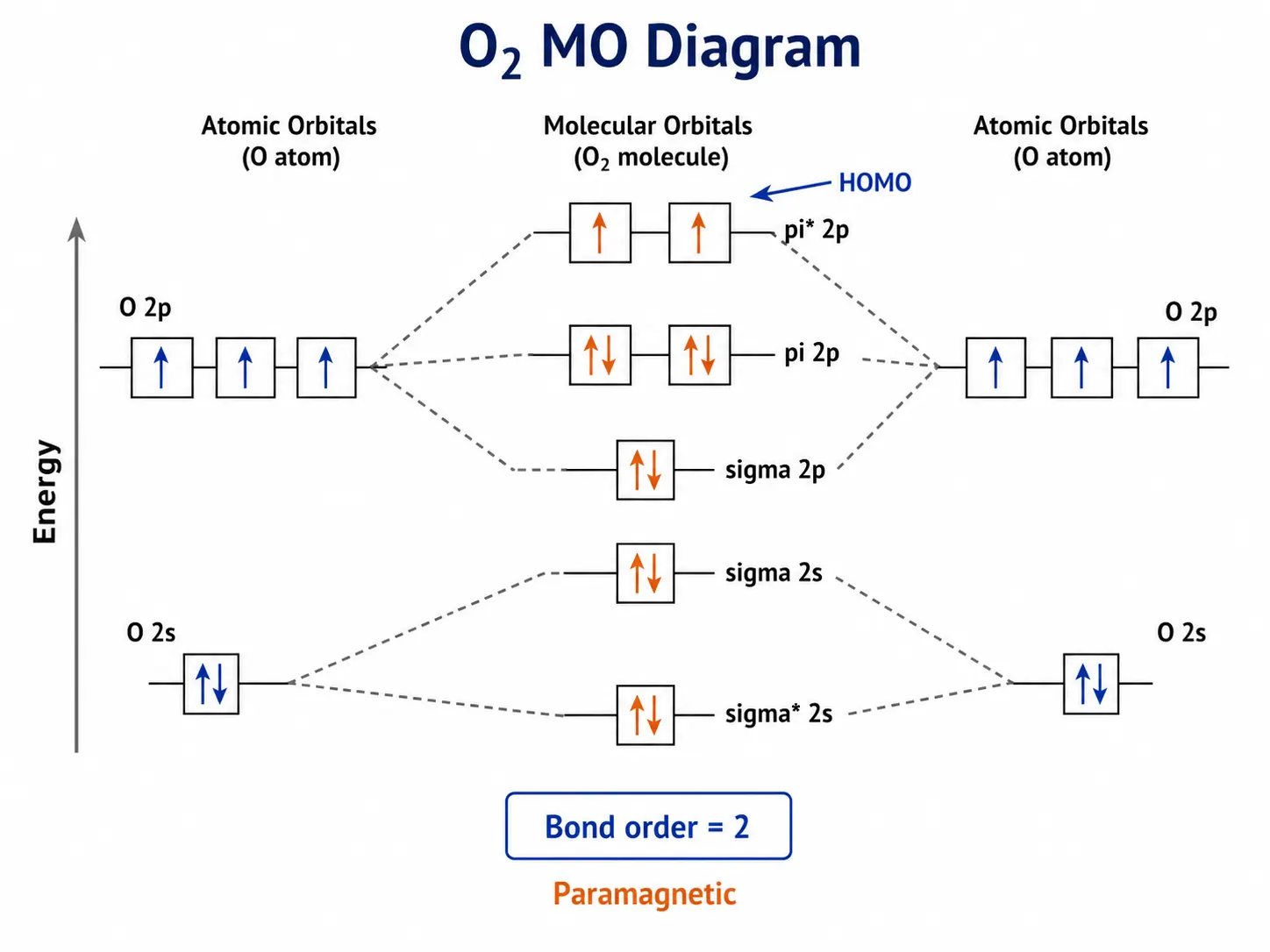
Chemistry figures SciFigure AI drafts
The figure around the chemistry, not the structures themselves. Structures drawn by the AI are illustrations rather than validated chemistry, so draw them in a structure editor and place them into the layout.
What ChemDraw does that a figure tool cannot
ChemDraw is a chemistry drawing application first. Revvity Signals documents stereochemistry indicators that update as you draw, structure and reaction clean-up, conversion between names and structures, and 1H and 13C NMR prediction in its higher tiers. Those features depend on the software understanding the molecule. SciFigure AI generates images, so it cannot validate valences, assign stereocenters, or produce a structure file. For anything a reviewer will check atom by atom, use a structure editor.
Free and paid ChemDraw alternatives for structures
- Ketcher (EPAM): an open-source web editor for small molecules, biomolecules, and reactions under the Apache License 2.0. It is the strongest free ChemDraw alternative if you want to work in a browser.
- MarvinSketch (Chemaxon, now part of Certara): a fully featured desktop chemical drawing tool. Licensing is not listed publicly; Marvin Cloud offers a 14-day trial and academic plans, so check the official page.
- ChemDoodle 2D (iChemLabs): paid, at $29 per month, $199 per year, or $999 for a lifetime license, on Windows, macOS, and Linux.
- Avogadro: a free, open-source (BSD 3-clause) 3D molecular editor and visualizer for Windows, Linux, and macOS, useful when you need 3D models rather than 2D drawings.
- ACD/ChemSketch Freeware: ACD/Labs, now part of Revvity Signals, lists the freeware as discontinued, so it is no longer an option for new users.
Picking a ChemDraw alternative for Mac
On a Mac, the options we verified are Ketcher, which runs in a web browser; ChemDoodle 2D, which ships a native macOS build for Intel and Apple Silicon; and Avogadro for 3D models. SciFigure AI also runs in the browser, so the figure side of the work is the same on macOS, Windows, and Linux.
Where SciFigure AI fits in chemistry work
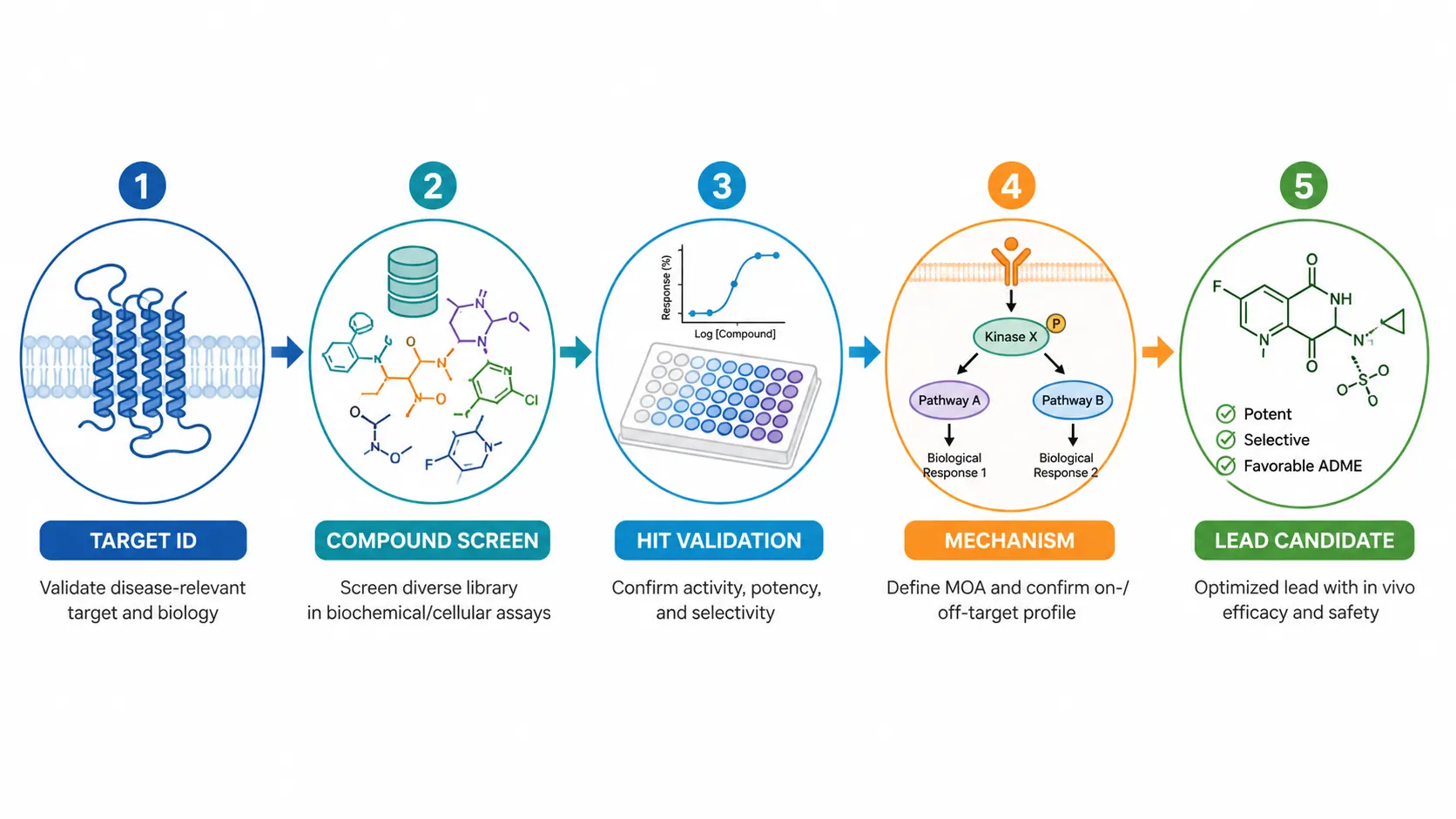
Many chemistry papers need more than structures: a table of contents graphic, a graphical abstract, an overview of a catalytic cycle, a schematic of a material or device, and plots of the data. SciFigure AI drafts those figures from a text description or sketch, and its chart generators turn CSV or Excel data into publication-ready PNG charts. AI illustration requires a paid purchase; charts can use free credits.
- TOC graphics and graphical abstracts built around one central result.
- Mechanism overview illustrations for introductions and reviews, not formal arrow pushing.
- Materials, catalysis, and device schematics.
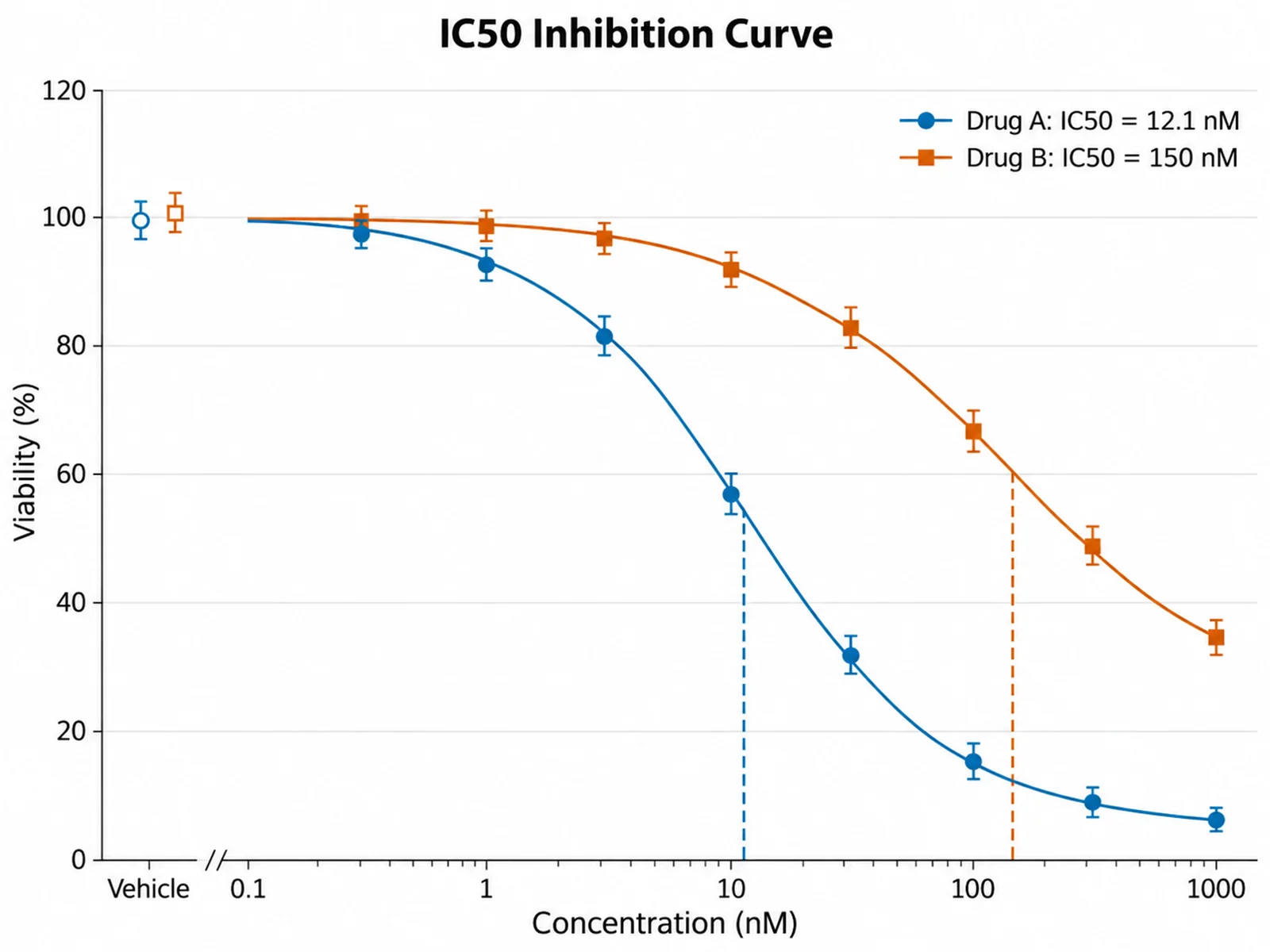
- Data charts such as dose-response curves, scatter plots, and heatmaps.
Recommended workflow: structures first, figure second
- Draw each structure in a structure editor such as Ketcher, ChemDoodle, or ChemDraw, and check it there.
- Export the structures as images from that editor.
- Describe the overall figure in the TOC Graphics Generator, Graphical Abstract Maker, or Chemistry Diagram Generator, or start from a sketch in AI Drawing.
- Use Editable Export to get SVG or PPTX with editable text, arrow, label, and callout layers, then place your validated structures over the figure image.
- Replace or remove any structure the AI drew, because generated structures are illustrations, not checked chemistry.
Frequently asked questions
Is there a free ChemDraw alternative?
Yes, for structure drawing. Ketcher is free and open source under the Apache License 2.0 and runs in a web browser, and Avogadro is free and open source for 3D molecular editing. ACD/ChemSketch Freeware is listed as discontinued by ACD/Labs. SciFigure AI is not a structure editor.
Can SciFigure AI draw or edit chemical structures?
No. SciFigure AI has no structure editor: no SMILES input, reaction arrow tools, or stereochemistry tools. It generates figure images such as TOC graphics and graphical abstracts. Draw structures in a dedicated editor and bring them into the figure.
How much does ChemDraw cost, and how does SciFigure AI pricing compare?
Revvity Signals sells ChemDraw as a subscription, but prices are not shown on the public pages we checked, so see the official ChemDraw page or request a quote. SciFigure AI charts cost 5 credits each, and free credits work for them. A new account can make one free trial figure; after that, AI illustration needs a paid purchase, from a $2.99 pack of 30 credits or a $14.99 per month subscription.
What is a good ChemDraw alternative for Mac?
For 2D structures, Ketcher runs in a browser and ChemDoodle 2D has a native macOS version for Intel and Apple Silicon Macs. For 3D models, Avogadro supports macOS. For TOC graphics and graphical abstracts, SciFigure AI runs in the browser.
Can I use AI-generated chemistry figures in a journal submission?
Check your journal, publisher, and institution rules on AI-generated images first; you are responsible for following them. SciFigure AI paid plans permit research and commercial use of outputs under the Terms of Service. Keep structures drawn in a structure editor so reviewers see validated chemistry.
Is ChemSketch still a free option?
ACD/Labs lists ChemSketch Freeware as discontinued, and its ChemSketch product pages now redirect to Revvity Signals. Current users may keep using existing installations under their license terms. New users can look at Ketcher, MarvinSketch, or ChemDoodle instead.
Tools for chemistry figures
TOC Graphics Generator
Create a compact journal table-of-contents graphic from a description.
Graphical Abstract Maker
Turn a paper summary into a graphical abstract draft.
Chemistry Diagram Generator
Draft chemistry concept and process diagrams from text.
Dose-Response Curve Generator
Fit four-parameter logistic curves and report IC50 or EC50.
Best ChemDraw alternatives
A roundup of structure editors and chemistry figure tools.
Molecular Orbital Diagram
Draw labeled MO energy-level diagrams for teaching and papers.
Build the figure around your structures
Describe your paper’s central result and get a TOC graphic draft. Your first AI figure is a free trial.
Open TOC Graphics GeneratorLast checked: September 15, 2026. Sources: Revvity Signals ChemDraw, Which ChemDraw is right for me (Revvity Signals), Revvity Signals free trials, Ketcher (EPAM), Marvin (Certara), ChemDoodle store (iChemLabs), ChemDoodle 2D, Avogadro, ACD/ChemSketch Freeware, SciFigure AI pricing. Prices and licenses change, so confirm on the official site before you buy.